Hiya mybelle!
I kept hoping for a chance to sit at the computer and take a good look at these for you, I was so excited to see you putting yourself out there with your first shots! =)
Overall, I love that you are not going off the deep end like so many early photographers do.. There are no glaringly obnoxious edits going on..no oversaturation, no alien eyes, and "lobster" babies! That in itself is a huge sign that you are on the right track

The temptation to go nuts with all the editing software out there is very real, and a very big trap that can hinder growth.
You're getting pretty close with most of your skin tones here, though I'm seeing a lot of yellow/orange/cyan in these. If you could post your camera settings and a bit of info about your lighting (time of day, position of light source etc) that would be a big help for offering CC.
Ok so overall, I think you're on the right track to getting proper exposures, and there's real potential here.
Now, like a proper "cc sandwich" I'd like to offer a few things that could help you to do better. I strongly disagree with the poster who said pictures of your own kids can only be pictures for memories.. (sorry subsuck, maybe that's not how you meant it?) Pictures of your own kids can be made amazing because of the connection you can put into them. Your goal as a photographer is to truly connect with your subject and to tell the story of that moment...Nobody knows your kids better than you do, and nobody is more able to see the beauty of each little moment with them quite like you can =) Now, to learn how to bring out what you're seeing and transcribe that into a photograph...
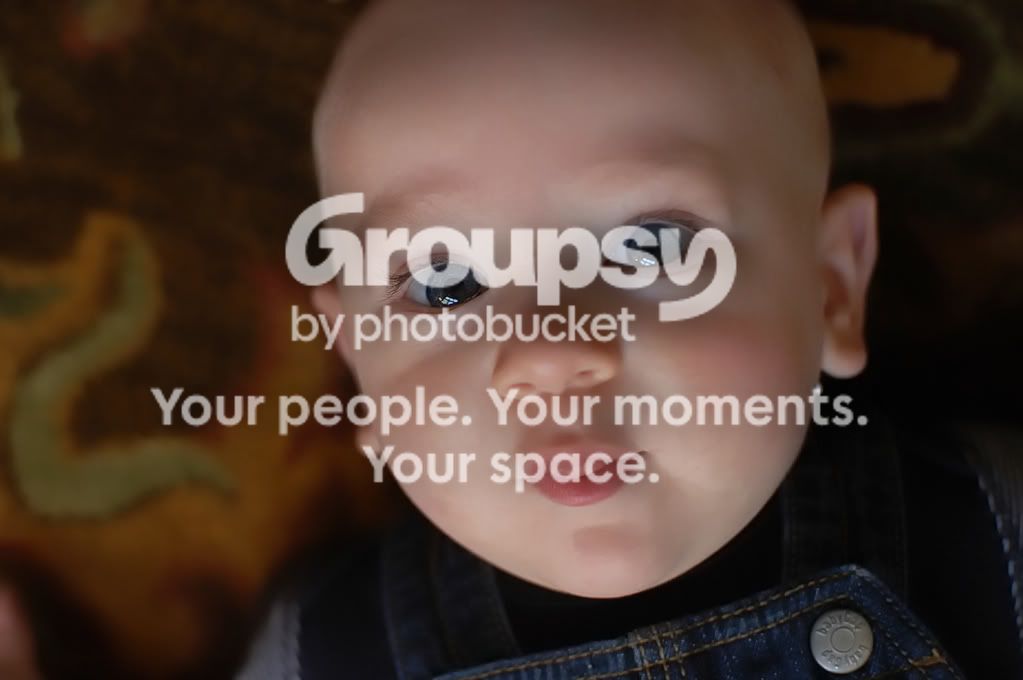
A good friend told me something that has stuck ... "The key to any truly moving photograph is light." And keeping that in mind changed the way I took pictures completely. In your first shot, you have some nice soft natural light to work with. The skin tones are great, though the picture does still seem very slightly under exposed to my eye. The white balance is close to spot on. The composition is headed in the right direction, he isn't quite centered, and his eyes draw you right in. But the way the light is falling on his face, you have sort of the "flash light" effect with your shadowing. The shadows fall as though a light was being held right up under his chin, making unflattering shadows..see how the catch lights are at the bottom of his eyes?
I would have positioned him differently so that the light feathered at about a 45 degree angle front and side of him. Play with the light you can find around your house to test things out! You have an adorable little model at your disposal, and I'm sure you have no objection to mounds of extra pictures to remember him =) Plus you'll be doing something together that you enjoy, make it a game! I know my baby loves it when we make a game of playing with the window lighting in our house. We use toys, sing songs, dance...make it fun for him and he'll reward you for it. =) To practice your lighting, Try facing him directly in front of a window, and see how the flat lighting effects his face..watch for shadows, texture, and depth. Then turn him slightly...little by little until you've gone a full 360 degrees. Later analyze the shots on your computer and look for things you like/dislike about the light you used. You can do this all over again with a different light source... One that is higher above him, or to the side, or below. Harsh sunlight, direct sunset light, or soft diffused overcast light. The light you choose is truly the paint for your canvas..and each type will create a completely different look and feel to what you paint.
Your second shot is very underexposed and I'm seeing a lot of yellow/cyan. I'm such a sucker for the wrinkly little details in baby hands though, so I do love this one =) I think it could have also been made stronger with better lighting, though, and watch the cropping.. Most of these could stand to have you move back a bit to fit more into the frame..This one cuts off right at his ankle. A general rule of thumb, though by no means a hard and fast always right rule, is never to crop/cut off your subjects at any joints. (Elbows, knees, shoulders, wrists, ankles, etc..) These can be broken from time to time where it benefits the composition of the picture, but it's a pretty good rule to stick to. I like your use of DOF in this one, though and with the right exposure/light it could be much more impacting.
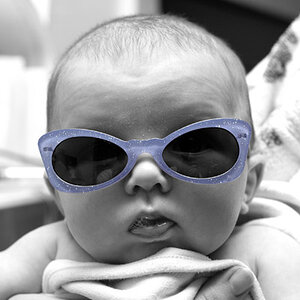
Your third shot, the black and white...You again did a very nice job getting light into his eyes. That's the key to getting sharp, clear eyes that draw the viewer in. I'm SO happy to see you getting light in the eyes instead of trying to mimick it in editing. It never looks right when eyes are oversharped/brightened...instead you get the alien eye effect. So..here again, the light is great for his eyes. For the rest of the shot however..your light is just flat. In black and white pictures in particular, flat lighting will lend to "muddy" BW conversions. See all the grey in this one? It goes from grey to grey to more grey? In a BW conversion with more direction light, you'll get more shadowing, and more dynamic range from black to grey to white. The flat lighting here makes his skin tones sort of melt into the background tones, instead of making him pop. The focus on his eyes is great though!
Your fourth shot is the least strong of this set. Don't get me wrong..I'm a sucker for little eye lashes too! But it's underexposed a tad, which will cause all color to appear more saturated. The white balance is off, and there is more yellow/orange in his skin tones than any of the others. It also looks like, while your focus was pretty good in most of these, that it missed a bit here. I'm seeing some softness in this one...and again it also suffers from the flat lighting. I will point out, though..that you did one VERY good thing here. You got down to his level instead of shooting down on him. It's so tempting to just shoot down on children because of their height..but everybody is used to looking down at a child.. It's not an unusual angle. To really draw the viewer into pictures of children, it ussually helps to get down on the ground and shoot from their perspective. (Of course there are cases where it works to shoot from the downward angle, but again this is a general rule.) On this picture, you did a good job of shooting straight on so that we dont' feel like the grown up looking down on the child.
The last shot, again is shot down on him, and has very flat light. But your focus is great, and I love the clarity of his eyes. You achieved a nice DOF here, with the child in focus (eyes) and the background out of focus...However because of the flat lighting, he sort of melts into it all, and he doesn't pop from the background much. The temperature is also way too cool, but your exposure is a little bit closer on. You could easily warm this up in post processing and have a much stronger image. Oh, are you working on a calibrated monitor? I know from experience that getting skin tones right on an uncalibrated monitor is futile, and nightmare inducing. Also, watch for harsh lighting when you are learning to "see" light. The blown spot on his shoulder is very distracting, and could be avoided by moving him more to camera left.
I know that was a lot, and I'm sorry if it was a bit harsh..but it was really meant in a spirit of helping you see things that maybe you had or hadn't thought of. I'm just trying to write things down as they come to mind. There's a lot more I'd like to touch on, but I don't want to be overwhelming! The last thing I'd like to add, is like KmH said...All of these (with the exception of the hands shot in #2) would be stronger in portrait orientation. Generally speaking, if your photo is meant to be a "headshot" without really involving the environment, or it's a "head and shoulders" shot of your subject you want to turn the camera vertically. The exception is when you're purposely adding dead space to one side or the other for compositional reasons, or you are involving the environment in some way..But even in these cases, it's more common to include at least the head/shoulders/torso. If 80% of your frame is head/shoulders, you don't need to be in horizontal/landscape orientation.
Keep shooting and posting! Can't wait to see more from you =)












 I stated these were snaps, and that's OK. They are quite often the pictures of friends and family you treasure most, due to the strong memories they can invoke. Again, that's OK and everyone should have them. I love the snaps of my kid just as much, in some cases more, than the "serious" pics of him I took over the years. But I never stated or implied pics of your kids can only be for memories. When you think about lighting, composition, setting, etc., and deliberately apply those things, they're no longer snaps, but instead are photographs. Even if they are of your kid(s).


![[No title]](/data/xfmg/thumbnail/38/38262-10a9668da9a2b36a92cddde57caf87bc.jpg?1734172150)
![[No title]](/data/xfmg/thumbnail/38/38261-db20f6f92ee8f0d4c5cf1536e308638b.jpg?1734172147)