What's new

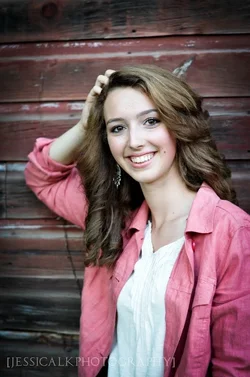
My first senior session with a stunning girl...

_jessicalynn_

TPF Noob!
Joined
Jul 26, 2012
Messages
117
Reaction score
31
1.
$image-4162210673.webp

2

$image-637910940.webp

3.


$image-4162812641.webp

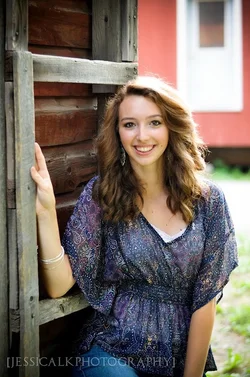
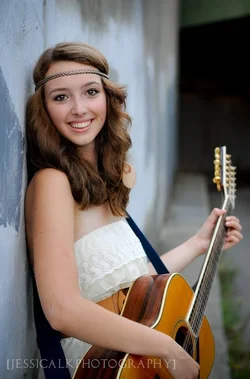
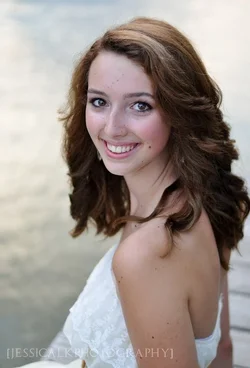
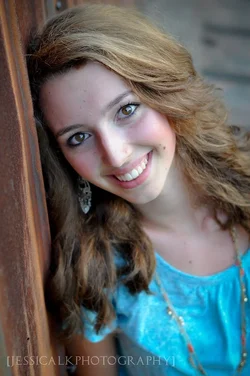
I shot these yesterday, am pretty happy with the results! She loves them and I've received some emails from her friends! I was pretty nervous before hand, but I loved it! As always cc is welcome!.
 
Well...I am not the portrait photographer...but I can point out the obvious areas of overexposure in the first. However...pretty girl...nice shots
 
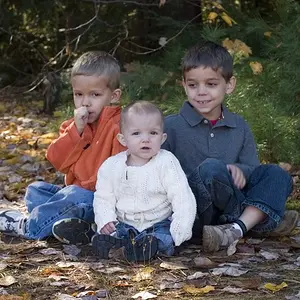
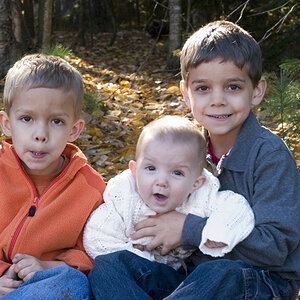
:( chopped hand in 2. In 2 her skin looks nice and warm but in 3 and 4 she looks a bit cool, almost bluish around her eyes. Maybe warm those up a little?
 
Well, there are a couple of small things that could be improved; previous comments covered those. But on the whole I think these are very nice and I'm not surprised that the model was happy with them. Good work.
 
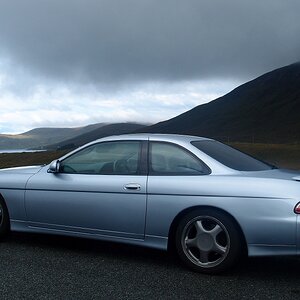
Your white balance settings are a bit too cool, and I see some excess green in the fleshtones in shots #1 and #2. if you were to open the images and open the Curves tool, and go to the Red CHannel,and lift up the curve a bit, that excessive green would be cancelled out. It is also showing up in her teeth, which are a bit yellow. It's subtle, but the issue is there. When shooting in shaded areas, near trees or large expanses of green grass, there is often some "green pollution" from the foliage/grass. Another option to correct these subtle color casts would be to use PS's Selective Color, and correct the tooth color there, and also hit the yellows and or reds a bit, and make subtle color corrections that would make her skin look more pleasing using Selective Color. The last shot, the added one of her in the blue blouse has some unusual lighting and odd skin tones...her hair looks reddish/green in that one. Just a little, but it's clearly different in color than the other shots. You use of open shade with the subject looking toward a BIG light source has given you excellent catchlights and loads of eye-sparkle!!!

 
Derrel said:
Your white balance settings are a bit too cool, and I see some excess green in the fleshtones in shots #1 and #2. if you were to open the images and open the Curves tool, and go to the Red CHannel,and lift up the curve a bit, that excessive green would be cancelled out. It is also showing up in her teeth, which are a bit yellow. It's subtle, but the issue is there. When shooting in shaded areas, near trees or large expanses of green grass, there is often some "green pollution" from the foliage/grass. Another option to correct these subtle color casts would be to use PS's Selective Color, and correct the tooth color there, and also hit the yellows and or reds a bit, and make subtle color corrections that would make her skin look more pleasing using Selective Color. The last shot, the added one of her in the blue blouse has some unusual lighting and odd skin tones...her hair looks reddish/green in that one. Just a little, but it's clearly different in color than the other shots. You use of open shade with the subject looking toward a BIG light source has given you excellent catchlights and loads of eye-sparkle!!!

Here's to great great, thorough comments. I don't even like portraits (probably cuz I can't do them...and never tried)...but I read this critique because I am familiar with the poster..so here's to free pro advice.
 
i dont think the hair highlight is too hot
 
Thanks guys for the feedback! I tweaked some of the images before sending her whole album off. Thanks Derrel for all the insight! I can really see some improvement in my work since coming here and reading all the posts and getting some feedback on my own stuff. And having no photog friends irl, and never having taken clAsses you guys are very valuable to a newb like myself. Thanks!!!!!
 

Create an account or login to comment

You must be a member in order to leave a comment

Create account

Create an account on our community. It's easy!

Log in

Already have an account? Log in here.

New Topics

Back
Top Bottom