What's new

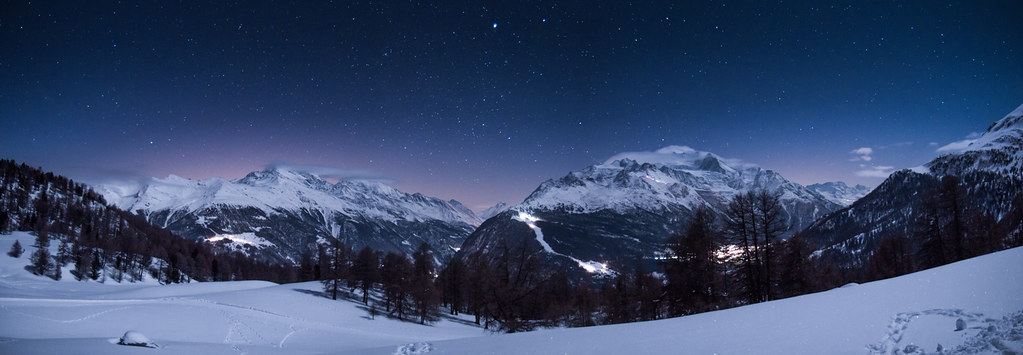
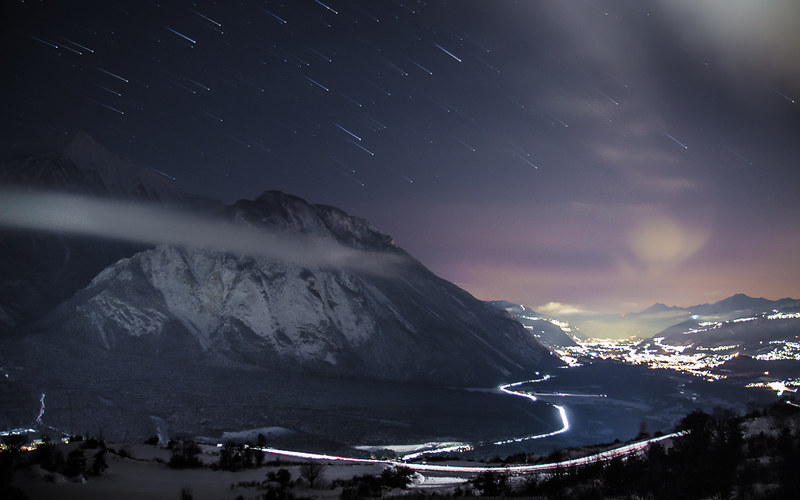
My nightscapes!

I really like #2, #5 and #7! Great job! Are they post processed? Because I love the colors!
 
WOW, there all very impressive to me. Keep up the great photos, and posting.
 
I really like #2, #5 and #7! Great job! Are they post processed? Because I love the colors!
Yes they are. For the right colors I only correctet the WB.

These aren't normal startrails. You can see, the trails are small in the beginning and bigger at their end. #2 #5 # and #7 are compose of a minimum of 40 single pics.

Thx a lot for your great feedback! These was my favourite nightscapes but i'm gonna show you some more if you like it.

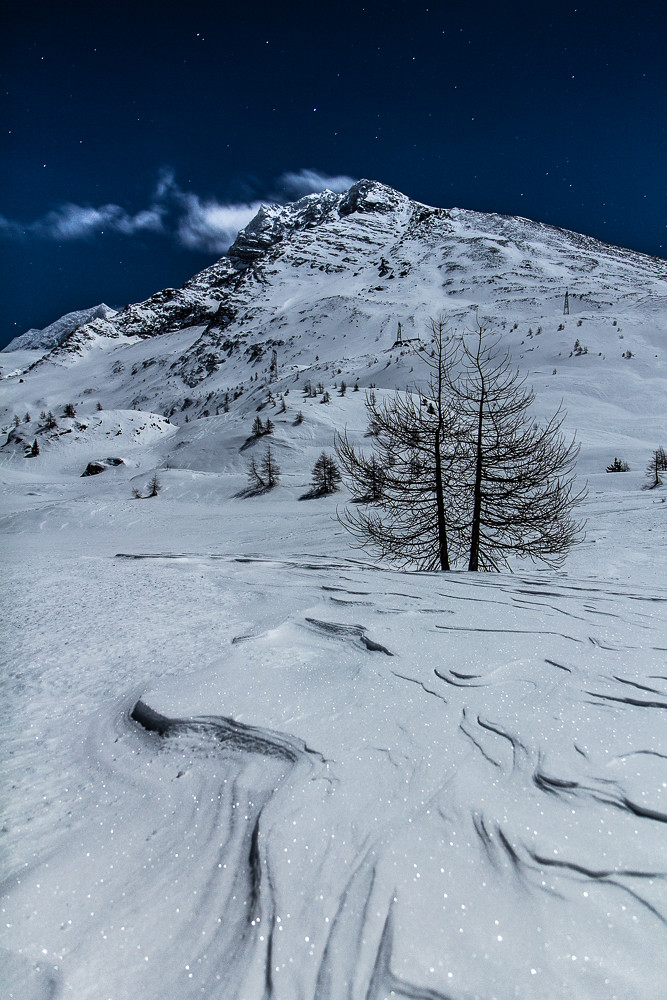
The next one was made at full moon. I like the trails in the snow

#10
 
I really like #2, #5 and #7! Great job! Are they post processed? Because I love the colors!
Yes they are. For the right colors I only correctet the WB.

These aren't normal startrails. You can see, the trails are small in the beginning and bigger at their end. #2 #5 # and #7 are compose of a minimum of 40 single pics.

Thx a lot for your great feedback! These was my favourite nightscapes but i'm gonna show you some more if you like it.

The next one was made at full moon. I like the trails in the snow

#10

Could you make a complete tutorial on how to do this kind of star trails? That would be so kind of you!
 
All phenomenal! I've never seen star trails done quite like this before, I'm very impressed.
 
Thx :thumbup:

Here's another picture with these trails

#11 Falling Stars
 
#12 Milky Way

t6pgeh.jpg
 
I too would be interested in how to do star trails that look like comets or meteors. What is your technique or can you point me to a "how to?"

Thank you
 
I too would be interested in how to do star trails that look like comets or meteors. What is your technique or can you point me to a "how to?"

Thank you

First you have to open your exposures in a pile in PS. (You have to make around 40-60 pics to get a nice effect). Set the blending mode of the first picture on normal and the opacity on 100%. Then set the blending mode of all other picture on lighten and set the opacity of the second picture in 98%...the third on 96%...the 4. on 94% .... and do that for every picture. Thats the magic trick :sexywink: I hope you know what I mean? my english isnt really good :blushing:

#12 Milky Way


What were the settings for this shot?

Its a stack of the following exposures :
3 x 2 min
3 x 3 min
3 x 3 min 30
1 x 5 min for the foreground

I guided it with a selfmade Barndoor
 
WOW! That last one made my jaw drop. Let me tell you. You ARE an exceptional photographer.

And shooting the starts :heart: you have found my weakness.
 
WOW! That last one made my jaw drop. Let me tell you. You ARE an exceptional photographer.

And shooting the starts :heart: you have found my weakness.
Thank you so much! It's nice to hear something like that!

Eidt: thx The Editor too!!
 

Create an account or login to comment

You must be a member in order to leave a comment

Create account

Create an account on our community. It's easy!

Log in

Already have an account? Log in here.

New Topics

Back
Top Bottom