What's new

need help with getting more lighting or exposure into the camera.

After everything that you wrote my first impression is that you should remove the "photography" watermark. Being blunt here, you still haven't got a grasp on the relationship with using your camera settings and the available light. If you are working outdoors on a sunny, or cloudy day, use the iso that works in relationship with a fast shutter speed and an fstop between 5.6-8. I generally try and keep the shutter speed between 640-1000, f-stop 5.6-6.3, when the light goes away, I move the iso up until I can keep shooting in that range. The indoor light of a dome should be consistent. Forget the iso 100, 200,400 and use what the camera offers.

At higher iso's 3200-4000 I add a little grain to the images in photoshop as I find they start to look a little mushy, the grain gives them a little sharpness.

I'm guessing the images you posted were just test grab shots? The exposures on the "action" looked fine to me. It does look like you used a blur tool for the entire background on the action shots as well.
 
For low light sports you need to be at ISO1600 +

iso3200 F2.8 you have to use the settings to gets the shot

i-mnhkRTD-XL.jpg
Thanks. that is what I am trying to get at.

So going to 1600 is not as bad as I think.

is this cropped at all? because if not, what camera and lense did you have?


I'll go and take a picture of something moving today in low light like this. and show you how it turns out.
 
On my d7000 I regularly go up to ISO 800 without issues.

It's been hard for me pushing ISO but so far no problem. I remember the days of film when I used to buy ASA 200 or 400 film ONLY. So and ISO for anything above that used to freak me out. But I've also been at ISO 1600 too on my d7000 now.

Put your camera on auto ISO for a few minutes and shoot away at various parts of the field, then review what the camera did.

then determine a max ISO that you like, and set up the ISO Max to that number. Then just use Auto ISO (which will now have a max limit) for a while and see how it goes.
agreed. and thanks.

I am just a chicken. I'll go and find out my "max" ISO
 
Noise you can deal with, you can use noise reduction software to clean it up - you can use sharpening to then counter softness caused as a result and you can use layermasks to isolate both effects to the areas you want them to.

As an example often you'll see more noise in background areas that are blurry; whilst at the same time those areas don't need any sharpening. So you'd use layer masks to apply a strong amount of noise reduction to the background, a weaker or no amount to the sharp in focus detailed areas and then again another mask to sharpen the in-focus areas.

Also remember that resizing for the web and printing hides a lot of noise; it just doesn't appear so you can get away with more than you think.


You can "fix" noise - you can't fix motion blur (at least in practical terms - a good artist might be able to or you could do extensive cloning and copying from the same and other shots - but at that point you're looking at hours of work for marginal gain).

I need to learn how to mask. and I need to print out some of the pictures when I feel the noise is bad, and see how it looks.

thank you everyone for your help. I'll be posting an update later
 
After everything that you wrote my first impression is that you should remove the "photography" watermark. Being blunt here, you still haven't got a grasp on the relationship with using your camera settings and the available light. If you are working outdoors on a sunny, or cloudy day, use the iso that works in relationship with a fast shutter speed and an fstop between 5.6-8. I generally try and keep the shutter speed between 640-1000, f-stop 5.6-6.3, when the light goes away, I move the iso up until I can keep shooting in that range. The indoor light of a dome should be consistent. Forget the iso 100, 200,400 and use what the camera offers.

At higher iso's 3200-4000 I add a little grain to the images in photoshop as I find they start to look a little mushy, the grain gives them a little sharpness.

I'm guessing the images you posted were just test grab shots? The exposures on the "action" looked fine to me. It does look like you used a blur tool for the entire background on the action shots as well.
I added my unedited ones. I don't know why I selected the edited ones.

also the reason I have such a huge watermark. because my pictures were stolen a couple years back. And I had to go through a bunch of hoops stopping the person and etc.
 
Using spot didn't help. But didn't look that sunny out. Appears overcast.
 
Thanks. that is what I am trying to get at.

So going to 1600 is not as bad as I think.

is this cropped at all? because if not, what camera and lense did you have?

I'll go and take a picture of something moving today in low light like this. and show you how it turns out.

No not cropped I never crop, 5Dmk1 + 300f2.8L
 
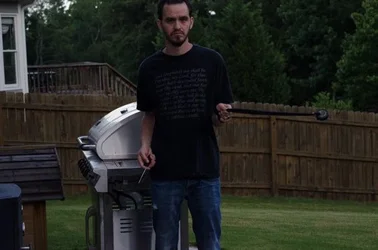
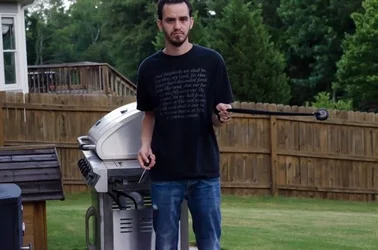
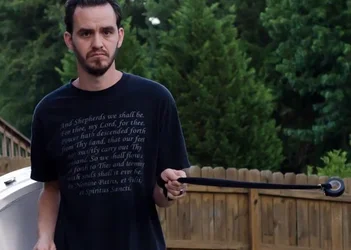
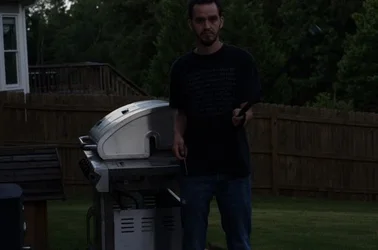
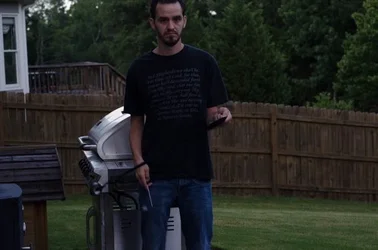
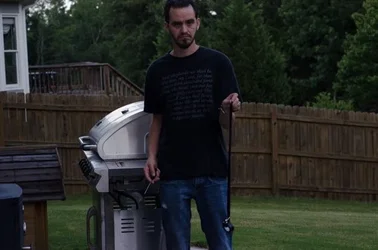
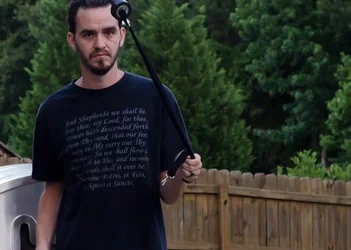
All shots are 50MM @ F5.0 I took a role of black tape and spun it around about the same speed.
- This was taken about 7:30 in georgia. That light was decent. and in the second picture, that was about how bright it was actually)
$2000 UNedited (1 of 1).webp (unedited) ISO 2000 1/2000
$2000 edited (1 of 1).webp EDITED. noise I jacked up to 55 in lightroom. (is that ok? I guess if it looks fine to me. then it is ok) ISO 2000 1/2000. this stopped it with very little blur. this is how I like it.
$2000 edited crop (1 of 1).webp (croped edited) ISO 2000 1/2000. I did this to show myself that noise was not as bad once I adjusted it on lightroom.
$100 unedited (1 of 1).webp (Unedited) ISO 100 1/250. Could have brought the shutter down for more exposure. but it would have trailed to bad.
$640 unedited (1 of 1).webp (unedited) ISO 640 1/800. Was decent. but just a little bit of blur. But Noise was able to be brought to 40.
$1600 unedited (1 of 1).webp (unedited) ISO 1600 1/2000 when I edited I pretty much was very close to the picture above that was ISO 2000 1/2000

$2000 edited crop spot (1 of 1).webp ISO 2000 1/2000. came out as the other picture that had the same settings. Just the other one was on Matrix. and the was on spot metering. (Does metering not matter if it is not dark behind the subject? and if it does not matter, then would it be best to leave it on spot?


Thank y'all for helping me out. I believe I am now ok with jacking my ISO to 1600. If it is ok to bring noise up to 55.
Now I am wondering about Metering. I know what it does and have taken the difference meter trypes with the sun behind it but when there is nothing bright behind the subject, then does it matter?

Also I stated what lense I use for my long shots (in football usually). what is a lense that has a good range from 70-300 (+ or -)? And something that will not break the bank. maybe around 300-500$?
 
Shooting sports and looking for a long lens in that price range. I'd save my money and then try and find a good used 300 2.8.
 
You've also the Sigma 120-300mm f2.8 OS in about the same price bracket as second hand 300mm f2.8 primes.

As for the ISO remember if you raise the brightness/exposure in editing you'll show far more noise than if you used a higher ISO and got the bright well exposed photo in-camera.
 
You've also the Sigma 120-300mm f2.8 OS in about the same price bracket as second hand 300mm f2.8 primes.

As for the ISO remember if you raise the brightness/exposure in editing you'll show far more noise than if you used a higher ISO and got the bright well exposed photo in-camera.
Well that explains when i was doing night photography with light painting.

Thanks
 

Create an account or login to comment

You must be a member in order to leave a comment

Create account

Create an account on our community. It's easy!

Log in

Already have an account? Log in here.

Back
Top Bottom