What's new

Neutral Density Filters vs. GND filters for landscapes

Brendan O'Connell

TPF Noob!
Joined
Dec 13, 2014
Messages
36
Reaction score
9
Can others edit my Photos
Photos OK to edit
Hi all,
I have no experience with these types of filters, but I'm going to Ireland later this year and would like to get long exposures on the coast at sunset with that blurred water/cloud effect. I'd also like to get shots like this around my area. Knowing Ireland is usually cloudy but sunsets are bright, which would be better for me: a GND or ND filter? Also, what is a pretty versatile stop? I'm thinking maybe around a 6-stop ND? Pentax K-3 with wide angle lenses if that helps. Also, what are some affordable ($120 or less) brands? I know that some of the lesser quality filters often put a brown/blue tint to the photo, but this can be countered in post-processing, depending on the severity of it.

Thanks for the help!
 
In not necessarily the order you asked: Cokin is the only brand that will really meet your needs. It's not Lee or Singh-Ray quality, but it's also not Lee or Singh-Ray prices. If you're solely interested in sunsets, I go with the soft-edge G-ND in a 1, 2, and 3 stop set. You can also get hard-edge, but if you're dealing with mountains and an uneven horizon, the soft may suit better. If it's just an oceanic horizon, then the hard would work well.
 
In not necessarily the order you asked: Cokin is the only brand that will really meet your needs. It's not Lee or Singh-Ray quality, but it's also not Lee or Singh-Ray prices. If you're solely interested in sunsets, I go with the soft-edge G-ND in a 1, 2, and 3 stop set. You can also get hard-edge, but if you're dealing with mountains and an uneven horizon, the soft may suit better. If it's just an oceanic horizon, then the hard would work well.
Thanks. In what situation would i use a Graduated ND vs a normal ND filter? And would 3 stops allow me to use a 20 sec. plus shutter speed in relativly bright conditions?
 
A G-ND is used to "even" exposure, that is reduce the difference between a shadowed foreground and a bright sky (at sunset/rise) or similar situations by reducing the amount of light which passes through a portion of the lens. A straight ND filter reduces the amount of light passing through the lens evenly. If you wanted a very long exposure (>5 seconds) than I would stack G-ND in front of ND.
 
A G-ND is used to "even" exposure, that is reduce the difference between a shadowed foreground and a bright sky (at sunset/rise) or similar situations by reducing the amount of light which passes through a portion of the lens. A straight ND filter reduces the amount of light passing through the lens evenly. If you wanted a very long exposure (>5 seconds) than I would stack G-ND in front of ND.
Thanks for the info
 
I would not recommend a graduated ND filter for that purpose, because it isn't what it's made for. A solid neutral density filter is much more practical for that purpose, as it is exactly what it's made for.

I wouldn't even get a GND for its intended purpose, as digital photography allows for other tools, such as HDR or my preferred method, "manual" blending in Photoshop using Jimmy McIntyre's Luminosity Masks. If you have to get it all in one exposure (e.g. if you shoot for National Geographic, which I bet you don't…), a GND may be useful, though with the great dynamic range the Pentax K-3 provides in Raw files you may not even need it at all.
 
I would not recommend a graduated ND filter for that purpose, because it isn't what it's made for. A solid neutral density filter is much more practical for that purpose, as it is exactly what it's made for.

I wouldn't even get a GND for its intended purpose, as digital photography allows for other tools, such as HDR or my preferred method, "manual" blending in Photoshop using Jimmy McIntyre's Luminosity Masks. If you have to get it all in one exposure (e.g. if you shoot for National Geographic, which I bet you don't…), a GND may be useful, though with the great dynamic range the Pentax K-3 provides in Raw files you may not even need it at all.
If I do go the multiple exposure route, I'm not sure how to spot meter on the K-3. You don't shoot Pentax by any chance, do you?
 
I would not recommend a graduated ND filter for that purpose, because it isn't what it's made for. A solid neutral density filter is much more practical for that purpose, as it is exactly what it's made for.

I wouldn't even get a GND for its intended purpose, as digital photography allows for other tools, such as HDR or my preferred method, "manual" blending in Photoshop using Jimmy McIntyre's Luminosity Masks. If you have to get it all in one exposure (e.g. if you shoot for National Geographic, which I bet you don't…), a GND may be useful, though with the great dynamic range the Pentax K-3 provides in Raw files you may not even need it at all.
Could you elaborate? What "isn't the purpose a G-ND is made for", and while I agree that software gives us a lot more options than we used to have, there's a lot to be said for getting the image right in-camera.
 
I have screw-on ND filters and square Cokin soft G-ND filters, and for horizon shots that have a good amount of land before it really is easier with G-NDs. You can do a lot in Post Processing too instead, but if you are not experienced in that the G-NDs just make it a whole lot easier.

FYI
Soft Graduated ND filters go from dark to light in a smooth transition
Hard GNDs essentially have a line where it's dark then light. The Soft's are much more versatile from the little I"ve used them so far.

I haven't learned the trick yet of merging multiple photos. I have LightRoom and Photoshop and I assume it's all Photoshop work.
 
I have a set of Hi Tech GND filters I like them and use them a lot for landscape photography.
They fit the Cokin holder and were not that expensive.
They are plastic and must be handled with care.
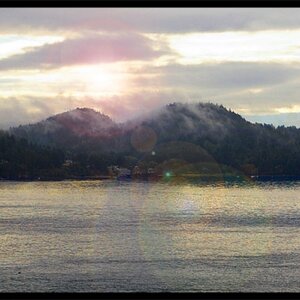
I took the photo below with a 3 stop hard edge GND.
Without the GND the mountains and clouds would have looked washed out.

Terry

19017403899_f3ef1f9539_h.jpg
 
I would not recommend a graduated ND filter for that purpose, because it isn't what it's made for. A solid neutral density filter is much more practical for that purpose, as it is exactly what it's made for.

I wouldn't even get a GND for its intended purpose, as digital photography allows for other tools, such as HDR or my preferred method, "manual" blending in Photoshop using Jimmy McIntyre's Luminosity Masks. If you have to get it all in one exposure (e.g. if you shoot for National Geographic, which I bet you don't…), a GND may be useful, though with the great dynamic range the Pentax K-3 provides in Raw files you may not even need it at all.
If I do go the multiple exposure route, I'm not sure how to spot meter on the K-3. You don't shoot Pentax by any chance, do you?
I don't, but there's no need to use spot metering for this. Look at the image on the LCD, inspect the color histogram (not just general brightness, but brightness for each channel) and see if that works for you. An even easier way to do this is with Live View. I think Jimmy McIntyre has at least one tutorial about how to shoot and set up the camera for digital blending.

I would not recommend a graduated ND filter for that purpose, because it isn't what it's made for. A solid neutral density filter is much more practical for that purpose, as it is exactly what it's made for.

I wouldn't even get a GND for its intended purpose, as digital photography allows for other tools, such as HDR or my preferred method, "manual" blending in Photoshop using Jimmy McIntyre's Luminosity Masks. If you have to get it all in one exposure (e.g. if you shoot for National Geographic, which I bet you don't…), a GND may be useful, though with the great dynamic range the Pentax K-3 provides in Raw files you may not even need it at all.
Could you elaborate? What "isn't the purpose a G-ND is made for", and while I agree that software gives us a lot more options than we used to have, there's a lot to be said for getting the image right in-camera.
Well, to answer that I will just use your own explanation, which summed it up pretty well:
A G-ND is used to "even" exposure, that is reduce the difference between a shadowed foreground and a bright sky (at sunset/rise) or similar situations by reducing the amount of light which passes through a portion of the lens. A straight ND filter reduces the amount of light passing through the lens evenly.
Buying one strong ND would be cheaper than buying a complete set of graduated NDs. For the kind of exposure lengths the OP wishes to use—around 20 seconds—stacking graduated NDs, each reducing up to 3 stops (I'm not aware of any GND that blocks over 3 stops of light, but please correct me if I'm wrong), may require more filter units than anyone would actually ever use as GNDs, balancing brightness between two areas in the image.
 
I would not recommend a graduated ND filter for that purpose, because it isn't what it's made for. A solid neutral density filter is much more practical for that purpose, as it is exactly what it's made for.

I wouldn't even get a GND for its intended purpose, as digital photography allows for other tools, such as HDR or my preferred method, "manual" blending in Photoshop using Jimmy McIntyre's Luminosity Masks. If you have to get it all in one exposure (e.g. if you shoot for National Geographic, which I bet you don't…), a GND may be useful, though with the great dynamic range the Pentax K-3 provides in Raw files you may not even need it at all.
If I do go the multiple exposure route, I'm not sure how to spot meter on the K-3. You don't shoot Pentax by any chance, do you?
I don't, but there's no need to use spot metering for this. Look at the image on the LCD, inspect the color histogram (not just general brightness, but brightness for each channel) and see if that works for you. An even easier way to do this is with Live View. I think Jimmy McIntyre has at least one tutorial about how to shoot and set up the camera for digital blending.

I would not recommend a graduated ND filter for that purpose, because it isn't what it's made for. A solid neutral density filter is much more practical for that purpose, as it is exactly what it's made for.

I wouldn't even get a GND for its intended purpose, as digital photography allows for other tools, such as HDR or my preferred method, "manual" blending in Photoshop using Jimmy McIntyre's Luminosity Masks. If you have to get it all in one exposure (e.g. if you shoot for National Geographic, which I bet you don't…), a GND may be useful, though with the great dynamic range the Pentax K-3 provides in Raw files you may not even need it at all.
Could you elaborate? What "isn't the purpose a G-ND is made for", and while I agree that software gives us a lot more options than we used to have, there's a lot to be said for getting the image right in-camera.
Well, to answer that I will just use your own explanation, which summed it up pretty well:
A G-ND is used to "even" exposure, that is reduce the difference between a shadowed foreground and a bright sky (at sunset/rise) or similar situations by reducing the amount of light which passes through a portion of the lens. A straight ND filter reduces the amount of light passing through the lens evenly.
Buying one strong ND would be cheaper than buying a complete set of graduated NDs. For the kind of exposure lengths the OP wishes to use—around 20 seconds—stacking graduated NDs, each reducing up to 3 stops (I'm not aware of any GND that blocks over 3 stops of light, but please correct me if I'm wrong), may require more filter units than anyone would actually ever use as GNDs, balancing brightness between two areas in the image.

For the record, I've found GND's to be incredibly valuable. I can drop in up to 3 filters (usually two GND's and a strong ND) on a sunset shoot and get a perfect exposure right in the camera. I've not understood the desire to want to post process and tone map and layer together--the minute it takes me to set up the filters and get a perfectly exposed shot is sooooooo much nicer than the hour it might take to try and layer those images together later in the software.

Also, they do make 4 stop GND's, but those are more of a specialty item rather than a commonplace filter.

Also, I've used a GND inverted as an ND. It works well, and I've even gotten away with it on my
16-35 on a full frame sensor. So, they can be used as a regular ND, if need be.

ALSO, spot meeting is EXACTLY what you need if you want to get the proper exposure using filters or layering. You need to meter for the different spots, so they're properly exposed. Matrix metering or center weighted wouldn't work for this application.

In addition to the regular histogram (I've never used the colored histograms), also pay attention to your blinkies(the info that blinks when the highlights are blown). Those are infinitely useful when doing long exposures to make sure your highlights aren't clipped.

Cheers!
Jake

Sent from my iPhone using Tapatalk

 
Instead of typing out a response, I'll link you to an article I posted on my blog a while ago. It goes into what types of filters are offered, what system I use, and all the info about that. It's relatively comprehensive, and I recently borrowed a friends VND and will be adding that info shortly. I promise, it's a link/post worth clicking/reading :)


Jake

Neutral Density Filters and Why You Need Them for Landscape Photography Red Skies Photography
Nice shot, and thanks for the link. The examples were helpful.
 
I would not recommend a graduated ND filter for that purpose, because it isn't what it's made for. A solid neutral density filter is much more practical for that purpose, as it is exactly what it's made for.

I wouldn't even get a GND for its intended purpose, as digital photography allows for other tools, such as HDR or my preferred method, "manual" blending in Photoshop using Jimmy McIntyre's Luminosity Masks. If you have to get it all in one exposure (e.g. if you shoot for National Geographic, which I bet you don't…), a GND may be useful, though with the great dynamic range the Pentax K-3 provides in Raw files you may not even need it at all.
If I do go the multiple exposure route, I'm not sure how to spot meter on the K-3. You don't shoot Pentax by any chance, do you?
I don't, but there's no need to use spot metering for this. Look at the image on the LCD, inspect the color histogram (not just general brightness, but brightness for each channel) and see if that works for you. An even easier way to do this is with Live View. I think Jimmy McIntyre has at least one tutorial about how to shoot and set up the camera for digital blending.

I would not recommend a graduated ND filter for that purpose, because it isn't what it's made for. A solid neutral density filter is much more practical for that purpose, as it is exactly what it's made for.

I wouldn't even get a GND for its intended purpose, as digital photography allows for other tools, such as HDR or my preferred method, "manual" blending in Photoshop using Jimmy McIntyre's Luminosity Masks. If you have to get it all in one exposure (e.g. if you shoot for National Geographic, which I bet you don't…), a GND may be useful, though with the great dynamic range the Pentax K-3 provides in Raw files you may not even need it at all.
Could you elaborate? What "isn't the purpose a G-ND is made for", and while I agree that software gives us a lot more options than we used to have, there's a lot to be said for getting the image right in-camera.
Well, to answer that I will just use your own explanation, which summed it up pretty well:
A G-ND is used to "even" exposure, that is reduce the difference between a shadowed foreground and a bright sky (at sunset/rise) or similar situations by reducing the amount of light which passes through a portion of the lens. A straight ND filter reduces the amount of light passing through the lens evenly.
Buying one strong ND would be cheaper than buying a complete set of graduated NDs. For the kind of exposure lengths the OP wishes to use—around 20 seconds—stacking graduated NDs, each reducing up to 3 stops (I'm not aware of any GND that blocks over 3 stops of light, but please correct me if I'm wrong), may require more filter units than anyone would actually ever use as GNDs, balancing brightness between two areas in the image.

For the record, I've found GND's to be incredibly valuable. I can drop in up to 3 filters (usually two GND's and a strong ND) on a sunset shoot and get a perfect exposure right in the camera. I've not understood the desire to want to post process and tone map and layer together--the minute it takes me to set up the filters and get a perfectly exposed shot is sooooooo much nicer than the hour it might take to try and layer those images together later in the software.

Also, they do make 4 stop GND's, but those are more of a specialty item rather than a commonplace filter.

Also, I've used a GND inverted as an ND. It works well, and I've even gotten away with it on my
16-35 on a full frame sensor. So, they can be used as a regular ND, if need be.

ALSO, spot meeting is EXACTLY what you need if you want to get the proper exposure using filters or layering. You need to meter for the different spots, so they're properly exposed. Matrix metering or center weighted wouldn't work for this application.

In addition to the regular histogram (I've never used the colored histograms), also pay attention to your blinkies(the info that blinks when the highlights are blown). Those are infinitely useful when doing long exposures to make sure your highlights aren't clipped.

Cheers!
Jake

Sent from my iPhone using Tapatalk
Thans for the info...by inverting a GND do you mean covering the lens with the dark part of the GND?
 

Create an account or login to comment

You must be a member in order to leave a comment

Create account

Create an account on our community. It's easy!

Log in

Already have an account? Log in here.

Back
Top Bottom