What's new

New help editing this photo

Snakeguy101

TPF Noob!
Joined
Dec 5, 2010
Messages
717
Reaction score
63
Location
Gainesville
Can others edit my Photos
Photos OK to edit
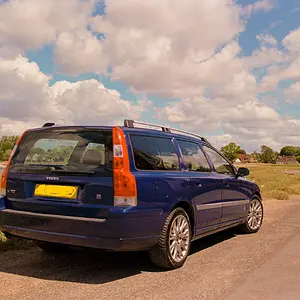
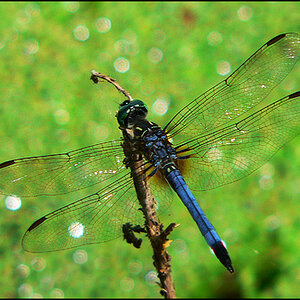
I was wondering how I could edit this photo so that the white balance on the top half is correct as well as making the reflection match it and fade into the white balance in the bottom half.

IMG_0629.jpg


Thanks for your help.
 
WTF is your resolution for the photo set to 1 ppi for? :lmao:

It's 932,067.55 inches wide
and
699050.66 inches tall.
 
WTF is your resolution for the photo set to 1 ppi for? :lmao:

It's 932,067.55 inches wide
and
699050.66 inches tall.

I didnt do that. All I did was adjust levels and straighten in iPhoto then upload to photobucket. I didnt mess with ppi at all and didnt realize it had done that....
 
Repost the photo after checking the resolution.

How do I do that? Sorry, I have never messed with the resolution before and dont even know how to check it.
 
You do it with your image editing software.

In Photoshop you open the image in the workspace and then at the top of the workspace click on Edit > Image Size and resolution is the dialog box right bellow Width, Height.

What you have posted is so large, at 1 ppi, it would take days for photoshop to process any edits, since the photo as you posted it - is 14.7 miles wide. :gah:
 
You do it with your image editing software.

In Photoshop you open the image in the workspace and then at the top of the workspace click on Edit > Image Size and resolution is the dialog box right bellow Width, Height.

What you have posted is so large, at 1 ppi, it would take days for photoshop to process any edits, since the photo as you posted it - is 14.7 miles wide. :gah:

Couldn't you just adjust the ppi yourself in Photoshop instead of waiting for Snakeguy101 to do it and repost?
 
I like it because its different then what I am used to seeing!
 
You do it with your image editing software.

In Photoshop you open the image in the workspace and then at the top of the workspace click on Edit > Image Size and resolution is the dialog box right bellow Width, Height.

What you have posted is so large, at 1 ppi, it would take days for photoshop to process any edits, since the photo as you posted it - is 14.7 miles wide. :gah:

Couldn't you just adjust the ppi yourself in Photoshop instead of waiting for Snakeguy101 to do it and repost?
I don't want to wait 6 years for it to resize.
 
Did you use a polarising filter for this?
 
This looks photoshopped to begin with. Or like it was taken with a filter or something. Weird. No idea how to fix it.
 
This looks photoshopped to begin with. Or like it was taken with a filter or something. Weird. No idea how to fix it.

No filter, no photoshoping. I straightened and adjusted levels on iPhoto, that's it.
 

Create an account or login to comment

You must be a member in order to leave a comment

Create account

Create an account on our community. It's easy!

Log in

Already have an account? Log in here.

Back
Top Bottom