What's new

New help editing this photo

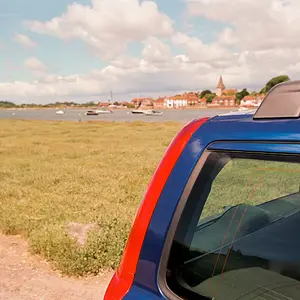
IMG_0629.jpg

Thank you, can you walk me through how you did this so that I can play with it some and edit some similar ones too?
I did 3 separate Curves adjustment layers by using the Marquee selection tool and Refine Edge (feather) to select 3 different sections of the photo:
  1. The foreground that is above the water line
  2. the reflection of the foreground that on the water
  3. the background and it's reflection in the water.
 
You do it with your image editing software.

In Photoshop you open the image in the workspace and then at the top of the workspace click on Edit > Image Size and resolution is the dialog box right bellow Width, Height.

What you have posted is so large, at 1 ppi, it would take days for photoshop to process any edits, since the photo as you posted it - is 14.7 miles wide. :gah:

Couldn't you just adjust the ppi yourself in Photoshop instead of waiting for Snakeguy101 to do it and repost?
I don't want to wait 6 years for it to resize.

Changing the PPI won't change the resolution of the image, the PPI can be set at 1ppi, 300ppi or 3,000ppi and the resolution is still going to be 1024x768 on this image.
 
Alright, here is my edit. It's subtle, I just adjusted the white balance so the top half was not so warm and then using KmH's method, made the reflection match:

Original:
IMG_0629.jpg


Edit:
IMG_0629-1.jpg
 

Create an account or login to comment

You must be a member in order to leave a comment

Create account

Create an account on our community. It's easy!

Log in

Already have an account? Log in here.

Back
Top Bottom