I experience the same problem. I'll edit in Lightroom or Photoshop, everything will look just perfect, and then I export as a Jpeg and a bunch of detail is lost (normally the darks just end up blotching together, shadows become darker, and the image loses some of that contrast in the darks ending up making it look worse). I've done everything I can to remedy the issue, but what I've been told (ultimately) is that I need a higher quality monitor, and to calibrate it. That may be your issue as well. I believe the best kind of monitor for editing is an IPS panel, and the offerings range.
One thing you *can* do, if you haven't already, is export as the highest quality Jpeg possible. That does fix some of the issues, if you aren't exporting a high quality Jpeg file.
What I do is I try to edit my darks/shadows just a little bit lighter (somewhere between a 10th of a stop and a quarter of a stop) than what I want the finished image to look like. I end up getting a better-looking Jpeg for viewing on the internet. I don't have a high quality monitor & haven't fixed the problem myself, so I can't really speak on whether this becomes a non-issue once you upgrade your monitor and calibrate it (that is, if different photo viewing software displays the image slightly differently, enough to ruin the shadows).
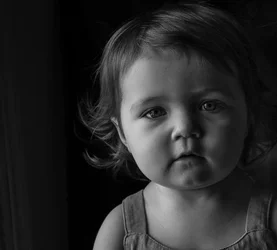
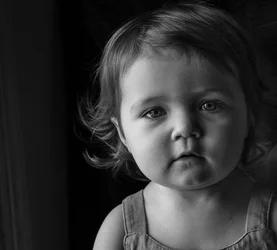
With that all said, I'd still like to see the side of her face lighter (my opinion).
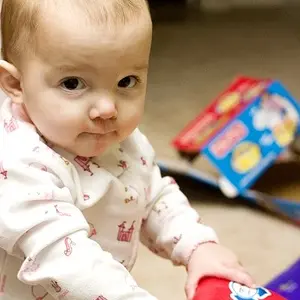
I've uploaded two edits of your original Jpeg. I don't have the original RAW file to work with, so there's a slight bit of banding. The first image is still too dark, and yet I edited it to look exactly as I wanted it to look in Lightroom. Once exported, it looked too dark. The second image I edited 0.5 stops higher in exposure, looked way too bright in Lightroom, and the export came out looking like I originally wanted. So I'll upload the two to give you an idea of the same issue:
 EDIT:
EDIT: And funny enough, now the first image looks on this website like it does in Lightroom... so, in fact, the version of the image I like is the first one (the darker of the two I've uploaded). Go figure. Nevertheless, I'd go with a brightness that is inbetween the two I've uploaded here, one is a bit too bright and one is a bit too dark (as I see it on my monitor, which who knows what it looks like on yours). I need a new monitor as well...



 well, here it is lightened, I was trying to avoid making the left side seem too bright, but I see the difference between the two now... Thoughts? Left side doesn't seem too much?


![[No title]](/data/xfmg/thumbnail/42/42494-ba608b57b09b00c0ee005a2360a510f5.jpg?1734177014)

![[No title]](/data/xfmg/thumbnail/42/42493-2665d3a35f26795cc783aeb77329a032.jpg?1734177012)