What's new

New To The Forums, Saying Hi :)

Annerotica

TPF Noob!
Joined
Nov 28, 2011
Messages
45
Reaction score
6
Location
Concord, NC
Can others edit my Photos
Photos OK to edit
Hi all,

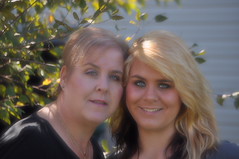
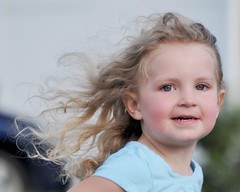
I have been lurking here about a month. I have had a D5000 for about a year and a half now. I have always taken photos using the automatic settings, and have recently taken an interest in what can "really" be done with my camera. I recently purchased a nice tripod and a remote shutter release. I am looking forward to being part of the community! Here are a few photos I have taken in the last year. Like I said.....taken using automatic settings and could be a lot better, more in focus, better light, better composition..on and on... These will serve as my reference for a future then/now post :).


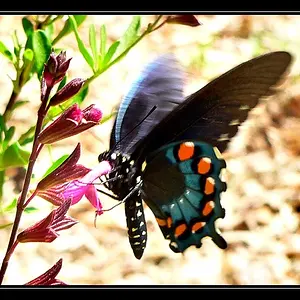
2011-10-14 by phirefli@ymail.com, on Flickr

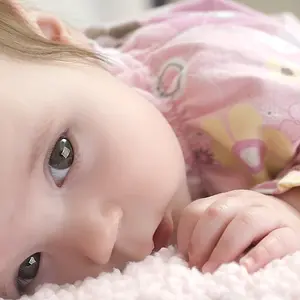
2354678 by phirefli@ymail.com, on Flickr


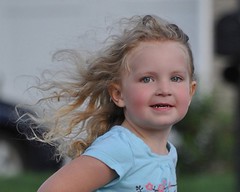
2011-12-31 by phirefli@ymail.com, on Flickr
 
When I opened this thread that first picture made me blink and try to re set my eyes. I dont know If it's bc I'm on my iPhone but that first one is way out of focus (oof) hurt me eyes

Edit: ok now that I look again did you edit that one and decrease the clarity?

The 2nd pic seems to be underexposed and the 3rd has a too distracting background.

Just my 2 cents worth. Keep on shooting ;)
 
Yeah, I used the soften filter in my camera and I also now notice there is a lot of orange in that one as well. Sorry bout that!! Will make a great then/now reference point however! lol.
 
Annerotica said:
Yeah, I used the soften filter in my camera and I also now notice there is a lot of orange in that one as well. Sorry bout that!! Will make a great then/now reference point however! lol.

Do you have any editing software? Keep the camera settings to capture normally and edit in pp the way you'd like. I've been told and read before dont bother shooting in black and white. Shoot normally then in PP convert to black and white. (just an example) :)
 
I have an older version of PS and am drooling for Lightroom or Aperture.

Thanks for the advice on shooting then converting! I think that is one thing I will learn, keep it simple and to the point, and never use automatic settings lol.

My new tripod is itching to be used, hopefully I can get out next week and test it!
 
RebeccaAPhotography said:
When I opened this thread that first picture made me blink and try to re set my eyes. I dont know If it's bc I'm on my iPhone but that first one is way out of focus (oof) hurt me eyes

Edit: ok now that I look again did you edit that one and decrease the clarity?

The 2nd pic seems to be underexposed and the 3rd has a too distracting background.

Just my 2 cents worth. Keep on shooting ;)

Again, thanks! I will get there :). Maybe not quickly but eventually lol.
 
The little girl has a lot of potential. If you can adjust in PS and adjust the exposure some, it looks way under exposed to me. I think some minor adjustments could really make it pop.
 
flameshots said:
The little girl has a lot of potential. If you can adjust in PS and adjust the exposure some, it looks way under exposed to me. I think some minor adjustments could really make it pop.

I will work with it a little this afternoon and repost here. I shot that one with a zoom lens from about 20-30 feet away. Thanks :)
 
I worked on it and finished it today, since it's my first edit you can tell me the truth lol, I will post it here in the morning as I am enjoying NYE right now :)
 
I agree too that the first one is way out of focus. I like the 2nd one and the 3rd would be better if part of the head wasn't cropped out.
 
Not bad on the edit. It's an improvement over the original.
 
Thanks!

I have a long way to go and look forward to sharing, learning and improving!
 

Create an account or login to comment

You must be a member in order to leave a comment

Create account

Create an account on our community. It's easy!

Log in

Already have an account? Log in here.

Back
Top Bottom