What's new

Night shooting NOISE

HabanoLover

TPF Noob!
Joined
Apr 28, 2012
Messages
21
Reaction score
0
Location
Birmingham AL
Can others edit my Photos
Photos OK to edit
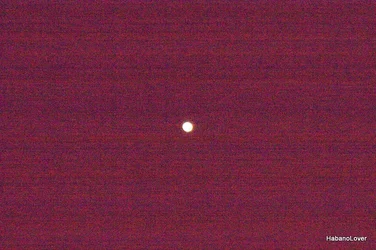
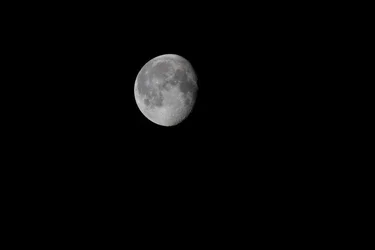
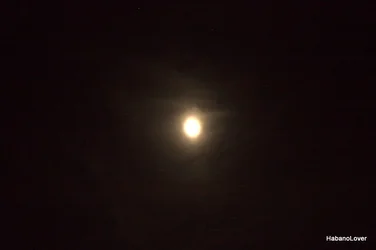
I was practicing shooting the moon tonight, to make sure I get something tomorrow night. My question is how do I get rid of all the noise and still get a good image of the moon and not just a clear sky with a spotlight? Yes I know it has to be something simple I am doing. My WB is set to CLOUDY, ISO 100, aperture and shutter speeds were both varied, I either got

THIS $IMG_1886.webp or THIS$IMG_1922.webp Please forgive me for not knowing this but if I need to list the settings for each I will be more than glad too... Yes I know this is a super annoying noob question and I do apologize.
 
Does your camera have long exposure noise reduction built in?
 
It's a T1i.... I had mirror lock on and self timer set to 8sec

EDIT: Yes it does, I just Googled it... I didn't know that was an option.
 
Look in the Custom Function Menu and see if you can find Long Exposure Noise Reduction, like MTVision mentioned!!!
 
Without having the EXIF data, I can guess a few things. One, you were not in manual. Two, one was shot at a small aperture, and one was shot at a large aperture. Three, the meter read both scenes completely differently.

So, basically, start in manual, shoot on a tripod, start at f/11, ISO 200, and about 1/200th of a second. Use a remote shutter release or a time delay. Throw in a mirror lock up, and adjust from there.

Turn off any sort of dynamic lighting, Auto ISO, or any other thing that will influence your shots from shot to shot.

From there, you should be able to figure out which direction to adjust. If it's too bright, increase your shutter speed. If it is too bright, reduce your shutter speed. If you can't do either, play with your aperture. As far as ISO, from a tripod with moon shots, there is no reason you shouldn't be at base ISO unless you have a lot of cloud interference.

As mentioned, Long Exposure noise reduction may help, but it comes with a cost. Each picture will take twice as long to take since it takes one shot normally, and another without the shutter open.

In any case, for a shot of the moon, long exposures are not necessary. It is a subject being lit by the sun.
 
You shot photo #2 on f/36 with a 1/20s shutter speed. I can only assume that your image was black when you imported it, and that you digitally increased the exposure?
 
Kerbouchard said:
Without having the EXIF data, I can guess a few things. One, you were not in manual. Two, one was shot at a small aperture, and one was shot at a large aperture. Three, the meter read both scenes completely differently.

So, basically, start in manual, shoot on a tripod, start at f/8, ISO 100, and about 1/200th of a second. Use a remote shutter release or a time delay. Throw in a mirror lock up, and adjust from there.

Turn off any sort of dynamic lighting, Auto ISO, or any other thing that will influence your shots from shot to shot.

From there, you should be able to figure out which direction to adjust. If it's too bright, increase your shutter speed. If it is too dark, reduce your shutter speed. If you can't do either, play with your aperture. As far as ISO, from a tripod with moon shots, there is no reason you shouldn't be at base ISO unless you have a lot of cloud interference.

Fixed
 
Sorry, I am not sure what you fixed. I did edit it twice and was probably doing it during your 'fix' since it was less than a minute from my post.

Please use my above post instead of the edited post by Mach0.

It contains a lot more info and I changed a few settings and some wording.
 
Last edited:
No these have not been processed at all, They were shot in RAW and exported out of Picassa and uploaded.
Image one
Exposure Time 0.6
Aperture 5 f/5.6
ISO 100
Metering was spot

Image two

Exposure .05
Aperture 10.4 f/36
All else the same
 
Jesus..even my D70 wasn't that bad with noise!
 
Jesus..even my D70 wasn't that bad with noise!

It has nothing to do with read noise or camera bodies. The image should be black for the most part. By making that black not black, any camera would have a hard time of it. Shots like this were sucecessfuly shot with film at ISO 100 a long time ago.

This is just a case where the image was too bright for it's own good. The read noise should have evaporated into the blackness that it should have been.
 
This is just a case where the image was too bright for it's own good. The read noise should have evaporated into the blackness that it should have been.

So how do I correct that. I set the noise reduction for long exposures, that hasn't helped. I took some photos of things from 30 - 5 feet away and they are beautiful.
 
The key is to understand that a photo of the moon as you show is a situation where you camera meter lies to you.

In general your metering mode will be looking at most of the scene (by default) and trying to average the light it reads over that scene to produce a photo that will have a good exposure over the majority of the shot. In the case of the moon against a black sky the camera reads all that massive area of black and the tiny dot of the moon - it then tries to expose so that all the black is "correct" - which results in very high ISOs or very slow shutter speeds - giving you either the noisy image or the smoky one that you got first.

The key is that now you understand the meter can't meter in this situation you've got 2 options:

1) Change the metering mode - I don't know if your camera has it or not, but if it does changing the metering to "spot" metering mode means that teh camera will meter only the spot under the middle AF sensor. As a result it will read the light from the moon only (provided its under that middle spot of course) and expose for the moon alone.

2) Adjust your settings (manual mode is easiest to do this in though you can use exposure compensation in the semi-auto modes) so that the photo will be exposed correctly. Since you know that the meter is overexposing the photo, with respect to the moon, you thus need to underexpose the shot.
 
8 seconds is entirely too long. Both of these photos are heavily over-exposed. Remember, the moon should have detail... it has bright and dark regions. If your images of the moon are essentially just a white spot then you need to reduce your exposure. Make sure you can see detail on the surface of the moon. The moon should not be brilliant... you're looking for a modestly dim disk.

There's a rule for shooting subjects in full sun called the "Sunny 16" rule. Although it may be dark out when you are shooting the moon, that's because you are standing in a shadow (you're in the shadow of Earth) but the moon is not in a shadow. It's in full sun. This means (shocking as this may seem) that you'll need to use exposure values closer to what you'd use when shooting in full sun (even though to you, it's night time. It is NOT night time on the bright side of the moon.)

I'd put the camera on manual. Set the ISO to 100. Set the f-stop to f/11. Set the shutter speed to 1/60th. Use a tripod. Give that a try as a baseline. You can tweak up the ISO to get a faster shutter speed if you want... just avoid high ISOs on the T1i to keep the noise levels down. Depending on the "transparency" levels of the atmosphere from where you are, you might need to adjust a bit.

Ignore what the camera's built-in light meter tells you. If you're just a couple of stops away from a Sunny 16 exposure then you're in the ballpark. But if you're too many stops away then something is wrong and you'll want to revisit your exposures.

Here's a shot I did of the moon some time back (this is probably a few years ago), but I'm posting this because it was actually taken with a Canon T1i body. This was shot at ISO 800, f/16, 1/250th. Note it's a bit noisy. I should have reduced the ISO 200 and the shutter speed down to 1/60th for a better image. (BTW, ignore the size of this image. This was taken with a 300mm lens *and* cropped in a bit. Unless you have a long lens or do a tight crop then the moon wont appear so large in your image.) The point here is that I wanted you to notice that the surface of the moon shows detail and nowhere does it appear to be bright white.
 

Attachments

  • $Moon.webp
    $Moon.webp
    10.7 KB · Views: 96
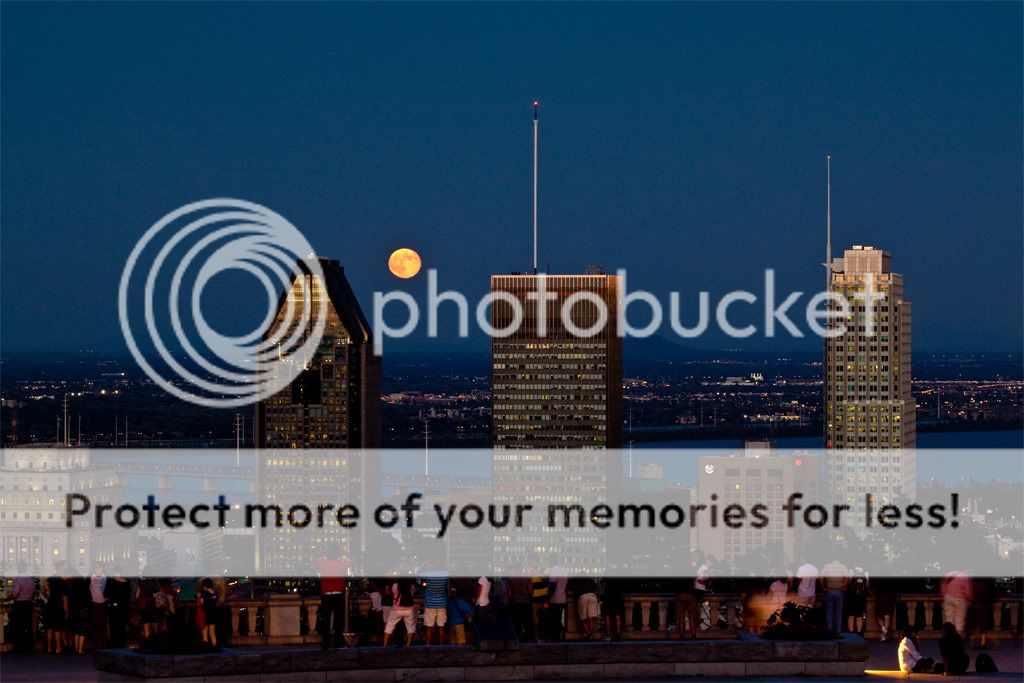
E05_MG_2342_v1.jpg


This image was taken with a Canon T1i, with a 70-200 f/4L lens set at 81mm, at f/8 and 0.7 sec. exposure; on a tripod. f/8 was chosen to get enough DOF to have the foreground and the moon in focus. Exposure compensation was -1 because the moon was a bit too bright (in an earlier shot), and I wanted the overall scene to look like it was dusk (which it was). If I was shooting only the Moon, I would have used a shorter exposure, but I was trying to get both the foreground to have enough detail as well as having the moon show some detail.
 

Create an account or login to comment

You must be a member in order to leave a comment

Create account

Create an account on our community. It's easy!

Log in

Already have an account? Log in here.

Back
Top Bottom