1. Focusing
2. Aperture selection for desired DOF for a given subject
3. Composition- Change your angle of view to reduce blown background, IE shoot a flower thats lit by the sun, in front of a dark/shadow area.
4. Exposure
Could you expand that a bit? Tell me what I could do with Focusing specifically. Also, How would the aperture affect the DOF in the pics? Now for #3, do you mean that the background itself is distracting and should be visible or should be less visible?
Play around with this calculator to get an idea of what aperture will do for your dof. Your exposure seems to be a bit too bright for my taste.
For #3, what I meant was, move around until the background has less light hitting it than your subject flower. You may have to wait until an hour or two before sunset before the light is right.
Here is an example, the photo is hit by the sunlight, but the background is dark (its the shadow of a bush).
O.K., Dustin, probably the first thing you should decide is; are you going to take a picture of a group of flowers or are you going to take a picture of a flower? Once you have that in mind, then you can move on to composition, focus, lighting, et al.
BTW: what is on the roses? Looks like something we should watch out for.
The photo is flat -- it appears to have a haze over it. This is because the tone response is compressed. If you examine the histogram for this photo you see that the graph falls short of the left corner by a substantial amount.
You don't have your OK/Not OK to edit tag set, so I'm going to go ahead and assume it's OK and include an illustration. Let me know if you'd prefer I remove it.
In the bottom photo I made a Levels correction to re-distribute the tone response.
Probably not much -- this is classic camera JPEG-engine failure. You could try variations on the camera settings for things like contrast/saturation and you could try slight exposure tweaks with the EC control but for the most part you'll just trade one camera failure for another camera failure. The software in your camera can't see and the only thing you can consistently count on it doing is screwing up.
Bottom line: If you shoot camera JPEGs then you learn to repair camera JPEGs.



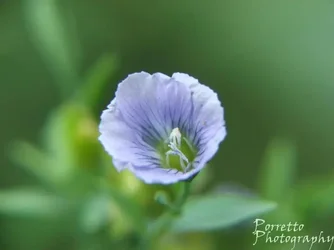



![[No title]](/data/xfmg/thumbnail/36/36301-27972c0474532c2ef657014362950733.jpg?1734168626)
![[No title]](/data/xfmg/thumbnail/38/38265-4b75e7e05f8bf906800580ac7f7ddf60.jpg?1734172156)
![[No title]](/data/xfmg/thumbnail/42/42065-b846d670a79653fe9a60fc2ba4bc683f.jpg?1734176465)

![[No title]](/data/xfmg/thumbnail/35/35263-86f580cf5d28d23109a45984030a79ad.jpg?1734166920)


![[No title]](/data/xfmg/thumbnail/38/38264-552eb428d8a704186dcc43400f417d0f.jpg?1734172154)