What's new

Photo Shoot C&C requested

mindfloodz

TPF Noob!
Joined
Apr 5, 2011
Messages
231
Reaction score
7
Location
Chicago
Can others edit my Photos
Photos OK to edit
These are a few pictures I took on easter and ran through photoshop. I am trying to become better in my photography as I am in the beginning stages on my developement. Go easy on me :) I know there are flaws, but if you rip it apart, could you please give me ideas of what I could do to improve upon these flaws rather than just tearing me down without building it back up. Also, could you tell me what I'm doing right, so I know what to change as well as what I should try to keep the same.

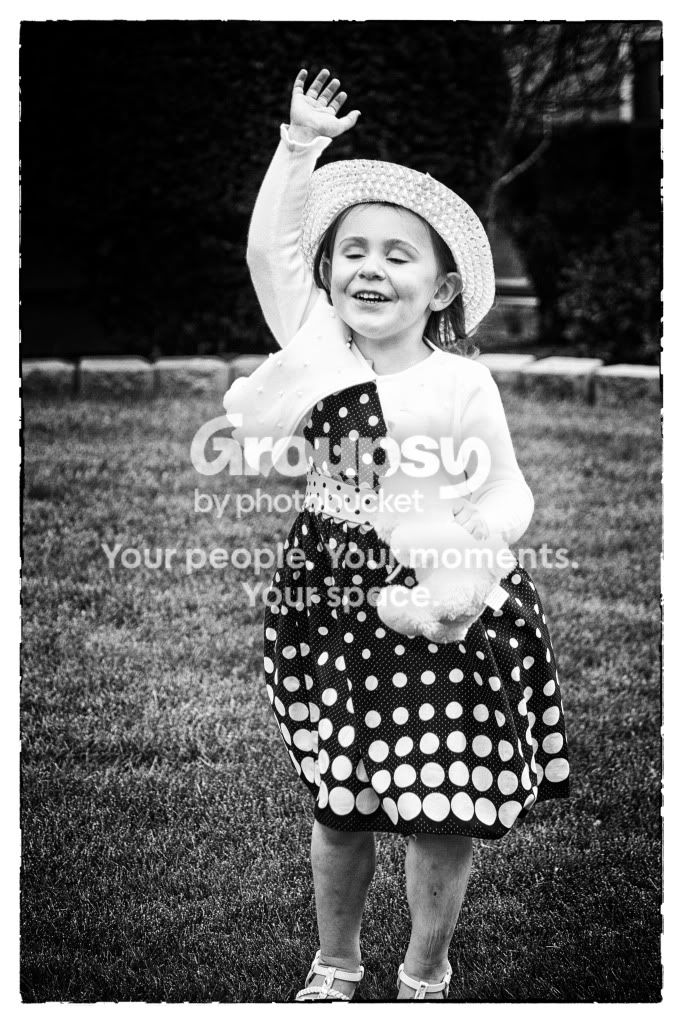
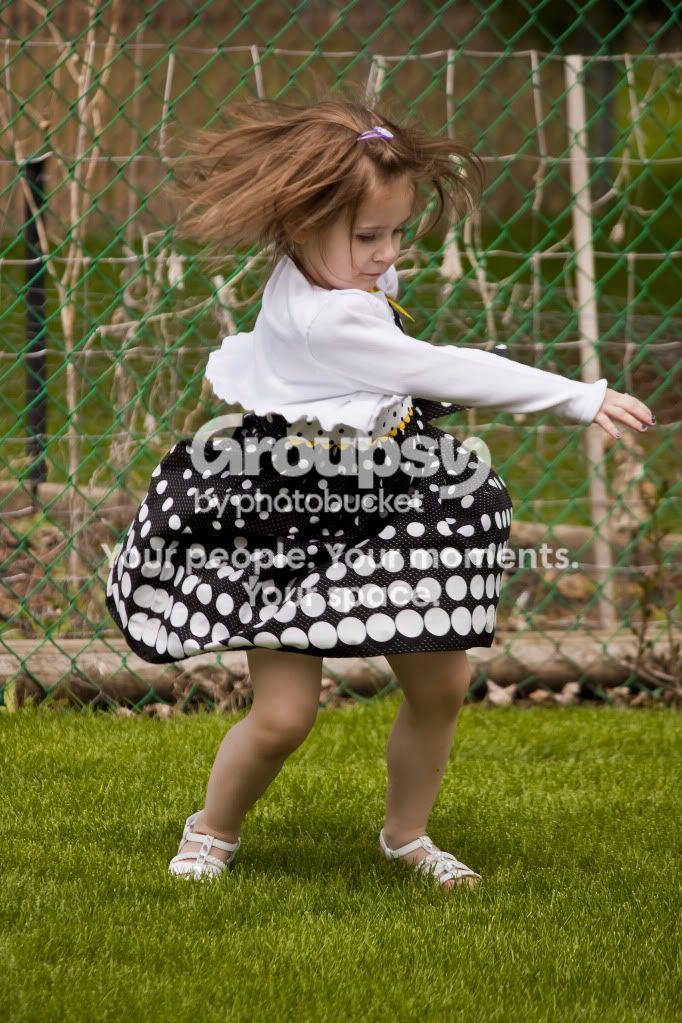
1. (this was a snapshot and if I could have elimated the fence I would have. Just caught her spinning and capitolized on the opportunity.
IMG_5210.jpg


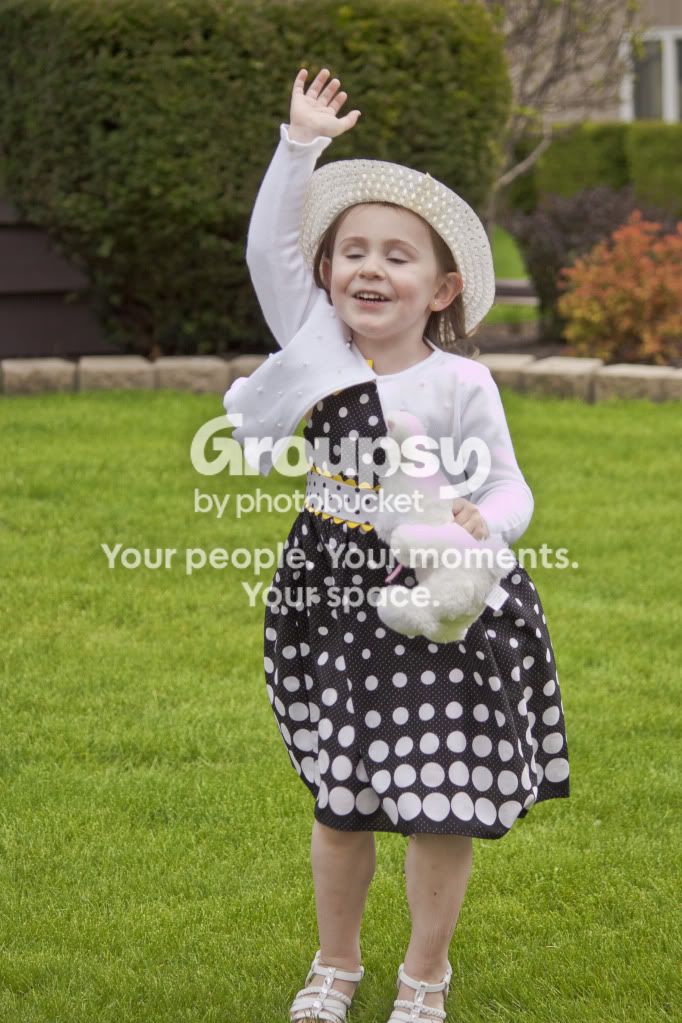
2. (which is better?)
IMG_5164.jpg

Praisejesus.jpg


3. ( I WISH THAT THAT DUMPSTER WASN'T IN THE BACKGROUND!!!) The butterfly/moth just wouldn't cooporate, LOL)
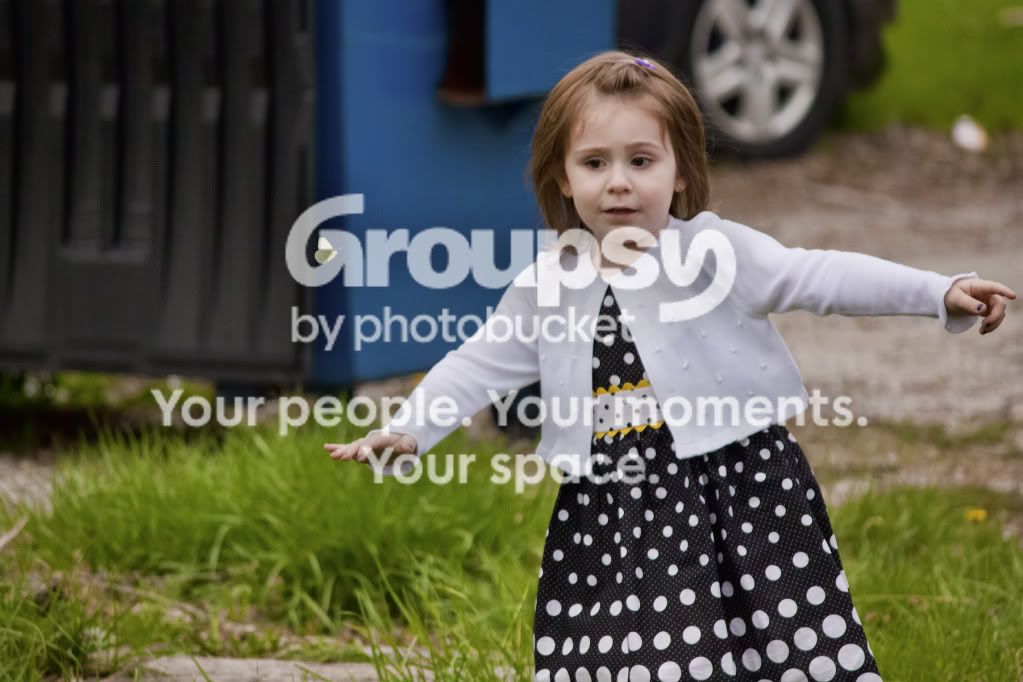
IMG_5321.jpg


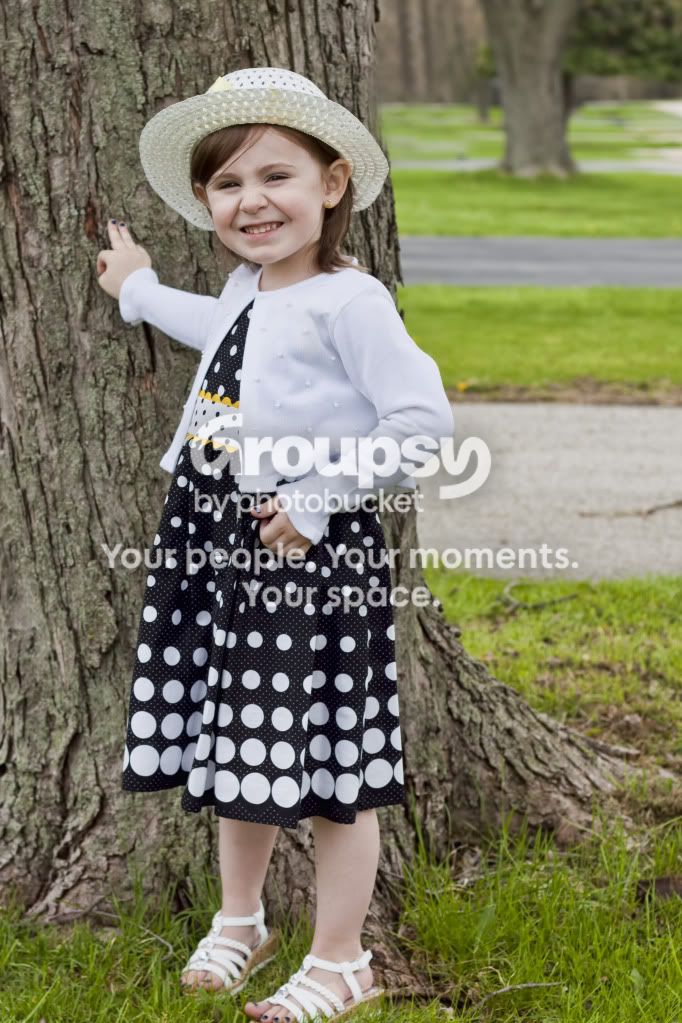
4. (one of my personal fav's)
easter.jpg


5.
IMG_5240.jpg


6.
IMG_5314.jpg
 
1,4,5,6 are really awsome :)

I presonally preffer 2 in bw..
 
1- sometimes, the action and emotion make a scene and snapshots can make great memories. Not sure this is one of those cases. It is a cute image, you didn't cut anything off, the colours are nice, focus is on. So great job getting a quick shot technically right. What would help the image would be a smile on her face or some sort of emotion going on to give me that "awww" factor
2- the black and white is too contrasty for me. The whites are totally blown in the shirt and the blacks in the corners are totally clipped. I like to have a wee bit of clipped blacks in an image, but this has a bit too much, specially when coupled with the blown whites.
I can see you tried to hide the bushes with some burning, but I feel you hurt the image more. This to me is relying on processing while you could of shot differently and gotten it right in camera. I know, not always easy to change lenses or settings on the fly, but that's what learning is about. A longer lens and wider aperture would help blur the back more.
Other non-likes about the image...feet are cut off, no excuse as there is room up top of her head. Eyes are closed.

4- Now this is a cute image. Nicely framed, didnt cut off her hat, she is looking at the camera, has a smile (although it seems faked and forced, but still kid cute). The whites seem a bit grey to me, a level adjustment would be nice. And possibly a very very very slight vignette. To be really picky, she has this paper thing in her hat (looks like a yellow post-it) which should be removed...count it as practicing with the cloning tool :)

I know you have other images, I keep my CC to three.
 
Thank you for the feedback! :) I prefer #2 in b&w also Samerr. I need to clean up her legs in that one, she got a little banged up playing at the playground :)
 
Thank you very much twinky! In #4 the yellow "post-it" is actually a yellow bow that is tied around the hat. LOL... But I can see how it would appear to be otherwise. I may be able to elimate that without degrading the image. My PS skills leave something to be desired.

#1 does lack emotion and was just a snapshot, nothing more, nothing less.. I was practicing using a higher shutter speed to try and see how sharp of an image I could get while still maintaining focus. I still have much to learn and have come leaps and bounds from when I first got my First DSLR (Canon t1i) in January. It's quite a leap from a point and shoot. :) This is why I am here, to learn from the best! I have no formal training what-so-ever.

As with #2, it was a snapshot as well. I just caught her at the right time, but was unable to compose the image in a more artistically pleasing way. I mainly just sharpened up the image and ran it thought Silver EFX and picked the Film Noir 3 preset. It looked kinda neat, but as you said, a bit too contrasty and the bushes look messed up. I really wish I'd gotten her entire feet in the picture as well... Do you think there's a way to crop it to make it mroe pleasing to the eye? Also, shoudl I just do a more simple and natural B&w conversion?

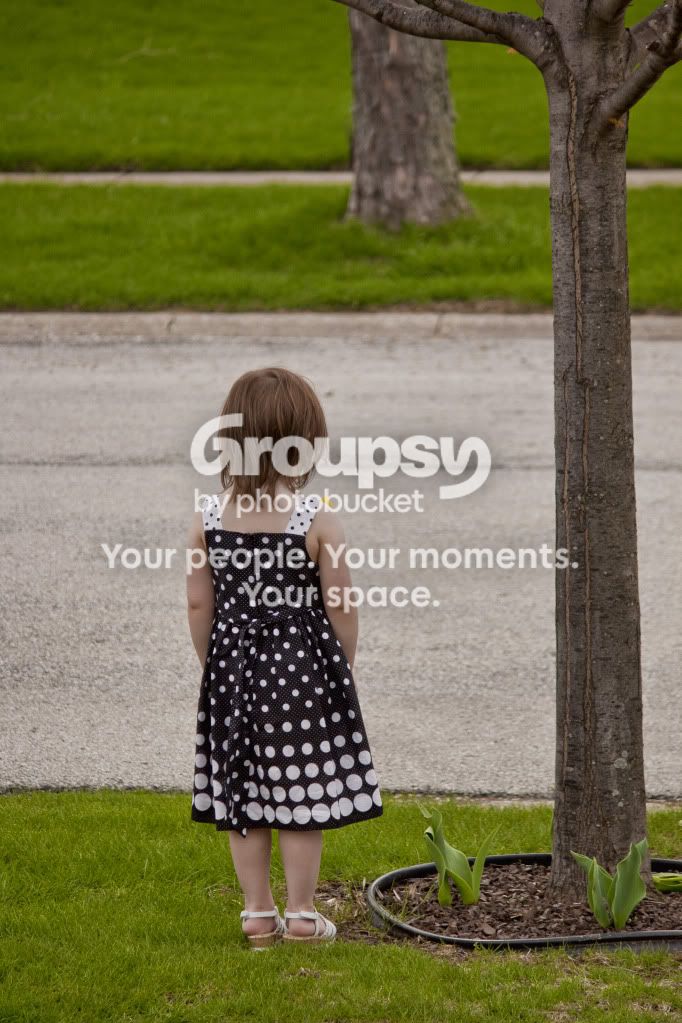
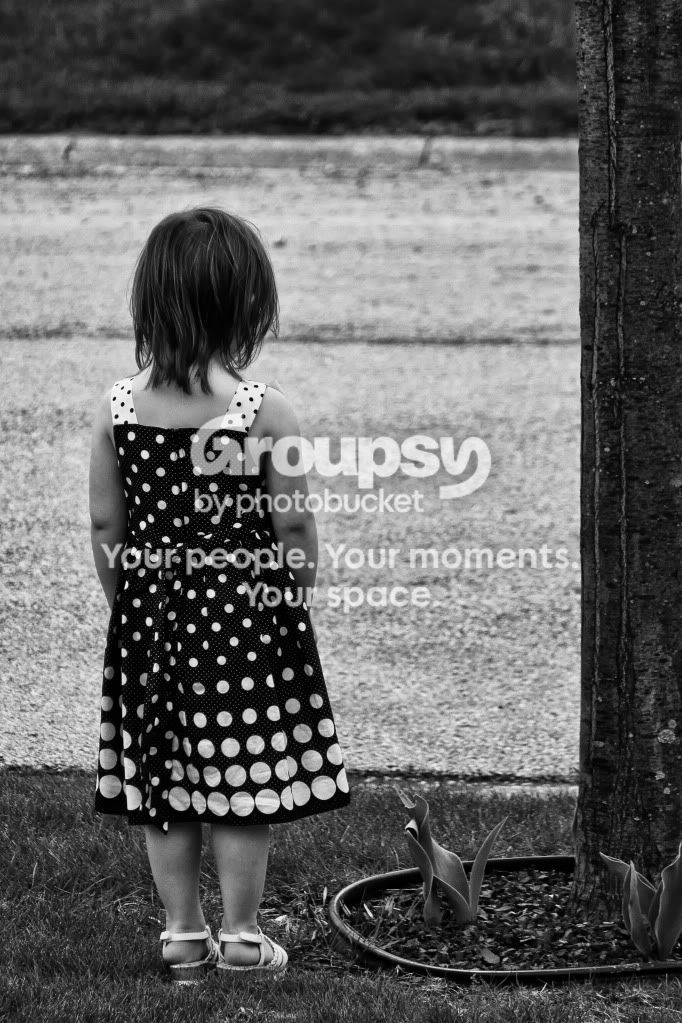
Also, I'd love to know what you think about #5? I know you only crit. 3 images, but it's also one of my fav's! A little background of the image. She was PISSED!!! So was sulking and was mad cuz she didn't get her way, so she turned her back to me and wouldn't turn around for anybody.. I thought it was cute and I snapped a couple off.. This one was the best in terms of composition of the few I snapped in this scene. Do you feel I could have cropped it more tighter to reduce space from the top of the picture to the top of her head? I'm just trying to get a better idea of artistic composition to better my art.

Thank you very much for your time and critique! It is truly greatly appreciated.

Here's an extra that I really like as well.. It need to be tweaked.. Still a work in progess. ( I know, I cut a tiny bit of the foot off... I might be about to fix that.)
EasterDressbyTree.jpg
 
Last edited:
#5, eh?

Hmm... the feeling I got (before reading your description) was sadness. Seeing her back, her head down. All that is missing is her holding her little bear in one hand. Compositionally, I think you are too far out. While I do like the extra space up top of her head (adds to the feeling of the image) and I get trying to use the tree to make a frame, I find that due to her size, she seems a bit too small.

The tree branch up top gets lost in the image and doesn't really add much. So no real point working on a composition to include it if it's only going to be a little bit up top like that.
I don't really like the tree in the background. While you did good in shooting wider to get it blurry (I hope that was by choice and not an auto setting thing :) ), it also removes from using the main tree as a frame.

What to do different? Get down lower, more at her eye level. Keep the same composition of her lower left in the frame, but getting in closer to have her more of the main subject. Might be a pain to do this as you might have more clutter in the background.

If she is really pissed, she isn't moving, so you can try some really close up shots half her body, or even 1/4 her body with part of her face, maybe try and get a bit of her nose showing by moving slightly to your right.

When I see an interesting scene, I try and force myself to take 10 images. Different angles (high, medium, low, side, tilt,..), different focal lenghts (wide, zoomed, zoomed really tight,...), apertures, etc. Helps delevop what you see and how you translate that into your photos. Over time, you'll start to see what will work and what won't prior to shooting. But even then, force yourself to shoot the same thing in different ways.
 
I agree with bigtwinky in many ways....no doubt urs are snapshots...but snapshots shd be made pictures by addition/deletion or shot in that way so some norms of composition are fulfilled....love the child.
 
I re-worked picture #5 - I call it "Solitude". I converted it to black and white then cropped it down. I think you might appreciate this version more. I also played a little with Photoshop and copy and pasted her into another photo.. It's just goofy.. I should have feathered it and fixed the hair in the photo. I can still paly with it. You guys are welcome to as well if you so desire.

#5 REMIX!!!!
solitude.jpg


Here's my playful Photoshop I did with that picture and another from HDR shootout #14
launch.jpg
 
meh...slightly better, but I think it's an example of how sometimes (and many times), processing can't fix an image. You need to get it right in camera and then using the processing to drive it home.

I find her dress very loud in the black and white version, and it was much softer in the colour version. Black and white (for me) helps define shapes and patterns, which is all her dress is about.
 
I personally Love that particular in b&w, in reference to #5 Remix. I hope you enjoyed it, it is in my Top 10 out off all the pictures I've taken. I have learn that you can get a much more sharper image by going into Tv mode versus using Av mode. Setting my Shutter Speed to 1/640 helped a lot!!!! Thanks for the feedback Twinky!
 
Sharper images in tv mode? Maybe, but the mode isnt the reason. No one i know shoots full time tv, except some sport shooters.

If you are getting blurry images and an increase in shutter helps, you are getting camera shake. Make sure you know how to hold a camera (sounds stupid, but it makes a huge difference) and make sure your shutter is 1/max lens focal lenght.

If you shoot with an 18-55, 1/60 should be fast enough to avoid camera shake. How are you going to maintain a super fast shutter speed indoors? Unless you have a high end body and wIde aperture primes, you wont.

I'm in M 70% of the time, AV 28% and TV 2%
 
But dont get me wrong, if you want to shoot tv and let your camera decide on the aperture each time, thats cool . Just know the reason why you are doing it
 
I can explain why. First let me say this again, I'm still getting used to when to use what settings. I was using AV more almost exclusively when I first got my camera. I especially used it with my 50mm prime. Although I did like some of the picture I was getting using AV exclusively, they were all a little soft. Just more recently I was told about uping my shutter speed, but In AV I can't control that setting, so switched to shutter priority and bumped my speed up, depending on what I am shooting and what lens, and the pictures have been a 1000x sharper! Very crisp, no motion blur and I have been very please with many of the shots I have taken. Although, the downside to this is as you said, not being about to choose my aperture value. Being that I don't have a wide angle lens I tend to have to get far away from my subject in order to get them in the entire shot. It sucks, but I'm broke and can't afford a new Super wide right now... I got a kid on the way and stuff, but that's another story.. Anyhow.....

I only have two lenses - a Canon nifty fifty & a Canon EFS 55 - 250mm f/4-5.6 IS lens

Maybe you could give me a could tips for getting sharper images without relying on Tv mode
 
Shoot in M mode and control both your aperture and your shutter.
Use your in camera meter to establish if you have the right exposure. Or you can take a test shot in TV or AV, check the settings, and then apply those and adjust in M.
 

Create an account or login to comment

You must be a member in order to leave a comment

Create account

Create an account on our community. It's easy!

Log in

Already have an account? Log in here.

Back
Top Bottom