What's new

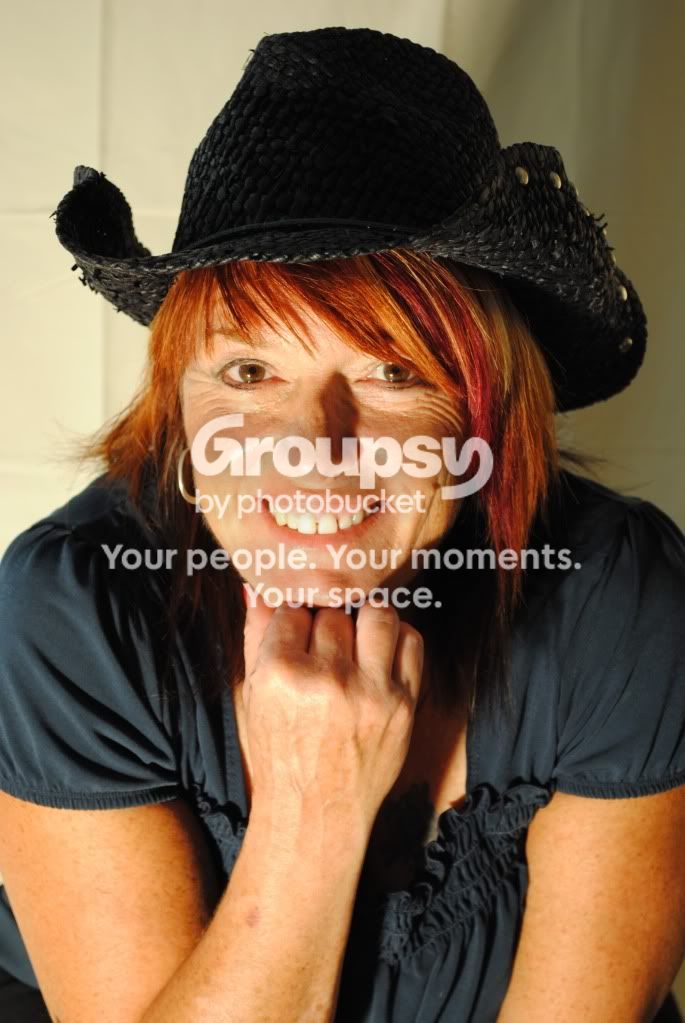
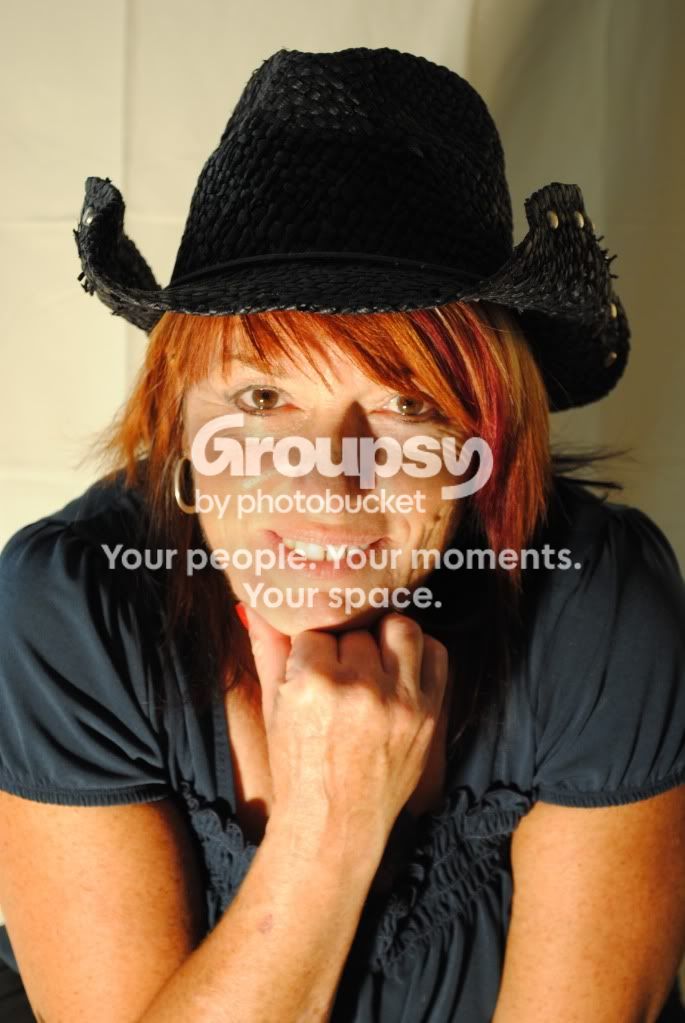
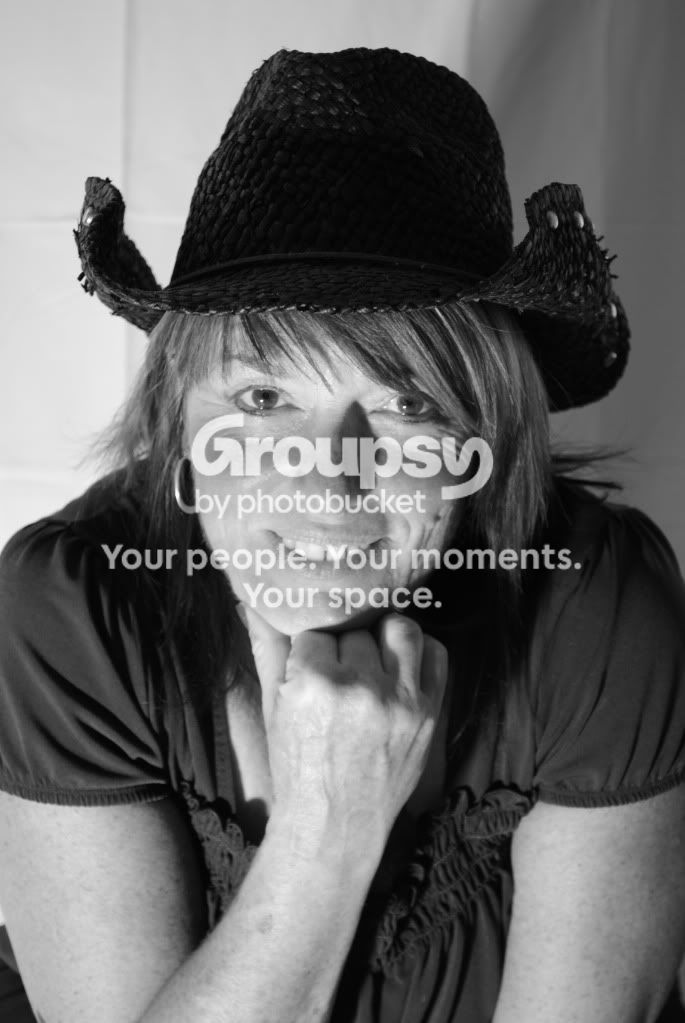
photo shoot done here are the results

iPhoto17

TPF Noob!
Joined
Jul 1, 2009
Messages
637
Reaction score
27
Location
cornelius, NC
Can others edit my Photos
Photos NOT OK to edit
  1. DSC_0035.jpg


DSC_0033.jpg


DSC_0033.jpg


CSC_0041.jpg


DSC_0020-1.jpg
 
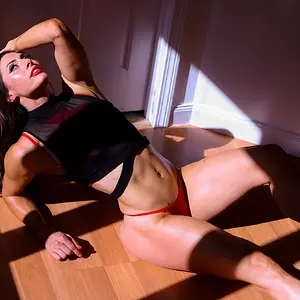
i think these are the best ones that came out of the shoot, i htink i may have repeated one of them twice by accident
 
So, what do YOU think of your results, and what have you learned?
 
So, what do YOU think of your results, and what have you learned?
i think they came out great, learned a lot more about lighting and positions of the lights and all that, flashes, focal points and whatnot
 
the last one is just on camera flash? you can see from the catch light and horrible shadow
 
In all but the last one, you focused on the brim of her hat. :(
 
Someone correct me if I'm wrong, but they all look out of focus to me... as Bitter said, it would appear as though you focused on the brim of her hat.

The lighting coming from below is not flattering and creates a hard shadow on her chin.

The on camera flash in the last one isn't doing much to help you either.

Keep learning and shooting, you'll get there. :sillysmi:
i thought they looked a bit out of focus as well, then i put my glasses on.
 
Someone correct me if I'm wrong, but they all look out of focus to me... as Bitter said, it would appear as though you focused on the brim of her hat.

The lighting coming from below is not flattering and creates a hard shadow on her chin.

The on camera flash in the last one isn't doing much to help you either.

Keep learning and shooting, you'll get there. :sillysmi:
i thought they looked a bit out of focus as well, then i put my glasses on.
My glasses are on, and they still look OOF.
 
Someone correct me if I'm wrong, but they all look out of focus to me... as Bitter said, it would appear as though you focused on the brim of her hat.

The lighting coming from below is not flattering and creates a hard shadow on her chin.

The on camera flash in the last one isn't doing much to help you either.

Keep learning and shooting, you'll get there. :sillysmi:
i thought they looked a bit out of focus as well, then i put my glasses on.

I don't wear glasses and my last eye exam states that my eye sight is still excellent. :sexywink:
thats weird, i htought it looked good after putting my glasses on, oh well, ill try again tomorrow if shes willing to do this again
 
Focusing issue aside...

I think the lighting is harsh, with bright highlights and dark shadows (see nose shadow on 1 and 2). The background is a little distracting on them too, with the dark right side and bright left side. White balance on the first few color images is way on the warm (and maybe green) side as well.

The onboard flash (last shot) has good color representation and is in focus but the lighting is a little flat and the shadow left on the background behind her is something you want to avoid (either by lighting up the background or by moving them away from a background).

Didn't mean to be harsh or anything, I think there's a couple good lessons to be learned here. Good luck, read up on lighting. I recently read Christopher Grey's Studio Lighting and learned a great deal, check it out maybe.
 
i think they are out of focus and too bright on her right side. look at her right cheek = washed out.
 
i think they are out of focus and too bright on her right side. look at her right cheek = washed out.

Her cheeks not really blown out or "washed out" as you say. It's just a really bright and focused highlight. You can minimize highlights like this by using a large light source (like an umbrella or softbox) and keep it somewhat close to your subject. The further you move back your light source, the more directly it hits them, causing these 'specular highlights.'

Not trying to sound douchey, just read a book on lighting and learned a lot.
 
i think these are the best ones that came out of the shoot, i htink i may have repeated one of them twice by accident


okay.. your on a good path here but i would suggest light placement.. it seems as if the light source is coming from below or center / just under her chin area?

this is not a very flattering position for a light.. unless that is the effect your going for.. and i appologize if i missed that somewhere in a post above..

try moving the light further away so to help cut down on harsh shadows and also bring it slightly above your subjects head.. kinda at a 45degree angle from their face..

this helps create a more natural looking light.. as well as a more flattering light.. which helps remove shadows which can be distracting and also bring attention to something thats wasnt very noticable in the first place.
 
Something to diffuse the light would be helpful. Fibreglas (TM) window screen material, thick white plastic, a bed sheet stretched tight on a homemade frame...anything...direct, undiffused halogen lighting is difficult to use unless it is in the proper type of fixture,and you have "some" kind of light control devices for it,to shape the beam; barn doors, grids, diffusing screens, flags,etc,etc.

Also, as I was afraid, the white balance on the first shots gives a very sickly, jaundiced yellowish color cast to her skin. You really must learn how to use a white towel, or a gray towel, and set a Custom White balance when working under that type of artificial lighting...the yellow skin color looks unflattering.

 

Create an account or login to comment

You must be a member in order to leave a comment

Create account

Create an account on our community. It's easy!

Log in

Already have an account? Log in here.

New Topics

Back
Top Bottom