What's new

Pictures in RAW

MS26

TPF Noob!
Joined
Mar 14, 2016
Messages
44
Reaction score
1
Can others edit my Photos
Photos NOT OK to edit
Hello Everyone

I recently have been taking photo's in RAW but when I download them to my desktop they will not open up. Only after I switch the file to JPEG will the actual photo appear.

I would like to continue photographing in RAW for future editing.

What I doing wrong?

Any suggestions would be great.

Thanks
 
What program are you trying to open them with? In windows you can set the default program to open with to one that is compatible.


BTW, never take photos in the RAW, always wear appropriate clothing.
 
Unless you bought your camera second hand it should have come with a CD disk. Install the software on the disk. It will have a photo program that will work with that make and model of camera for it's particular RAW files. Once you use it for a while and learn the good and the bad you can go out and look for better software for RAW files that suit your needs.
 
What program are you trying to open them with? In windows you can set the default program to open with to one that is compatible.


BTW, never take photos in the RAW, always wear appropriate clothing.

I believe my desktop is Windows Vista, I haven't purchase any editing software yet. I was looking into purchase LR,

People of Oregon have a difficult time defining "appropriate" HAHA, Your comment made me laugh!!
 
Unless you bought your camera second hand it should have come with a CD disk. Install the software on the disk. It will have a photo program that will work with that make and model of camera for it's particular RAW files. Once you use it for a while and learn the good and the bad you can go out and look for better software for RAW files that suit your needs.

Oh God, I dont know if I still have all that paper work, I originally purchased this camera for my wife in 2009 and somehow I have become the primary user of it. I hope I can locate the information.
 
Unless you bought your camera second hand it should have come with a CD disk. Install the software on the disk. It will have a photo program that will work with that make and model of camera for it's particular RAW files. Once you use it for a while and learn the good and the bad you can go out and look for better software for RAW files that suit your needs.

Oh God, I dont know if I still have all that paper work, I originally purchased this camera for my wife in 2009 and somehow I have become the primary user of it. I hope I can locate the information.
Nikon | Download center | D90

Always check the manufacturer. They tend to keep that stuff around. :lol:

Plus it's Free.
 
Last edited:
What program are you trying to open them with? In windows you can set the default program to open with to one that is compatible.


BTW, never take photos in the RAW, always wear appropriate clothing.

I believe my desktop is Windows Vista, I haven't purchase any editing software yet. I was looking into purchase LR,

People of Oregon have a difficult time defining "appropriate" HAHA, Your comment made me laugh!!
Yeah, ever been to Rooster Rock in the summer? :)

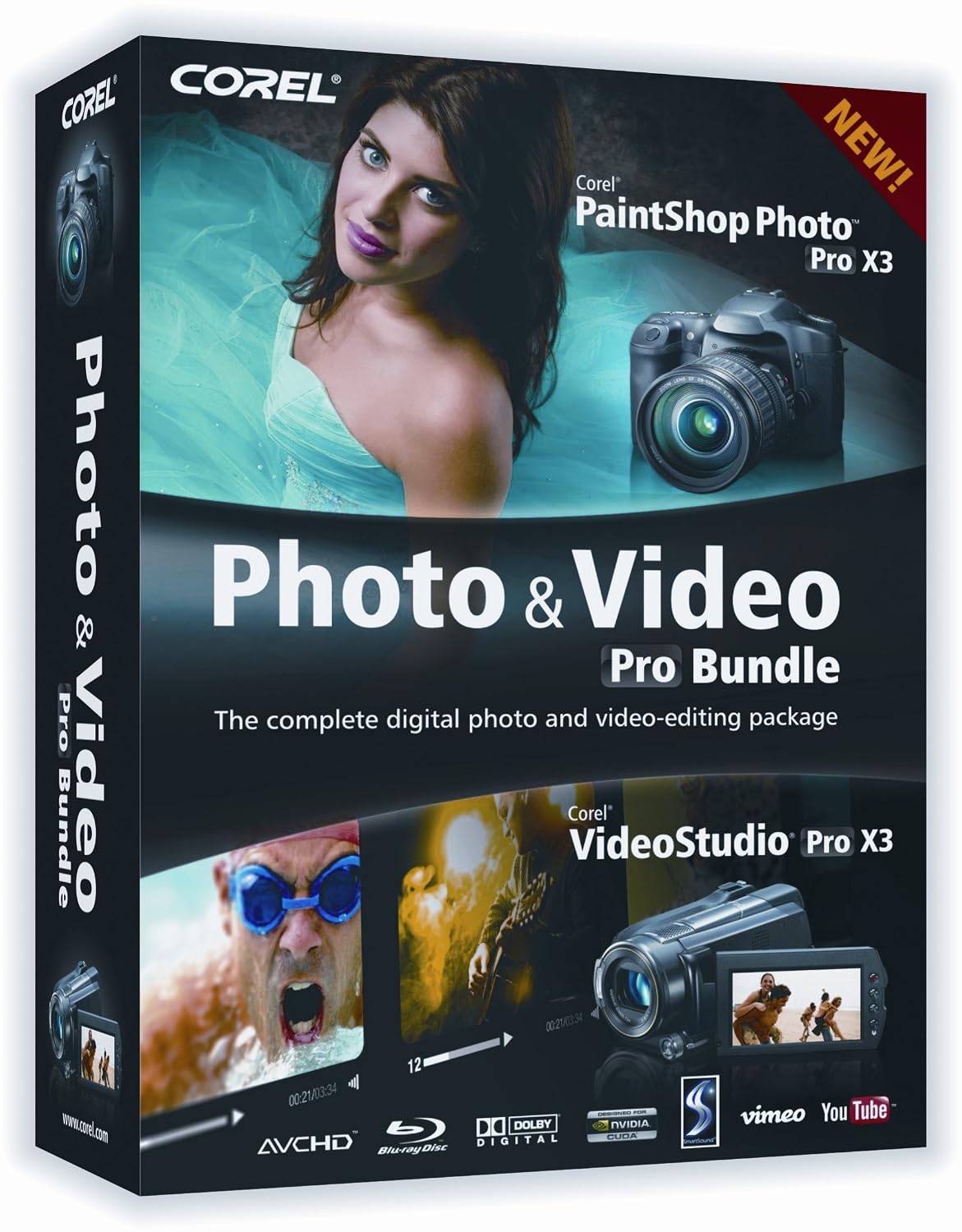
You will need to get software that will open a raw file. You can get an older version of Corel Paintshop Pro on Amazon for pretty cheap, or get a newer version that will cost a bit more. Just get something that will work with the format you have (RAW) even version 3 will do HDR from 3 RAW images in Paintshop. If you want to try your hand at video editing you can get older bundled versions too like this for 20-30 bucks:


There are a lot of choices and they do about the same thing, just see if it does what you want, there is also a lot of try for 30 days software you can download and try out.
 
You need to install MicrosoftCameraCodecPack-x64/32 You will find it on the MS site or do a GOOGLE search for it. When installed it allows all the various Windows apps to display the RAW files of most cameras (not all but most).
 
RAW data file storage is normally used to provide more data to a computer program that converts it into a photo. It's not meant as a primary display medium.
Programs like Lightroom, Bridge and Photoshop will display and work with the file but standard Windows photo programs won't.
Take photos in raw, use Lightroom to convert to tiff or png and save the file in that loss less format. Generate jpgs as needed.
 
RAW data file storage is normally used to provide more data to a computer program that converts it into a photo. It's not meant as a primary display medium.
Programs like Lightroom, Bridge and Photoshop will display and work with the file but standard Windows photo programs won't.
Take photos in raw, use Lightroom to convert to tiff or png and save the file in that loss less format. Generate jpgs as needed.


you might want to read my post just before yours,
 
Unless you bought your camera second hand it should have come with a CD disk. Install the software on the disk. It will have a photo program that will work with that make and model of camera for it's particular RAW files. Once you use it for a while and learn the good and the bad you can go out and look for better software for RAW files that suit your needs.

Oh God, I dont know if I still have all that paper work, I originally purchased this camera for my wife in 2009 and somehow I have become the primary user of it. I hope I can locate the information.
Nikon | Download center | D90

Always check the manufacturer. They tend to keep that stuff around. :lol:

Plus it's Free.
I found my disc, downloaded the software. I'll see if it will load the RAW photos. Thx
 
Outstanding. You may still want to go to the link I posted and update the programs to the newest versions. I am sure that Nikon has put out improved versions with added functionality.

Once you get the hang of it take a look at what your needs are. Lightroom is popular and reasonably priced and is good for basic corrections and digital asset management. If you need more editing power you could consider an Adobe CC subscription for $9.99 a month. Gets you Lightroom and Photoshop.

There are other programs out there as well. Depending on your OS you might look at something like Affinity Pro if you are a OS X user. There are lots of options later on.
 
You need to install MicrosoftCameraCodecPack-x64/32 You will find it on the MS site or do a GOOGLE search for it. When installed it allows all the various Windows apps to display the RAW files of most cameras (not all but most).

Yes, thanks for the info. Both posts came up at the same time. We must have been typing at the same time.
 

Create an account or login to comment

You must be a member in order to leave a comment

Create account

Create an account on our community. It's easy!

Log in

Already have an account? Log in here.

New Topics

Back
Top Bottom