What's new

Problem, any suggestions?

prodigy2k7

No longer a newbie, moving up!
Joined
Apr 22, 2008
Messages
1,668
Reaction score
22
Location
California, USA
Can others edit my Photos
Photos OK to edit
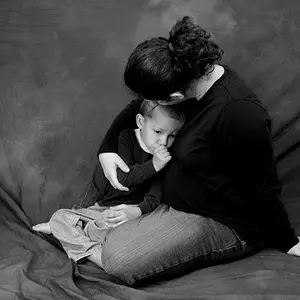
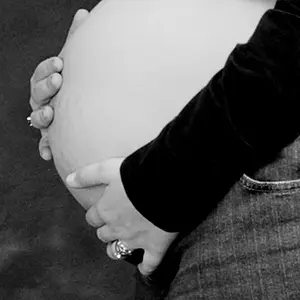
Okay so me and my lady went to the beach today (well its visible)
I decided to take some pictures of her and us.
They seem to look good on the LCD screen on my camera (Canon Rebel XTi)
But then when I upload onto the computer they look dark and underexosed.

Is it probably my camera? Or is it my monitor?
(Im waiting for imageshack to upload pics...brb)

Edit:
1.
img3181beforeme7.jpg


1/1600
F/2.8
ISO 100

Shot With: Canon EF 50mm F/1.4 USM
(I shot in raw btw)

Edit 2:

2. (After Photoshop & crop; im a novice lol)
img3181xe5.png


How come the grass is greender in photoshop? I thought it was because I used JPG, I tried PNG and the grass isnt as green.
On my screen photoshop is greener than this picture.

Im all confused now..
 
Almost an hour gone by, thought sum1 would have responded by now :(
 
looking at your original image in photoshop in levels, the histogram is shifted to the left indicating under-exposure. You also have clipped the dark/shadow area.
Jedo
 
I think it's pretty normal that RAW photos look a bit under/over exposed, after all they are not your final outcomes. They are to be adjusted after downloading to a computer, and you did that.

As for the color confusion, it has to do with color space. Check the color space setting in your photoshop camera raw plugin. If you intend to view your results as a jpeg, not printed - choose sRGB. I use sRGB all the time, because most of my shots end up in my web gallery, very few are printed.
 
They both look perfectly fine to me. One of the basics of digital photography is getting a good monitor that's also calibrated. I'm looking at your photos on my 24" iMac and they both look fine. :)
 
The second one has a rather bad cyan cast. I'm not sure how both can be fine if one has a very different hue than the other. I do like the brightness of the second image more, but the colour and the crop of the first look better to me.
 
The second one has a rather bad cyan cast. I'm not sure how both can be fine if one has a very different hue than the other. I do like the brightness of the second image more, but the colour and the crop of the first look better to me.
I wouldn't say it was that bad, and nothing that a UV filter wouldn't cure.
 
Almost an hour gone by, thought sum1 would have responded by now :(

Hehehe... I've been on the roof of my garage for the past 2 hours... darn squirrels wreaking havoc and chewing on it..

* Don't look at the LCD screen to examine the photo. Trust the meter and histogram
* Calibrated monitors help a lot.
* White balance is on the 2nd. Photoshop's Auto White balance has a tendency to go a bit cooler in daylight photos.
* Canon's raw files generally are a bit flat and need a little bit of adjustment in terms of contrast, saturation and sharpness. This is normal and actually to the photographer's advantage. I do not notice that canon raw files are under-exposed...
 
I cant seem to adjust it. When I play with the settings the peple in them look overexposed.
 
I have a Rebel XTI. I would suggest using a UV filter on outdoor pictures.

What makes you think a UV filter would do anything here?

I'd say the image is a bit underexposed. Next time, rely on the histogram more... I don't really buy into the "it's close enough, you just fix it in post processing" mentality. There's no reason not to nail exposure - at least most of the time.

I'd take the shot into CS3, and tweak the levels. Or, play with it in ACR - adjust the exposure, use highlight recovery to pull back some of the skin glare, and maybe warm the WB a tad...
 
I didn't say it would improve this picture. I just stated that he should use a UV filter on outdoor pictures.

Geez...some of you guys need to lay off the testosterone pills.
 

Create an account or login to comment

You must be a member in order to leave a comment

Create account

Create an account on our community. It's easy!

Log in

Already have an account? Log in here.

Back
Top Bottom