What's new

Remote Shutter Release ?

taking cool poses of yourself? :P
 
Making sure you're not touching the camera when the shutter clicks, to minimize vibration...

Firing off shots while on the other side of the room fiddling with lights...

Cooking on the stove and taking live action shots for your food blog...

Lots of stuff I haven't used one for but other people have : )
 
Reduce camera vibration because you're not touching it.
You can't be physically near the camera.
You don't WANT to be near the camera.
Some remotes are electronically driven... allows you to set up a delayed release or take a series of shots via an intervalometer mode.
 
Releasing the shutter without touching the camera...?If that sounds like something you want to do, you probably need one...
 
I was wondering when and why a photographer might need to use a remote .

So can one control the camera settings with this remote or does the setting have to be done in the camera . Also can you focus with the remote ?
 
The primary use is, as everyone stated, to minimize vibration from your finger pressing the shutter button. On zoomed shots, macro photography, or long exposure shots, this is pretty important. Otherwise you get a soft blurring around subject edges.

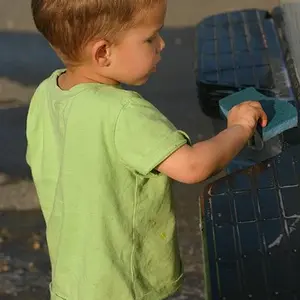
I also find it useful when photographing children, as I can play with them and get them comfortable with the camera in place on a tripod and the remote tucked away in hand. They do not feel like I am pointing the camera at them so they don't freeze up or put on that big fake/goofy smile.
 
So can one control the camera settings with this remote or does the setting have to be done in the camera . Also can you focus with the remote ?

Different remotes have different options. The basic remotes will still let you use auto focus, yes.
 
I was wondering when and why a photographer might need to use a remote .

So can one control the camera settings with this remote or does the setting have to be done in the camera . Also can you focus with the remote ?

That's more into the realm of tethered shooting. Mostly, remotes are used simply to actuate the shutter. All the exposure, focus, white balance etc. is already done.

Click here for a review of a more 'sophisticated' remote.
 
Most cameras have a Self-Timer that folks forget about. You can use that for now.
-
Shoot well, Joe
-
But for the most part to keep your hands off the camera and prevent camera shake.
Prevents eye strain if you are shooting Scenics as you wait for the light to come into play.
 
I use my wireless shutter releases for most everything if and when I am using a tripod. Furthermore, the units that I use (which are very inexpensive) are 4 channel units. They can also be used to activate strobe lights which is dandy. I swear by these (even though they are Chinese made). I recommend them to everyone. They are called RF-602 Wireless Releases. Here is an eBay auction for one : Click Here.

Invest in one, you won't regret it!

Cheers!
- Daniel
 
As an eBay Associate we earn from qualifying purchases.
As has been stated, it is useful when you do not want to touch your camera to minimize camera vibration when you are setting off the shutter. I almost always use it when my camera is on my tripod...1) when I am taking HDR images, 2) when I am shooting people pictures that way I can guage their response to what I am telling them and can fire the shutter accordingly, 3) when I am taking landscape pictures, particularly if there are people walking around, e.g., beach shots over the ocean (sunsets) - I can watch for people walking on the beach and fire when I have a clear shot, so to speak. I also use it for macro shots, where camera vibration would give me a "fuzzy" image. As well, I almost always use "mirror lockup" when I am using my remote as this further reduces any camera vibration - the shutter does not fire until the mirror is locked up and any vibration from its movement has then been minimized. HTH.

Cheers,

WesternGuy

 
Ditto on all comments. A shutter release goes with tripod like ice and vodka.

Grits
 

Create an account or login to comment

You must be a member in order to leave a comment

Create account

Create an account on our community. It's easy!

Log in

Already have an account? Log in here.

Back
Top Bottom