What's new

Santa Parade

RicJoe

TPF Noob!
Joined
Aug 16, 2010
Messages
54
Reaction score
0
Location
Ottawa Canada
Can others edit my Photos
Photos OK to edit
This weekend is our Santa Parade, every other year I always used my sanyo point and shoot so very excited to try with my Canon XSi. I would always miss the action by this much |--|. I was wondering if anyone can give some advice on taking pictures at a parade! It will be during the day and usually starts around 11am, the weather is calling for light rain wet snow. Other then a way to keep my camara dry how badly can this impact the photo's themself?

Thanks...
 
The best advice I can give you for a parade is get there EARLY, find you spot and guard it! If you can, bring a friend so that you can switch off to get coffee, use the restroom, etc. I did a shoot of the Blue Angels a few years ago where I staked out my spot 3 1/2 hours before the event started.

As far as the weather, light snow/rain shouldn't have too much of an impact on the images, but it could be a dark day, so ensure that your ISO is high enough to get decent shutter speeds. As well, consider a rain-coat for your camera and lens (I find in a pinch that those thin, clear bags yout get from the super-markets for vegetables work well).
 
Thanks for the advice, going to pick up a few items tonight so will grab a few of those bags. I also have a thick rain coat. I got the time wrong it is at 5pm this year the wife advised me. So will be dark and the light source will be the parade itself and street lamps. So will have to hit up my book on what best iso for those conditions.
 
Likely going to be your highest usuable ISO (that is, the highest ISO at which your camera can shoot and still return acceptable results). Based on that, I would shoot in shutter-priority and peg your shutter-speed at 1/60 or 1/125 if you can get it so that you don't have too much movement blur in the image.
 
If your camera has TTL, use your flash. The only problem will be that you might get overexposed people in front of you as the camera tries to get the correct exposure for the scene. Unfortunately they will be too close to you and there's nothing that can be done except cropping them out or using Photoshop to get rid of them.

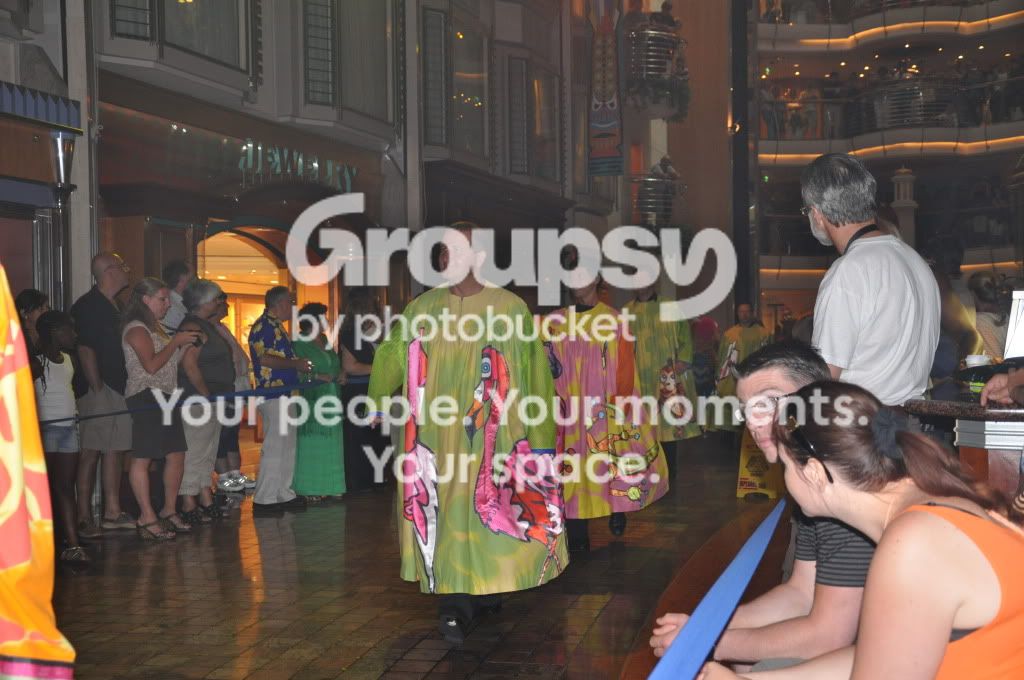
Here's a shot from an indoor parade, the only flash I have is the camera's flash:

DSC_0426.jpg
 

Create an account or login to comment

You must be a member in order to leave a comment

Create account

Create an account on our community. It's easy!

Log in

Already have an account? Log in here.

Back
Top Bottom