What's new

Selenium toning

raven4ns2

TPF Noob!
Joined
Jul 26, 2025
Messages
8
Reaction score
0
Location
Dartmouth,NS
Can others edit my Photos
Photos NOT OK to edit
Hello,
Are there anyone on here that tone their b&w images,specifically, selenium toning using software? I'm wondering which software they are using and the workflow they use to get the look they are trying to achieve. Any suggestions will be gratefully received. Thank you.
Tim
 
Is there no one that tones B&W images?
 
Is there no one that tones B&W images?
I tone B&W images. I use multiple methods. I like the toning options for B&W supplied with DXO PL-8 and will use those as is and in combination.
I also tone B&W images in Photoshop by converting them to Tri-tones and then specifying ink colors I want to use. I get some time later I'll show you some examples.
 
I tone B&W images. I use multiple methods. I like the toning options for B&W supplied with DXO PL-8 and will use those as is and in combination.
I also tone B&W images in Photoshop by converting them to Tri-tones and then specifying ink colors I want to use. I get some time later I'll show you some examples.
I've got some time now.
I never leave a B&W image without color, I think they look awful. I was that way when I made darkroom prints as well.
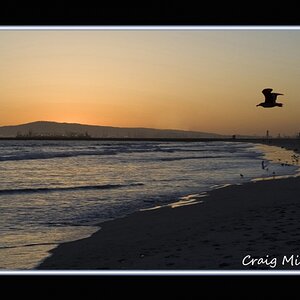
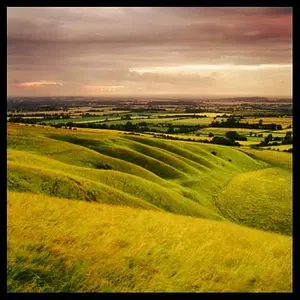
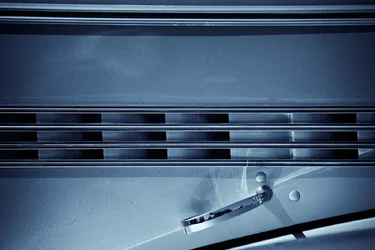
Here's three examples.
The first is toned using DXO PL-8's B&W toning options but I've used two of them and blended them for the final result.
The second was toned in PS by converting the image to a Tri-tone and specifying the ink colors and curves.
The third is DXO PL-8's Selenium toning with intensity set to 25.

bw-toned-1.webp


bw-toned-2.webp


bw-toned-3.webp
 
I've got some time now.
I never leave a B&W image without color, I think they look awful. I was that way when I made darkroom prints as well.
Here's three examples.
The first is toned using DXO PL-8's B&W toning options but I've used two of them and blended them for the final result.
The second was toned in PS by converting the image to a Tri-tone and specifying the ink colors and curves.
The third is DXO PL-8's Selenium toning with intensity set to 25.

View attachment 290061

View attachment 290062

View attachment 290063
 
Thank you very much for responding, I certainly appreciate it. I used PS3,I think, when my son was using it so I had access to it. They had algorithms built in to it using different colors which gave me a good place to start. When my son no longer used it I last access to it. I couldn't find a suitable alternative so gave up looking. Between that and health issues it's been a long time I haven't shot. Lately though I have had the urge to try again which prompted my recent post.
I liked using the color purple which added a density to the blacks. I really love B&W images that have a relatively high contrast to them. My computer skills aren't the best and I struggled with some of the software programs to get what I wanted and finally my frustration got to me.
I've been hoping to find a program that's easy to use with some canned selenium approaches that I can work with. I found PS too complex and I had to relearn it if I was away from it for a while. This is a hobby for me and I have no wish for it to be anything else.
The PS algorithms I was using offered a way to adjust the colors using curves, I think. It gave me a starting point from which I could start adjusting the colors and contrast. Since you use both PS and DXO and giving the background I've provided what would be your suggestion?
Again, I really appreciate your response and any suggestion you may have for me will be gratefully received. Thank you.
Tim York
P.S. here is the address to a few images I have on Flickr. It will give you an idea of what I like to shoot....https://www.flickr.com/photos/44673530@N04/
 
Thank you very much for responding, I certainly appreciate it. I used PS3,I think, when my son was using it so I had access to it. They had algorithms built in to it using different colors which gave me a good place to start. When my son no longer used it I last access to it. I couldn't find a suitable alternative so gave up looking. Between that and health issues it's been a long time I haven't shot. Lately though I have had the urge to try again which prompted my recent post.
I liked using the color purple which added a density to the blacks. I really love B&W images that have a relatively high contrast to them. My computer skills aren't the best and I struggled with some of the software programs to get what I wanted and finally my frustration got to me.
I've been hoping to find a program that's easy to use with some canned selenium approaches that I can work with. I found PS too complex and I had to relearn it if I was away from it for a while. This is a hobby for me and I have no wish for it to be anything else.
The PS algorithms I was using offered a way to adjust the colors using curves, I think. It gave me a starting point from which I could start adjusting the colors and contrast. Since you use both PS and DXO and giving the background I've provided what would be your suggestion?
DXO PL-8 is expensive and PS is likewise costly as it is only available by subscription so you keep paying to use it. Both are fairly complex programs. I'd encourage you to look at software from ACDSee and if cost is important they frequently run sales. I used their software to quickly process this image as a B&W -- it's decent software, economically priced, and fairly accessible:

towboat.webp

Again, I really appreciate your response and any suggestion you may have for me will be gratefully received. Thank you.
Tim York
P.S. here is the address to a few images I have on Flickr. It will give you an idea of what I like to shoot....https://www.flickr.com/photos/44673530@N04/
 
Thank you for your suggestion. Cost is not a problem it's the complexity of the software that is of more concern. As long as I can change the color to Purple and then adjust it's strength to get what I want then I will be a happy camper. That was what I liked about PS3, it gave me an algorithm to start with and then a way to adjust it. Once again many thanks for your help.
Tim
 
Here's a selenium toned b&w image done through Silver Efex Pro 2, Acros 100 film simulation with a bit of grain.
 

Attachments

  • JBP1792_selenium.webp
    JBP1792_selenium.webp
    580.3 KB · Views: 54
Thank you JB for your response. Is Silver Efex Pro 2 a difficult program to master? As I mentioned in another post, PS3 had a bunch of algorithms of different color options . The method of changing the intensity of the colors was fairly simple. I have never found any software to match it. Most used layers with hues etc and was too complicated for my small brain...lol. Thank you again for your suggestion and taking the time to respond.
Tim
 
Silver Efex Pro is pretty straight forward, I'm sure there are YT videos with tutorials if one wants to dig in even further.
 
Thank you For your help, it is much appreciated. I've been hoping to find someone in the Halifa

Ysarex

x/Dartmouth area that toned B&W images so I could watch how they did it, but no luck so far. I am going to download Silver Efex and try it out. Thank you to both you and Ysarex for your help.

Tim​

 
Cost is not a problem it's the complexity of the software that is of more concern
In that case suggest you look at Adobe creative cloud subscription. You get LR, PS, and Bridge. There are tons of youtube help videos out there to guide you and the learning curve on LR is low (if you use presets and profiles). These 4 examples took one click, it took longer to export and upload than it did to tone.

Black and white conversion
B&W1.webp

Selenium Tone
B&W2.webp

Sepia Tone
B&W3.webp

Split Tone
B&W4.webp
 

Create an account or login to comment

You must be a member in order to leave a comment

Create account

Create an account on our community. It's easy!

Log in

Already have an account? Log in here.

New Topics

Back
Top Bottom