What's new

Settings for better image - Image included

skwty

TPF Noob!
Joined
Mar 27, 2011
Messages
52
Reaction score
7
Location
Midwest
Can others edit my Photos
Photos NOT OK to edit
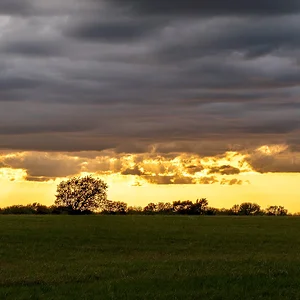
If you take a look at the EXIF information here. Was there a better way to take this image? I am really trying to learn the most about my camera and the settings I have available to me. I would rather not shoot in AUTO all the time.

Thanks. If you need more information just ask.

2ugi5w4.jpg
 
1) Manual white balance
2) Use matrix metering for landscape
3) Lower the aperture a bit

Just out of interests, did you used a star filter in that shot?
 
On my monitor the ground appears to be underexposed. To correct this it is going to mean the sky is going to be overexposed. Using a gradient ND filter would help as the horizon is almost level
 
Holydeath - thanks for the tips. And no filter was used in the shot.
Ann - thank you for the info.

I appreciate both of your comments.
 
The best scenics have a foreground, middle ground and background, as well as a centre of interest that draws the attention of the viewer.
This shot has background only and the sun does not have sufficient interest to attract the attention of the viewer.

You need more photographic elements in this shot, particularly verticals in the foreground or middle ground.

skieur
 
First off to Answer Holydeath, The reason there is a "Star" effect is because of the extremely tight aperture. Shooting a point source light (Like the sun) at anything over f/16 and you will get a star effect from the aperture blades In fact by looking at this image we can tell the lens you used had 6 blades to the aperture. While normally with a crop camera it is not advisable to shoot above f/11 because it softens the image. When shooting the sun this can be a nice side effect. At lower apertures you get a blob in the sky

Now to answer your question. Anytime you shoot the sun it is beyond the dynamic range of you camera (The range from the sun to the dark foreground) It is about 7 stops . You could do as Ann Says and used a Graduated Neutral Density filter but most of them max out at 3 Stops, The other choice you have is to shoot HDR,

Otherwise your choices are. Shooting silhouettes or not shooting with the sun in the frame or shooting in the direction of the sun. OR you could wait until later in the day when the sun is not as bright. The dynamic range will still be high when the sun is just above the horizon but THEN would be a good time to use a Grad ND filter

If you would like to learn about shooting the sun using HDR. Here is a very good article Shooting the Sun – Blobs and Stars
 
That scene has way more dynamic range than the image sensor in your camera can capture accurately. Digital Photography Tutorials

The spikes of light around the sun are called 'diffraction spikes', and are caused by the optical aberration known as diffraction, the lens aperture blades, and using a small aperture, f/25 in the posted photo.

Two shots, 1 properly exposure for the sky, and the other for the land, could then have been blended together post process. Here is just one tutorial - How to Blend Two Images Together in Photoshop | eHow.com
blend landscape photos in photoshop - YouTube

But, like ann suggested using an appropriate graduated neutral density (GND) filter is easier. Choosing a Camera Lens Filter
Using Graduated Neutral Density Filters

Tiffen 52mm Color Graduated Neutral Density 0.6 Filter
 
Last edited:

Is it ok if I do a quick and dirty edit to the photo you posted to illustrate to you what's possible, and what it might look like if shot with the right GND filter, or was 2 exposures blended with image editing software? If not I'll delete what I did. I saw your edit preference is set to no edits but I hope you won't mind seeing what could be.

Mostly I used the Adjustment Brush in Adobe Camera Raw 6 (ACR 6), a little CS5 Photoshop, and a touch of Topaz Adjust:
2ugi5w4.jpg
 

Create an account or login to comment

You must be a member in order to leave a comment

Create account

Create an account on our community. It's easy!

Log in

Already have an account? Log in here.

Back
Top Bottom