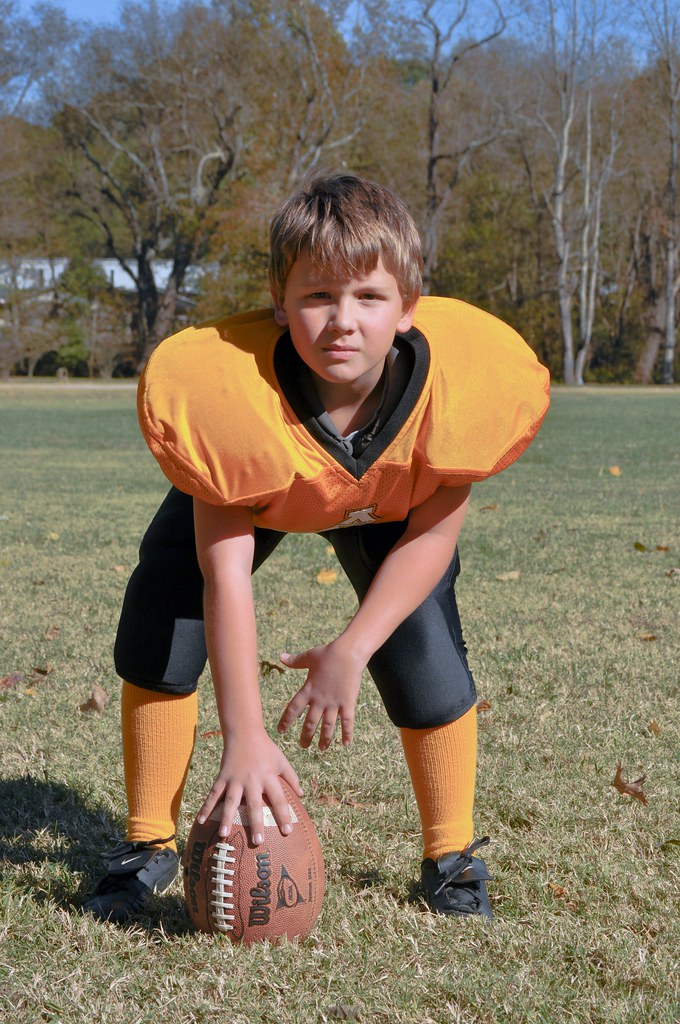
First thing to try, is to adjust the fill light slider. Maybe even the exposure slider, but be careful because the highlights will get brighter as well.
You could also go down to the curves adjustment graph and increase the part of the graph that represents the face shadows. Click the little circle by the graph (if LR3 is like LR2) and that should give you a up & down arrows. Then just place the cursor over the shadow parts of the face and hold down the button while slowly moving up or down to make the adjustment.
Another thing you could try, is the adjustment brush. Click on it to get started, zero out the settings and then increase the exposure slider. Not too much, 0.5 at the most. Make sure to check the auto mask box. Then use the 'brush' to paint over the face shadows. This should make it brighter. You can adjust the exposure slider on the brush, to make it brighter, or you can just click 'new' to start another adjustment brush and paint over it again.




![[No title]](/data/xfmg/thumbnail/33/33492-0ad5e1a91781a72cd081fb3f06aa3628.jpg?1734163604)
![[No title]](/data/xfmg/thumbnail/40/40308-f92e28f094216c151f3ad1fd7453c99b.jpg?1734174716)

![[No title]](/data/xfmg/thumbnail/31/31011-439c1242fe08cf6b54f32bf06523a567.jpg?1734159083)
![[No title]](/data/xfmg/thumbnail/40/40306-ea393f71adcd88a9abb9fb16dc6af2d5.jpg?1734174714)