vivalavieboheme
TPF Noob!
- Joined
- May 2, 2011
- Messages
- 43
- Reaction score
- 1
- Location
- Pennsylvania
- Can others edit my Photos
- Photos OK to edit
You asked for C&C - so my comments FWIW...first - it would a help those commenting, if you would number your images when you post them...
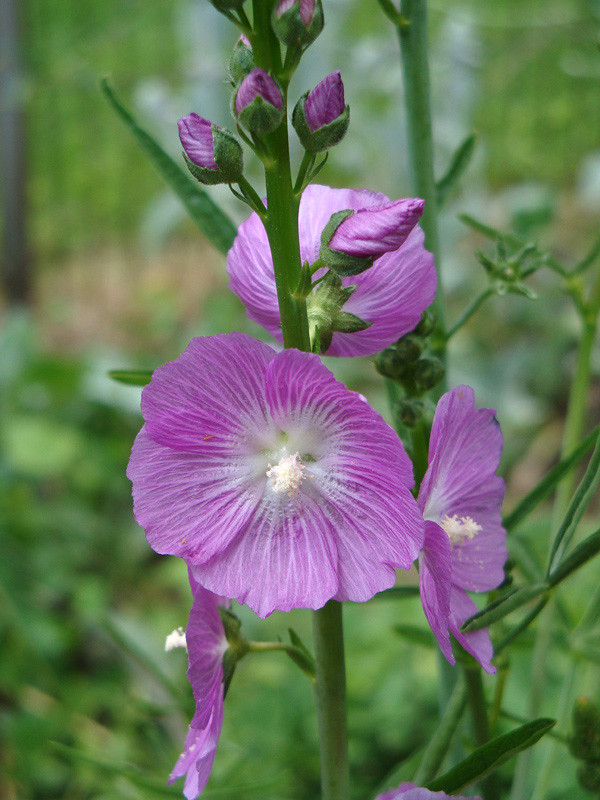
#1. Interesting image - little underexposed inside the tree - I might try a bit of exposure compensation to see if I could make this work and the colour of the bark looks strange to me, but then this could be my monitor (it's calibrated), or it could be that the tree has a reddish tinge to its bark - my trees usually have a bark that has a more grey tone to it - different trees - different parts of the world - different lighting??? Yeah, that's just the color the bark was...
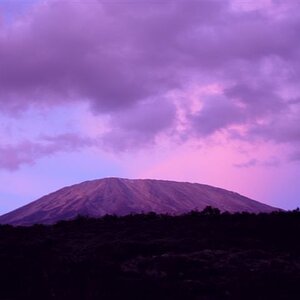
#2. This does nothing for me - sorry - just a snapshot with the horizon dead in the middle...not somthing you want to do - check out "rule of thirds" for composition. Colours seem to be a bit oversaturated also.
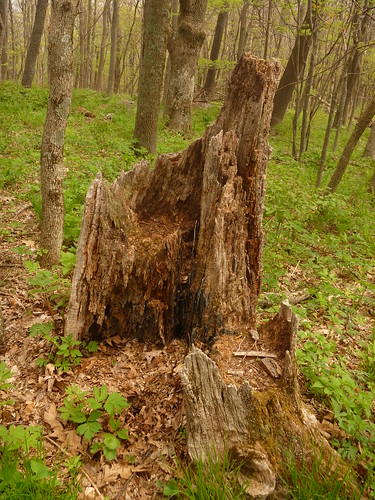
#3 Again, does nothing for me - your images need to elicit emotion or tell a story to be effective - also, I think that the "stump" is crooked and needs to be straightened - your trees seem to be all leaning to the right...not sure why...and again, colours seem to be a bit oversaturated. In #2 and #3, they are on a hill and that's the way they naturally were because of the way the hill was. If it's possible/preferred to straighten things that are crooked in nature, how do you do this in PP?
My 0.02¢...
Cheers,
WesternGuy
The first photo is great fun -- a surprise novelty of nature.
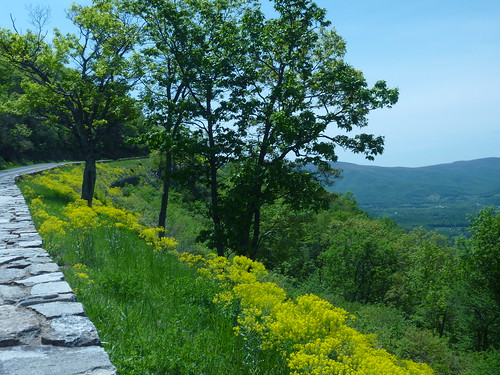
Skyline drive is the best bike ride in the lower 48; I love the Shenandoah Valley. Your overlook photo is nicely done. Including the road and wall in the shot I think was a good choice -- sets the location.
You've got color balance and tone trouble with these. For example the overlook photo has a strong blue cast and the tone response is compressed. Try this for starters:
![]()
I pulled out the blue and raised the contrast.
Another note: Your files have the ICC profiles and EXIF data stripped out. The ICC profile is a critical component of the photo and you don't want to lose that. So you should find out where that's happening and stop it in the future.
Take Care,
Joe
What did you use to edit? And how do you figure out about the ICC profile and EXIF data? I've heard of them before but don't even know what they are or how they got removed. Is that something that's on the camera, or on the computer? Also I do like your edit...just don't know how to do it...
You asked for C&C - so my comments FWIW...first - it would a help those commenting, if you would number your images when you post them...
#1. Interesting image - little underexposed inside the tree - I might try a bit of exposure compensation to see if I could make this work and the colour of the bark looks strange to me, but then this could be my monitor (it's calibrated), or it could be that the tree has a reddish tinge to its bark - my trees usually have a bark that has a more grey tone to it - different trees - different parts of the world - different lighting??? Yeah, that's just the color the bark was...
#2. This does nothing for me - sorry - just a snapshot with the horizon dead in the middle...not something you want to do - check out "rule of thirds" for composition. Colours seem to be a bit oversaturated also.
#3 Again, does nothing for me - your images need to elicit emotion or tell a story to be effective - also, I think that the "stump" is crooked and needs to be straightened - your trees seem to be all leaning to the right...not sure why...and again, colours seem to be a bit oversaturated. In #2 and #3, they are on a hill and that's the way they naturally were because of the way the hill was. If it's possible/preferred to straighten things that are crooked in nature, how do you do this in PP?
My 0.02¢...
Cheers,
WesternGuy
Also I added the numbers like you suggested.
Then, how do you know what PP to do on what photo? I'm new at that part of it...