What's new

Sigh, are my pictures just lacking that "pop"?

jdong217

TPF Noob!
Joined
Aug 12, 2011
Messages
150
Reaction score
9
Can others edit my Photos
Photos OK to edit
I'm getting kind of self-conscious because I'm comparing my photos to someone (of a similar talent level imo) and his just look a lot better than mine. I know it's silly to compare yourself to others in an almost competition-like way, but he has a camera a step lower than mine and in my opinion his photos are better. Makes me think I'm using my gear incorrectly or something.

Anyway, I know for a fact he is using vivid picture control on every single picture and I always tried to stay away from it because I thought it looked unnatural. Even in post processing I tried to stay away from bumping up the saturation too much since I try to just edit it to make it look more like the way my eyes saw the scene when I was there. But now I'm reconsidering. Looking through his photos it's the style is mostly glorified point-and-shoot, with obviously more attention to depth-of-field. Many of the shots have distracting elements in composition and don't have a clear focus and yet they still have some factor that just makes them look better than mine.

Anyway, enough focus on comparisons. Here are some of my shots. Some of them are HDR but I only use that if I'm having trouble getting proper exposure across the entire image and want to bring details back in. Are they just too dull? Specifically, the colors. What can I do to improve in the future...? Some days I'm really happy with my shots and others I'm flat out depressed

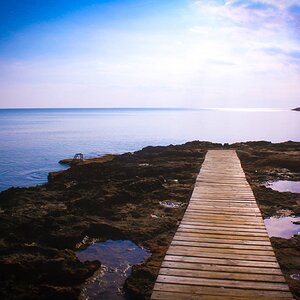
1. Holidays in Hong Kong by justindong, on Flickr

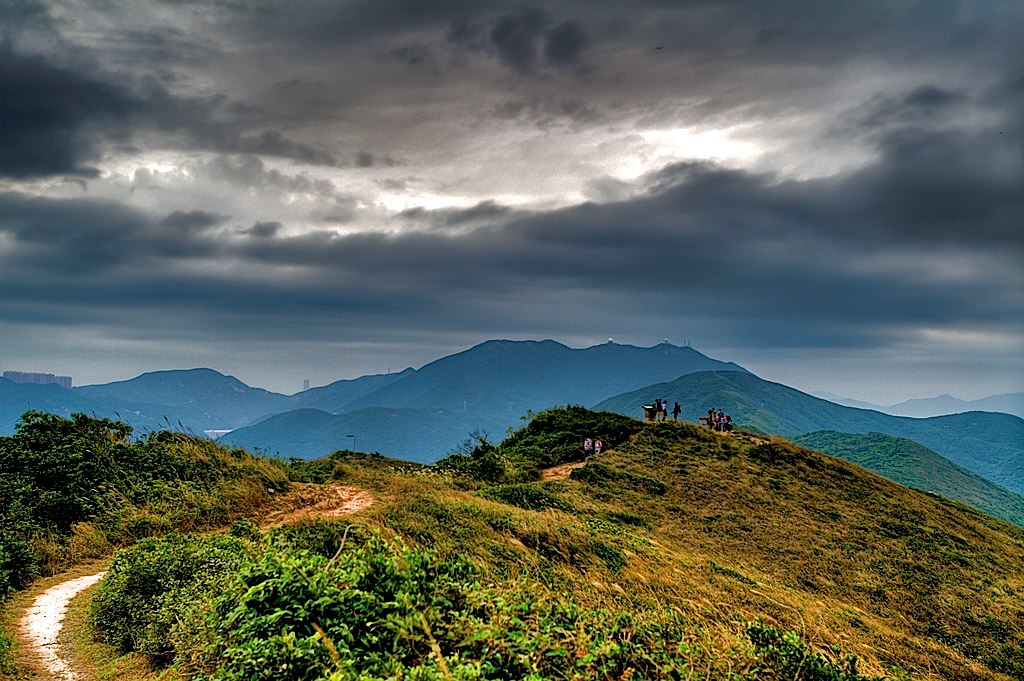
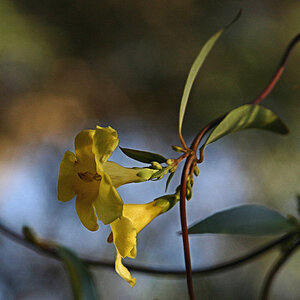
2.
Hiking the Dragon's Back by justindong, on Flickr

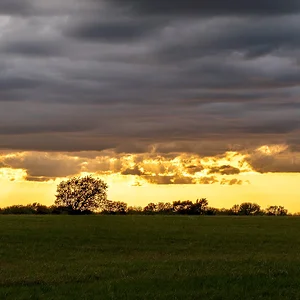
3.
Shenanigans on the Dragon's Back by justindong, on Flickr

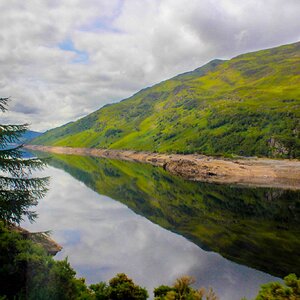
4. The river on the left was actually that color

By the mountains and water by justindong, on Flickr

5.
Bank of China and Lippo Centre by justindong, on Flickr
 
Last edited:
They look just fine in my opinion but I know exactly how you feel. I can never perfectly judge my own photos because I'm the one who took them. I have my own style even if I'm going for something I see from anyone else's work. All you can do is accept C&C from others to get a good understanding of how well you work is from other photographers' point-of-view.
 
Hi jdong217. Interesting photos. It may be a problem with the upload or it might just be my eyes but your images look soft to me. If I had to guess I would say it is camera shake. It doesnt really look like a focus problem to me.

If you could tell us what camera and lens you are using and post the EXIF data it would allow us to do more than just guess.
 
Yeah they look soft, but I do like the processing...
 
TPF has been causing soft images lately as well so that could be affecting it. I just wanted to say I absolutely love the last one. The first one looks like it could use a bit more black intensity. Kinda looks foggy. Thanks for sharing.
 
Hmm, the middle three are handheld HDR (for the sky in all instances) so it could be some camera shake.

exif would be a pain because for some reason after editing them the key exif info is always stripped. I use topaz adjust so if anyone knows how to fix that it would be great. will work on trying to salvage some of the exif.

and yeah, the first one is a bit foggy and smoggy for sure. it's Hong Kong, where 99% of the time it's smoggy. This was on a "good" day where you could actually see the mountains behind the skyscrapers. Normally, you can't even see an outline of the mountains!
 
Many HDR-type images appear rather flat and low in contrast to me. Why? Because quite often the lower tones (the shadows and just above) are falsely elevated, and the highlight regions are pulled "down", and so a wide range of luminance values are all squished together. Colors get shifted. Shadow areas that ought to be inky-black are lifted and rendered un-naturally bright...the entire endeavor is like worshiping a false prophet, or a scamming "leader". Bridging a wide,wide tonal range really is not that great of an idea unless it is done with extreme skill and very fine judgment. I am not trying to knock your abilities or your method, but....I have seen so,so many HDR-type images that lack snap...
 
Here's what I did to #2, as I thought it was the one that could be made to pop most in PP:


mountainhelp by franklinrabon, on Flickr

first, I upped the contrast a pretty decent amount. It was kind of flat. I upped the saturation a tiny amount. I then pulled the highlights down some, as some of the clouds were nearly blown out (and some were completely to the point of not being able to do anything with them. Then I bumped the high tonal width a smidge, and lowered the low tonal width a smidge, and upped the mid contrast a bit. Finally I sharpened the foreground mildly. After that, i dodged the clouds somewhat to make the sky a bit more interesting.

It's always a battle, making your photos pop is often at odds with pure photographic honesty. Not always, but often. I'm sure that this day, with it being voercast, it was just a flat day. Unfortunately that comes through even clearer in pictures. In a case liek that (though, again, not all cases) you have the choice of your picture being honest and your picture popping.
 
The look very good to me, but in each one there is a small detail that bothers me for some reason. And it's the kind of things that once seen cannot be unseen. Examples:

#1 - The moon is right over that tall building and it looks like a pellet fired from the building. I think it would look better if the moon were to one side or the other.

#2 - There is a sign or something on the road right beneath the people that is distracting. There is also a tower of some sort in the very far distance right on the horizon.

#3 - The person in the background in the blue jacket looks like he is eating a banana or something. Also the depth of field leaves the people in the background somewhat soft.

#4 - The horizon doesn't look straight. The building right on the water looks like it is leaning to the right.

#5 - No comment since I don't care for fisheye or ultra-wide angle shots. Too much distortion for me and the distortion is all I can focus on.

I also think the contrast is a little soft in all of them but that could just be my uncalibrated monitor at work.

They are very good but it may just be minor details like this that are affecting your judgment. Things that are not even noticed until they are pointed out but then become very clear.
 
Many HDR-type images appear rather flat and low in contrast to me. Why? Because quite often the lower tones (the shadows and just above) are falsely elevated, and the highlight regions are pulled "down", and so a wide range of luminance values are all squished together. Colors get shifted. Shadow areas that ought to be inky-black are lifted and rendered un-naturally bright...the entire endeavor is like worshiping a false prophet, or a scamming "leader". Bridging a wide,wide tonal range really is not that great of an idea unless it is done with extreme skill and very fine judgment. I am not trying to knock your abilities or your method, but....I have seen so,so many HDR-type images that lack snap...

Yeah, a lot of what people use HDR for could better, and even more easily, be accomplished with curves and/or the good old highlight and shadows controls sparingly. THe only time I'd really use HDR is when it's completely impossible to find a range in the camera where nothing important is clipping on either side of the histogram.
 
Go easy on the hdr with the nature scenes. You urban HDR stuff looks pretty good recently. Play with the contrast and saturation some and see how you can work it.

you have a link to this other photog that your envious of? I like to see what your so jealous of.

typically for color I use the vivid or rgb settings. You might also adjust the in camera setting to see if you get results you like better. Dont be afraid of black and white either. The picture with the mountain tops would be a great bw photo.
 
I see what you mean by lack of pop in your originals. Thats a common side effect of some processing (HDR is a good example) where you dont provide enough tonal range. Check your levels slider and you want just a bit of black and just a bit of white in the image. That will help.

You can also try a high pass filter on soft blend mode ~40% opacity in photoshop for scenery, doesnt work so well on people.
 

Create an account or login to comment

You must be a member in order to leave a comment

Create account

Create an account on our community. It's easy!

Log in

Already have an account? Log in here.

Back
Top Bottom