What's new

Skys Blowing out

sactown024

No longer a newbie, moving up!
Joined
Jul 30, 2012
Messages
658
Reaction score
29
Location
New Hampshire
Can others edit my Photos
Photos OK to edit
Hey guys, I have been having an issue with shooting outside, the sky seems to always be overexposed, this morning i stopped at a lake/park and took some shots of the fog (sorry, not uploaded yet) and even though i wasnt shooting into the sun the sky is still blown out, cant see and cloud detail. I was shooting in aperture priority at f/2.8 and a ISO of 100. When shooting outide do i need to purposley underexpose my image and then adjust in lightroom?

also, what are your thoughts on aperture priority vs full manual?
thanks in advance.
 
Manual is very useful when you need full and total control of every last aspect of a shot. It also helps to teach how different setting affect the exposure, since you have control of every leg of the "exposure triangle"!

Aperture Priority is very useful (most experienced photographers probably use it 80-90% of the time). It is much faster than manual, and yet gives you just as much control. By controlling aperture directly, you also have indirect control of shutter speed also, and this is very useful for situations that require fast and accurate changes in settings.

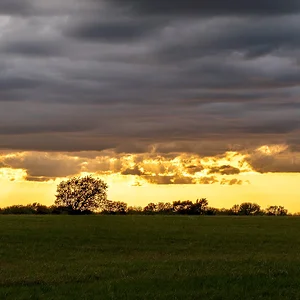
As far as the blown out sky goes.... if you are focusing / metering on a subject that is being silhouetted against the sky, to get proper exposure on the subject will always blow out the sky. The best way to work with this is to meter the background and expose it correctly (shutter speed and ISO) and use Flash to expose the foreground subject (Aperture). Underexposing a sky / sunset / sunrise a 1/3 to a 1/2 stop will give richer, more saturated colors also.
 
oops.. forgot to address the fog /sky! Some scenes tend to require different exposures.... fog is often one of those. A large white expanse (fog / snow) will often come out underexposed (since the camera meters for grey) and you will need to over expose a stop or two for accurate exposure. A dark / black scene will often get overexposed (again, metered to grey) and some underexposure is needed for accuracy.

On your scene, it sounds like the camera was metering for a darker area and overexposing to correct for it. Without seeing the shots, hard to say. Sometimes in scenes where you are not sure of correct exposure, you can bracket exposures a couple of stops on either side (and you can even use these for LDR / HDR if desired). You can also meter on gray card... or a known neutral subject, as that will typically give the correct exposure also.
 
awesome thanks for the info, you are exactly right when you say the camera was metering for a darker object, i was shooting a small lilly growing out of the lake, the area had lots of shadows but the sky was still bright. I like the idea of underexposing and then using flash to brighten the subject, another reason why i want to buy a speedlite, thought about buying the Yongnuo 550 II today, is on sale for $75
 
I agree with everything Charlie said, but I would add that even at ISO 100, f 2.8 is tough on a sunny day. If you can get correct exposure at all, you'd probably be at about 1/4000. If this is faster than your camera's max shutter speed, you will certainly end up with overexposure.
 
I agree with everything Charlie said, but I would add that even at ISO 100, f 2.8 is tough on a sunny day. If you can get correct exposure at all, you'd probably be at about 1/4000. If this is faster than your camera's max shutter speed, you will certainly end up with overexposure.

to be honest it wasnt that sunny at all and i was shooting in the shade, but the small amount of sky that was in my frame was blown out.
 
just how sunny it is doesn't really matter. A blue sky will be just as bright on a partially cloudy day as a sunny day, and clouds diffuse light more than the blue sky does, so actually a cloudy day will be more prone to blowing out than a clear day.
 
A useful concept to learn is "dynamic range". That's the ability of the camera to record something between the value 255 (White) and 0 (Black). This is camera and sensor dependent, but for my camera (Canon T1i), my range is about 8-9 stops. Which means that something that is properly exposed at "X" exposure setting, will be featureless white if exposed by 5 stops more, and will be featureless black if exposed by 5 stops less. Knowing that, I may spotmeter the sky where I want "some" detail, and then reduce my exposure by 4 stops to put the sky exposure just inside my "almost completely white" histogram area. You can do the same when trying to keep "some" detail in the shadows. However, if the range between the brightest area (where I want detail), and the darkest area (where I want detail) exceeds the dynamic range of my camera, then something will be either blocked (black) or blown (white). That is where HDR comes in, where you compensate for the camera's inability to record a wide dynamic range, and you "squeeze" the tonal values you get to fit within the 0-255 range of pixel values.
 
Overexpose the sky to get the dark foreground in view. Under expose the sky to get a darkened sky with a totally dark or at least a full shadowed foreground, then combine the two or three exposures using HDR. Better yet avoid the sky all together. Concentrate on non-sky images. Avoid cloudless, washed out skies and that includes grey skies. A lot of light shines through grey skies. If the sky is not interesting to look at, why include it? Look at professional landscape photos taken during a full sunny day. How much sky do you see? In photos without sky, where is the light coming from? What is the angle of the light?

BTW Generally if you have darkened images and try to lighten them with editing you will increase the amount of noise especially if you are trying to lighten a shadowed face. Get your subject into the shade if you can.

http://www.betterphoto.com/Premium/Gallery.aspx?id=98736&cat=0&photoID=846870&mp=V1

Note skies that you see in landscape images. They are either "wow" skies or little or no sky is included.

Examples: http://www.google.com/search?client=safari&rls=en&q=landscape+phots&ie=UTF-8&oe=UTF-8

Look into polarizing filters and graduated filters.
 
Last edited:

Create an account or login to comment

You must be a member in order to leave a comment

Create account

Create an account on our community. It's easy!

Log in

Already have an account? Log in here.

New Topics

Back
Top Bottom