What's new

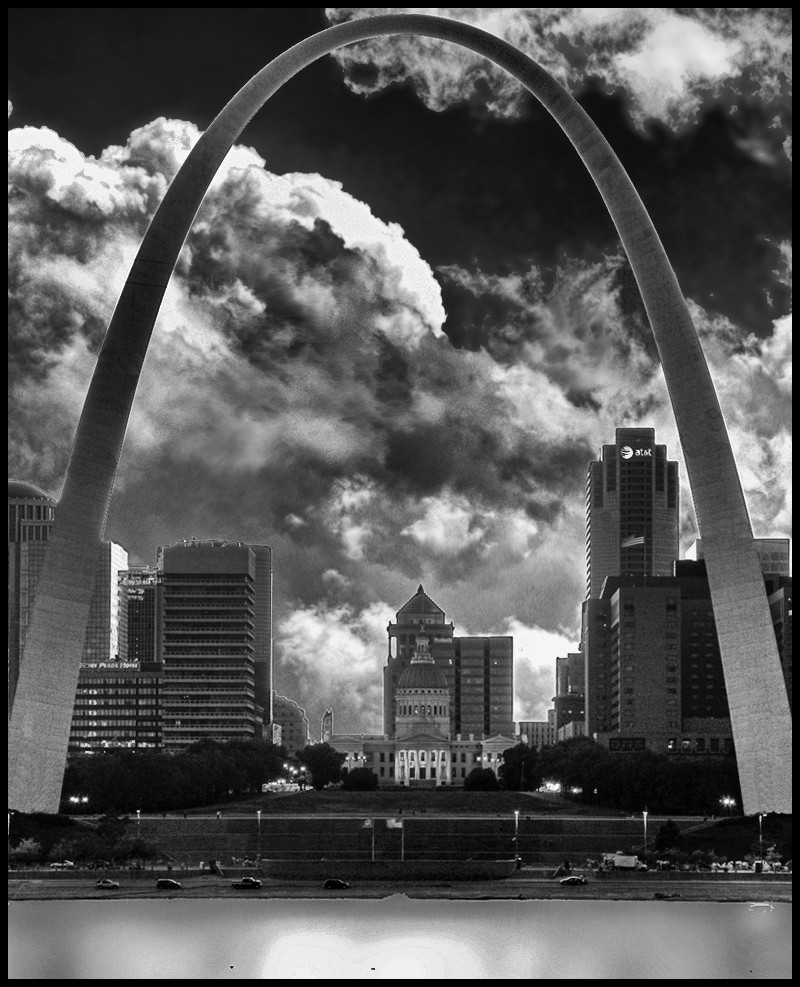
St. Louis Arch B&W *Take Two*

robb01

TPF Noob!
Joined
Oct 30, 2008
Messages
555
Reaction score
11
Can others edit my Photos
Photos OK to edit
Thoughts on this edit, a bit more "digital art" than the original:

3n9h5.jpg
 
Last edited:
has a 1950's print look about it. Something I might see in a textbook.
 
On my monitor it appears to be underexposed and flat.
 
On my monitor it appears to be underexposed and flat.

The flatness is somewhat intentional as a result of the high pass filter to make it appear a bit more metallic
 
In my personal opinion, the photo still look a little flat (intentional or not). Maybe just me.
 
Ok, i see; however, it doesn't work and i certainly don't feel metal.

I grew up in that city and with that subject matter so I am familiar with your concept about making it seem more metallic, but proper exposure and lighting should make that steel glow.

 
Is this infrared? It's a little too "x-ray" for my tastes, it doesn't feel like enough dynamic range for me.
 
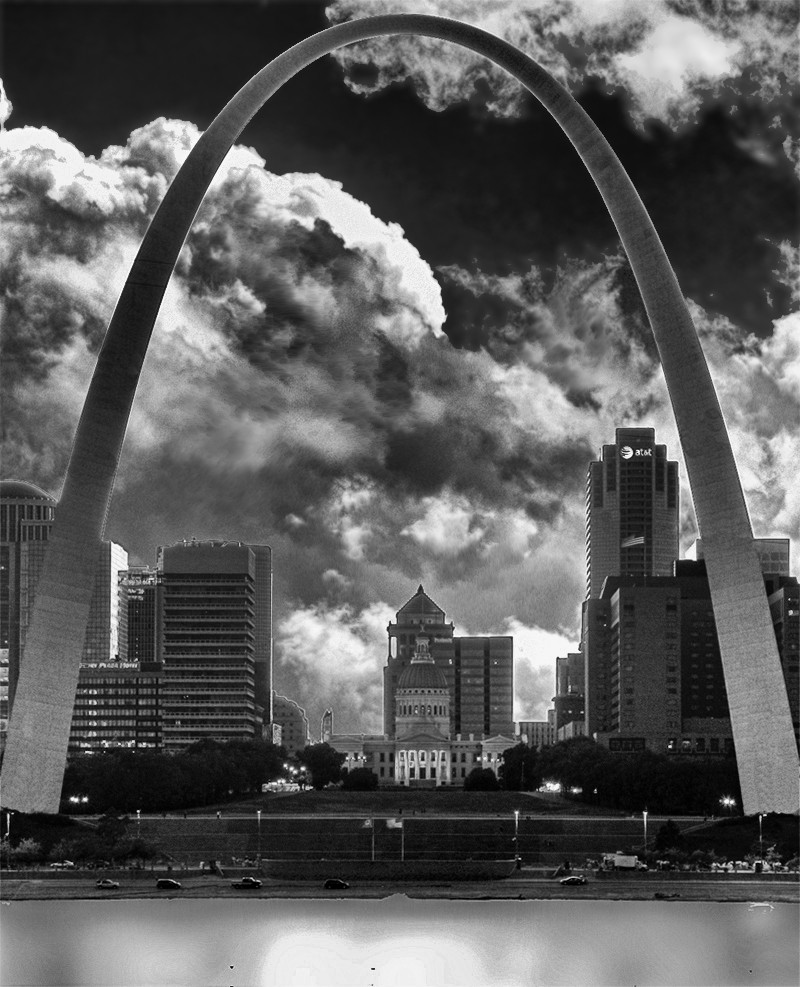
One more edit:

d8aAg.jpg
 
Last edited:
Kind of bothers me how the building in the middle isn't centered. The first could use some more contrast, and I just thought the second was plain bad.


--
Sent from my HTC Pyramid.
 
How was this made; i.e. converted from color/or.............?
 
converted from color in PSE9 with Nik Silvr Efex
 
I've been struggling a lot with my B&W conversions as well.


2 things:

#1. In CS5 go to "apply calculations" and mess with those options under there (haven't quite figured this one out yet...)
#2. Also in CS5 go to "channel mixer" --> "monochrome" and mess with those
 
Silver Efex Pro is a very nice piece of software, I would have expected better.

You might try using your RGB channels along with some curve adjustments.
 

Create an account or login to comment

You must be a member in order to leave a comment

Create account

Create an account on our community. It's easy!

Log in

Already have an account? Log in here.

New Topics

Back
Top Bottom