What's new

Tough background removal - need advice

Arkanjel Imaging

No longer a newbie, moving up!
Joined
Jun 8, 2009
Messages
1,229
Reaction score
160
Location
SW Florida
Can others edit my Photos
Photos NOT OK to edit
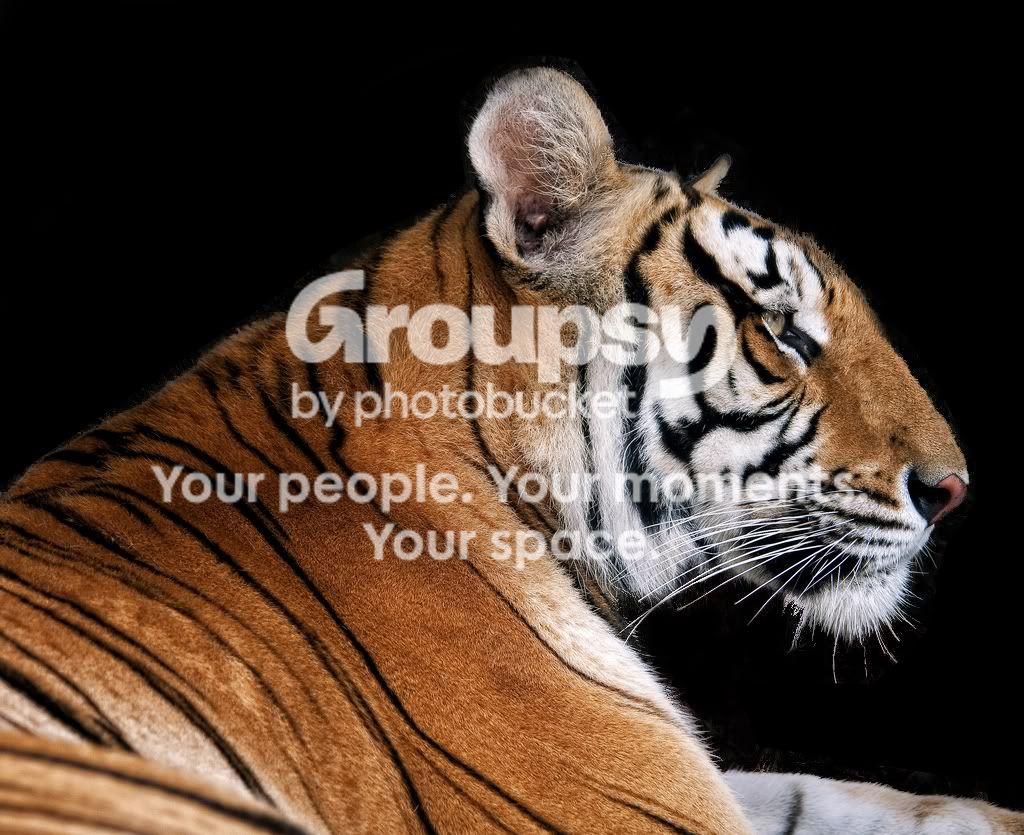
I really like this shot I got over the weekend. But I want to replace the background. Im kind of perplexed on how to seperate the tiger from the background and keep his fur outline and wiskers. I would greatly appreciate any advice on techniques that might be workable.

Thanks for looking. ;)
3676948538_3611aecaa6_b.jpg
 
not related to your question... however that kid almost looks ghost like, kinda cool!
 
I have little experience in that kind of work, but I know that Mask Pro by OnOne Software could manage that in a minute or two.
 
I have little experience in that kind of work, but I know that Mask Pro by OnOne Software could manage that in a minute or two.


I will have to look into that, thanks. :thumbup:

Its kind of comical the what with the kid in the background and the tigers ice-grill. I think it has a lot more potential with a different backing though.

Edit: I wish I knew how to get a hold of that kids family. Im sure they would get a kick out of it.
 
I like to use mask pro or liquid mask in a new layer then convert it to a mask and blur a little to remove some artifacts...
 
In Photoshop I tired getting a great deal of contrast between the cat and the background but the tones are to close to get good seperation for masking.
Sorry.
 
This was the best i could come up with....

3676948538_3611aecaa6_b.jpg
 
thats a big cat......great detail in the photo
 
thats a big cat......great detail in the photo


Thanks. Yeah, thats why I want to do something cool with it.

JamieR: I had something about like that (a little better) but thats not going to cut the mustard. I used darken and multiply brushes to blend in where my black background got close and it still looked like doo-doo. It looked like a weird drop shadow. :meh:

I shoot a lot of wildlife so I really need to learn a technique or two for this and add them to my arsenal. Ive located a copy of Mask Pro but have not installed it yet. Maybe tonight. :thumbup:
 
*grumbles* Finagling Mask Pro wasn't easy to do; the result I got was less than satisfactory, however, I'm betting in the original you have more pixels to work with (which is the problem I'm having; I can't feed it enough information to work accurately).
 
Well crap. Apparently Mask Pro does not play well with CS4 yet. I guess Ill have to wait for a patch. :grumpy:

Hi,

You can check the Refine Edge tutorial in this link at the bottom left of the page.
Ron Bigelow Videos

Thanks,


Thanks for the link!
 
Another trick is to click on channels in layers then the red green or blue whatever works best. Work on it from there.
 

Create an account or login to comment

You must be a member in order to leave a comment

Create account

Create an account on our community. It's easy!

Log in

Already have an account? Log in here.

Back
Top Bottom