What's new

Trouble with moon and clouds

Netskimmer

No longer a newbie, moving up!
Joined
Jul 23, 2009
Messages
1,392
Reaction score
229
Location
North Carolina
Can others edit my Photos
Photos OK to edit
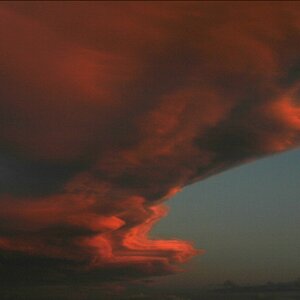
Not sure if these would be considered snapshots or not. I was leaving work around 2:00am "last night" and I noticed the moon and clouds looked pretty so I tried to take a few shots before heading home. I did try to compose the shots as best as I could but I was tired and wanted to get home so I didn't spend the time I probably should have on them. Another problem was that the moon was about the size of a bb in my view finder so I couldn't really tell how much detail I had, or in this case didn't have until I got it home and blew it up on the PC.

Enough excuses:blushing: My primary concern is the moon. Would I need a filter or different lens to get a clear, detailed shot of it or could this be accomplished my tweaking the settings on my camera. If you don't want to tell me how and let me figure it out on my own that's fine but I would like to know if it is at least possible without an equipment change.

1.
DSC_0089.jpg


2.
DSC_0088.jpg
 
You may acutely want to take multiple photos. Expose one for the clouds and another for the moon and then combine the two. Be sure to use a tripod so that the only difference is the exposure. Also try not to place the moon in the dead center of the shot.
 
You are not going to expose the moon and the clouds in one exposure. You are going to take two exposures; one for the moon and one for the clouds and combine those in Photoshop (or similar). If all you have is your 18-55mm, you are going to need a longer lens. I did this with my 5D (full-frame), 300mm and a 1.4 tc. Moon and Clouds
 
Although I agree with the suggestion of using two shots (or should I say two separate exposures) I sure don't think this Moon and Clouds is the best example. It looks way too PS to me.
 
Although I agree with the suggestion of using two shots (or should I say two separate exposures) I sure don't think this Moon and Clouds is the best example. It looks way too PS to me.

Maybe it was. It was tough to combine the two together. I feel it represents what I saw that night.

Do you have a better example?
 
You are not going to expose the moon and the clouds in one exposure. You are going to take two exposures; one for the moon and one for the clouds and combine those in Photoshop (or similar). If all you have is your 18-55mm, you are going to need a longer lens. I did this with my 5D (full-frame), 300mm and a 1.4 tc.

Would that be an HDR? As luck would have it I just got my 55-300mm lens in today. If conditions are favorable I will try this when I get home from work.

Here are lens specs. They are not showing up in my sig for some reason.
Nikkor 55-300mm f/4.5-5.6G ED VR AF-S DX
 
Honestly, I'm surprised nobody mentioned but your settings for taking pictures of the moon are incorrect... you're shooting at ISO2500 1/10 55mm and F5/6...

To get a decent picture of the moon, I think a min of 200mm, I would suggest a 300m+ on a crop sensor camera lens along with manual focus and manual settings like ISO 100-200 F11 (f8-f16) and depending on the focal length of the lens, anything slower than 1/15 will be visible
Sometimes you need to experience different settings but all your photos seem super exposed due to the high ISO used. Even with clouds, you should see the outline and shadows of the moon which are not visible in your shots.
 
300mm is the best I've got. Not sure why I didn't think to drop the ISO but will do so for my next attemp and will alter my other settings to more closely match your suggestions. I'll just need to play with the settings until I get the shot I want.
 
There's a great guide on moon photography on the advanced techniques board.

Sent from my HTC Glacier
 
The proper exposure for the moon is for a SUN-LIGHTED object, lighted by FULL-DAYLIGHT sunlight....seriously....not kidding you...something along the order of f/13 at 1/250 second at ISO 200, or thereabouts is a rough guideline to get a good, bright, realistic moon. The moon is being illuminated by the full light of the sun. The correct exposure for the clouds is much,much,much,much,much longer, because they are not being illuminated by the light from the sun, but rather from the weak light being reflected off of the moon's surface,and in some cases, by faint light from city lights. Most people make the mistake of overexposing the moon terribly, thinking they to use a "long" exposure because it is night, here on Earth; but, as you can pretty plainly see, the moon's surface is lighted up pretty brightly by the Sun...
 
Having a EFS 18mm-135mm f3.5 - 5.6 but my camera reading as far a say, f11...how does this work? I got pretty decent pics at ISO 200 1/125 but f5.6. (You can tell I'm new to these f-stops in digital lenses...:confused:
 
good pic. what time is it?
11.4355.gif
62288409@N00.jpg

Thank you. It was taken at about 2AM.

Derrel, What you said makes perfect sense when I think about it. It's mazing how easily I could miss something like that.
 
Last edited:
For a good moon shot, you need at least 200mm of focal length on a cropped body. This was done using a newly serviced 70-200mm f/4 L IS USM on a 50D, 200mm focal length, ISO 100, f/7.1, 1/400 shutter speed, and edited in Photoshop CS5.

May 11, 2011 moon shot | Flickr - Photo Sharing!

Cropped 100%
 

Create an account or login to comment

You must be a member in order to leave a comment

Create account

Create an account on our community. It's easy!

Log in

Already have an account? Log in here.

New Topics

Back
Top Bottom