Fedaykin
TPF Noob!
- Joined
- Mar 30, 2010
- Messages
- 426
- Reaction score
- 0
- Location
- San Juan, PR
- Can others edit my Photos
- Photos OK to edit
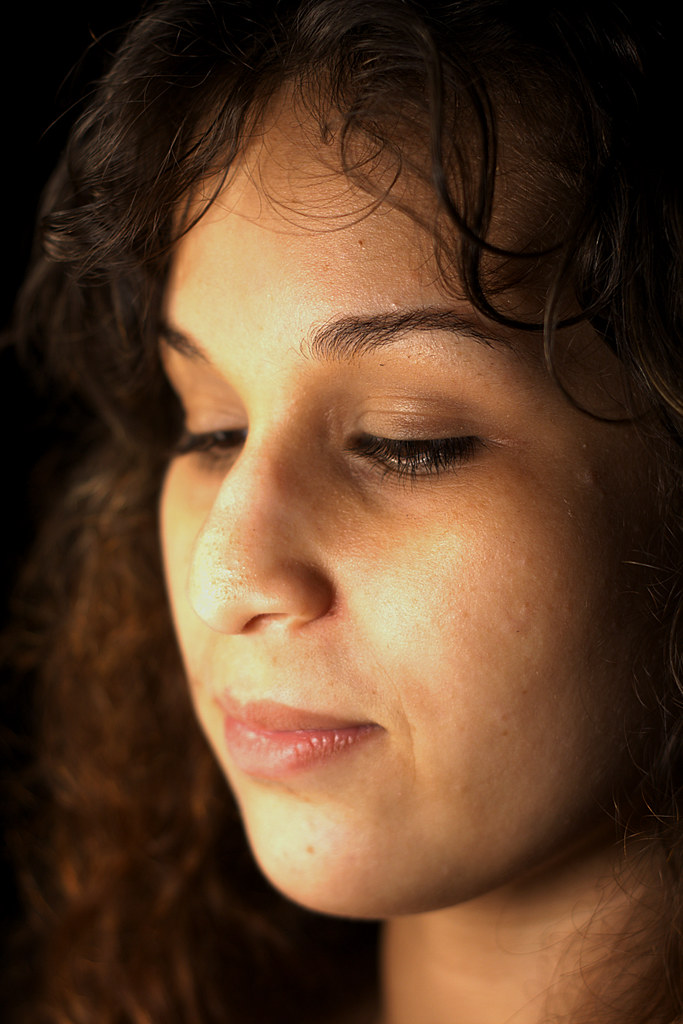
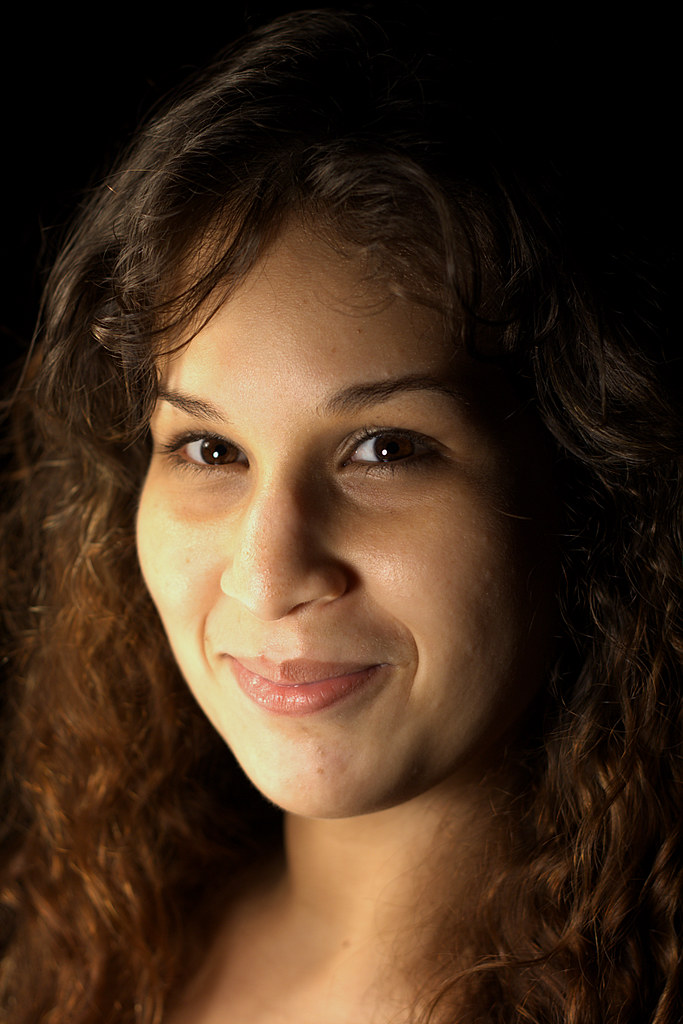
Just some quick shots while playing some billiards with my gf at my house. She wanted me to take her picture for some reason so I grabbed the camera(she NEVER asks me to take her picture). I had to improvise though. It was like 9pm and I don't have strobes yet. So I grabbed a lamp I have there, it goes on a 5 foot stand and has three tungsten bulbs inside metal cone like housings which would work sort of like a snoot of a strobe; so it was pretty harsh light.
I had to place it like a foot from her face to get as soft a light as possible and to get a decent enough exposure, I believe these where at f/2.8, 1/100 and ISO 200 or something like that. Due to the one direct light and dark background(only lit by a couple of really weak lamps on the corner walls), they pretty much look like they were shot against a black background so I guess that worked for the better.
C&C is welcome as always, but mainly looking for it editing-wise as other than that these were very quick shots and am aware of their flaws(though you can point them out if you want ). I suck at PP though, so feel free to tell me how good/bad these are in terms of WB, color saturation, etc. I deliberately edited these slightly different from each other for this purpose, wasn't sure which one looked best and what mood(low-key,highish-key, etc.) I wanted. Anyways here they are:
1.
2.
3.

Thanks for looking!
P.S. Forgot to mention that if anyone wants a hand at editing these feel free. I can provide high res versions(pre sharpening) as well. I have the RAW files too, though I'm not sure how I would go about providing those here...
I had to place it like a foot from her face to get as soft a light as possible and to get a decent enough exposure, I believe these where at f/2.8, 1/100 and ISO 200 or something like that. Due to the one direct light and dark background(only lit by a couple of really weak lamps on the corner walls), they pretty much look like they were shot against a black background so I guess that worked for the better.
C&C is welcome as always, but mainly looking for it editing-wise as other than that these were very quick shots and am aware of their flaws(though you can point them out if you want
). I suck at PP though, so feel free to tell me how good/bad these are in terms of WB, color saturation, etc. I deliberately edited these slightly different from each other for this purpose, wasn't sure which one looked best and what mood(low-key,highish-key, etc.) I wanted. Anyways here they are:1.
2.
3.
Thanks for looking!
P.S. Forgot to mention that if anyone wants a hand at editing these feel free. I can provide high res versions(pre sharpening) as well. I have the RAW files too, though I'm not sure how I would go about providing those here...
Last edited:


![[No title]](/data/xfmg/thumbnail/41/41921-10ae2355bbcea545815ebd932ee145a7.jpg?1734176283)