Gavjenks
TPF Noob!
- Joined
- May 9, 2013
- Messages
- 2,976
- Reaction score
- 588
- Location
- Iowa City, IA
- Can others edit my Photos
- Photos OK to edit
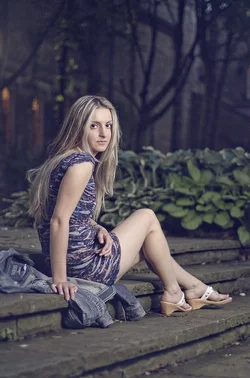
Okay, so you used 1.8, flash set really low but still too strong, ISO 640, shot through a not very effective umbrella?
How to fix light:
* Knock your ISO down to 100
* Maybe even stop down your aperture by one stop, too. Together, these give you almost 4 stops to work with (ones you need to add back in), and they will separate out the background more too by making it darker. In the Right photo, you need that. In the Left photo, you don't, so you could compensate by going from shutter 1/160 to shutter 1/40 or if you have image stabilization 1/20 (take 3 shot bursts for safety). This will crank up the background without affecting flash.
* Use those stops from the previous bullet point to move the lights much closer, which will make them much softer. At 4 stops, you can move the lights 75% closer to the model for the same exposure, which will make a huge difference in quality of light.
* Get a bigger umbrella, too. That can also make a huge difference, and doesn't require any compensation. Maybe like 1/3 of a stop brighter due to more light captured.
* Shoot with the inside of the umbrella facing the model, so you only get reflected light, if you aren't already. That also makes it a bit softer and less directional, and only costs about 1/3 of a stop usually. If doing this in conjunction with a larger umbrella, the stops cancel out!
How to fix light:
* Knock your ISO down to 100
* Maybe even stop down your aperture by one stop, too. Together, these give you almost 4 stops to work with (ones you need to add back in), and they will separate out the background more too by making it darker. In the Right photo, you need that. In the Left photo, you don't, so you could compensate by going from shutter 1/160 to shutter 1/40 or if you have image stabilization 1/20 (take 3 shot bursts for safety). This will crank up the background without affecting flash.
* Use those stops from the previous bullet point to move the lights much closer, which will make them much softer. At 4 stops, you can move the lights 75% closer to the model for the same exposure, which will make a huge difference in quality of light.
* Get a bigger umbrella, too. That can also make a huge difference, and doesn't require any compensation. Maybe like 1/3 of a stop brighter due to more light captured.
* Shoot with the inside of the umbrella facing the model, so you only get reflected light, if you aren't already. That also makes it a bit softer and less directional, and only costs about 1/3 of a stop usually. If doing this in conjunction with a larger umbrella, the stops cancel out!




![[No title]](/data/xfmg/thumbnail/37/37607-69784b19e25bd0ba68e92ff4cfdfa8ff.jpg?1734170734)
![[No title]](/data/xfmg/thumbnail/31/31755-9bffabfa76f6307bcd78f535b2421cb5.jpg?1734160477)

![[No title]](/data/xfmg/thumbnail/39/39475-7aec9114feceb7b698bcdbe5c9574f94.jpg?1734173569)
![[No title]](/data/xfmg/thumbnail/37/37608-63b0d340b0972479217b548a4026df96.jpg?1734170735)
![[No title]](/data/xfmg/thumbnail/31/31702-59b5519e3c9a12b85ca69439a27f5253.jpg?1734160371)