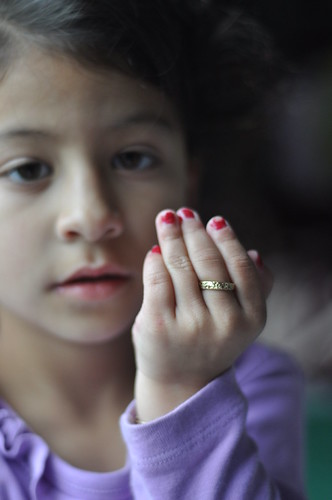
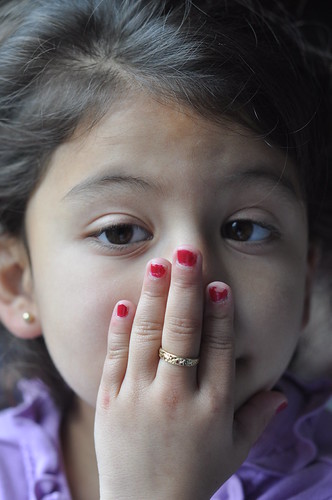
These couple shots i took of my sister just wanted some C&C on them just let me know how i should improve and all that good stuff
Taken with a D90 and a 50mm f/1.8
The only one I like is #3 but I am not sure if the focus is good on account of my monitor. I have been told here a few times when I suggested the focus was off that the pic was actually quite sharp.
In Photoshop (can't help you with anything else, sorry), go to Layer > New Adjustment Layer > Color Balance... Click OK
Move the top slider toward Red and the bottom slider toward Yellow in equal amounts to warm it. Go the opposite direction (top slider toward Cyan and bottom slider toward Blue) to cool the photo. Be sure to move the sliders in equal amounts.
Here is your third one warmed up a bit with an example:
Maybe a reflector to soften and bounce some light back on the side of her face that isn't facing the window, but other than that...these are great shots, she's so cute!







![[No title]](/data/xfmg/thumbnail/34/34134-d2249816e46b705693bfc543c9b1f481.jpg?1734164670)