What's new

Zion Canyon Riverside Walk

BJF

TPF Noob!
Joined
Jun 15, 2011
Messages
244
Reaction score
11
Location
Canada
Can others edit my Photos
Photos OK to edit
main.php


main.php


main.php


main.php
 
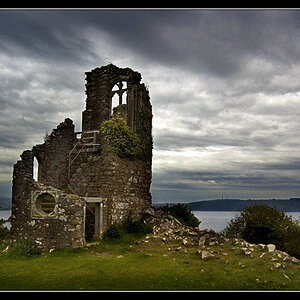
I would try and lighten the left side in the fourth photo. The sky is overexposed, and the left side is under exposed. Try and balance them a little more. The others are nice, but did you edit the sky to be that dark of a blue? It doesn't look real..
 
First image is nastily overprocessed, it looks like you put the vibrance setting in LR up to 100.
 
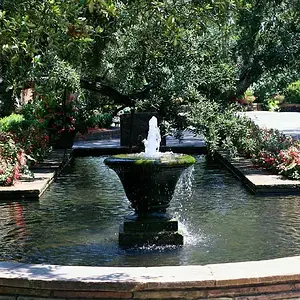
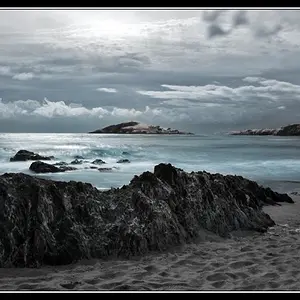
Yep, I think the second shot is the best personally. I'm a big fan of brightly coloured pictures, but I think it's a bit much for my taste in #1 and #3. In the first pic, the cliff looks nice (and even the sky doesn't bug me so much), but the foliage in the foreground is too blurry to have such brightness. It looks more like a painting than a photograph. Same story with #2; where the tree leaves meet the sky on the left side looks weird to me. Again, sort of like green paint splotches on a blue canvas. And in #4, the left side is dark while the sky on the right looks really light, just like D-B-J said.

I stick to film photography myself, but to make the sky look a little richer without overdoing it, I would probably just use a polarizing filter. Or you could just tone it down a couple notches when editing.

...just my opinion. I think the location was really cool, it looks like a neat place!

 
I would try and lighten the left side in the fourth photo. The sky is overexposed, and the left side is under exposed. Try and balance them a little more. The others are nice, but did you edit the sky to be that dark of a blue? It doesn't look real..

Thanks D-B-J. I used PL filter and edited the color later. My digital darkroom skill is very limited. :(
You are right, the #4 was hard to balance the lights. I should edit on RAW file, bring light back on dark area and call details out on high light area. :)
 
First image is nastily overprocessed, it looks like you put the vibrance setting in LR up to 100.

Yes, it was over done. :(
Thanks!
 
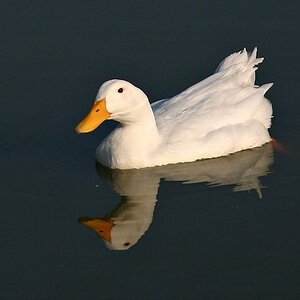
I really like the second shot, it looks natural unlike the others. It has a nice DOF which isolates the critter from the background.

Thanks Ron. I also like natural shot. :) I am not so skillful on dealing with strong sunlight. :(
 
Yep, I think the second shot is the best personally. I'm a big fan of brightly coloured pictures, but I think it's a bit much for my taste in #1 and #3. In the first pic, the cliff looks nice (and even the sky doesn't bug me so much), but the foliage in the foreground is too blurry to have such brightness. It looks more like a painting than a photograph. Same story with #2; where the tree leaves meet the sky on the left side looks weird to me. Again, sort of like green paint splotches on a blue canvas. And in #4, the left side is dark while the sky on the right looks really light, just like D-B-J said.

I stick to film photography myself, but to make the sky look a little richer without overdoing it, I would probably just use a polarizing filter. Or you could just tone it down a couple notches when editing.

...just my opinion. I think the location was really cool, it looks like a neat place!

Thanks for kind comments. Dealing with strong sunlight is really a challenge to me. I used PL filter. Unfortunately it was overdone. I am afraid that I need a graduated filter for landscapes. :) One more lesson I got was never shoot landscape without tripod. It was regret that all my photos on the trip were hand held. It badly affected image quality. :(
 
#2 is my pick of the lot. As said before the DOF makes subject standout.
 

Create an account or login to comment

You must be a member in order to leave a comment

Create account

Create an account on our community. It's easy!

Log in

Already have an account? Log in here.

New Topics

Back
Top Bottom