What's new

2 random old pictures I took... thoughts?

tHarpKS

TPF Noob!
Joined
Dec 17, 2011
Messages
20
Reaction score
1
Location
Florida
Can others edit my Photos
Photos OK to edit
What do you think? I found these pictures I took a while ago... critiques? Also, how would you edit them, if you did?

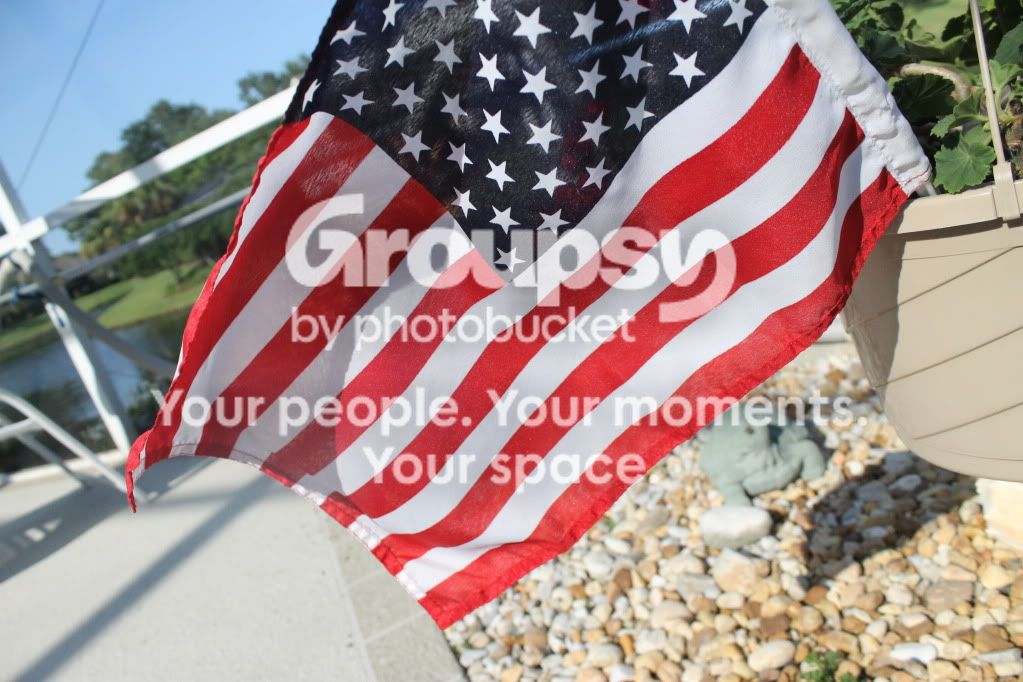
1.)
IMG_0444.jpg


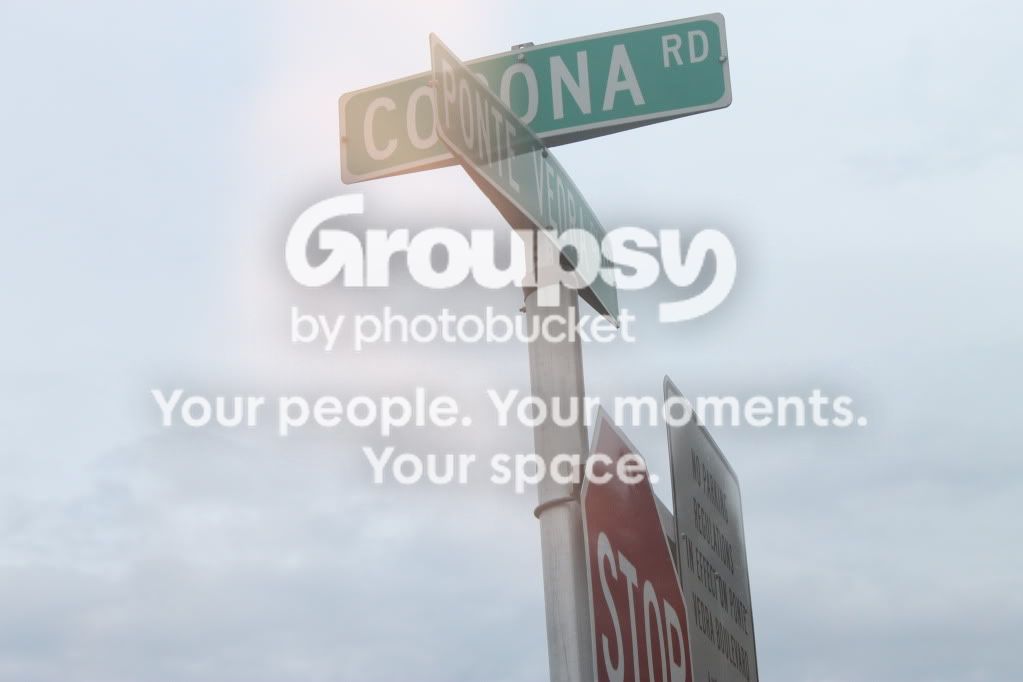
2.)
IMG_0571.jpg
 
On #1, I would not edit it as I would reshoot it to get the whole flag in the photo. On #2 I would tone down the lighting so it is easier to read the street signs. Not too bad though.
 
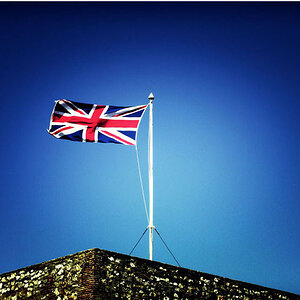
#1.. wouldn't bother... background is busy... the white fence draws your eye out of the picture away from the subject flag. The flag is cut off at an unattractive angle... and the foreground of pebbles and ceramic creatures is distracting.

#2 what were you shooting? The top signs? If so, I would have shot this vertical, since it is a vertical subject and there is nothing to justify a horizontal format. The cut off stop sign (and the other sign) are distractions. The photo appears underexposed... and the sky is a little washed out with the contrast. Try cloning out the unneeded signs... crop it properly and play with the curves and contrast.. you might have a ok shot.. not great.. but ok. Maybe B&W would look nice...
 
On #1, I would not edit it as I would reshoot it to get the whole flag in the photo. On #2 I would tone down the lighting so it is easier to read the street signs. Not too bad though.

I see your critiquing skills are much like your photography :) Did you notice any of the things I mentioned in my critique? Do you agree.. or not, and if you do disagree.. please let me know why! :)
 
Thanks for the responses! cgipson1, I wasn't really shooting anything in particular in #2 haha it was actually an accidental shot. I think I took it to test the lighting for other shots but I ended up liking it. I knew there were a few things wrong with 2 but wasn't 100% sure what they were.
 
Last edited:
Thanks for the responses! cgipson1, I wasn't really shooting anything in particular in #2 haha it was actually an accidental shot. I think I took it to test the lighting for other shots but I ended up liking it. I knew there were a few things wrong with 2 but wasn't 1005 sure what they were.

Anytime! Hope you agree with what I pointed out... just tried to hit the basics....:)
 
Thanks for the responses! cgipson1, I wasn't really shooting anything in particular in #2 haha it was actually an accidental shot. I think I took it to test the lighting for other shots but I ended up liking it. I knew there were a few things wrong with 2 but wasn't 1005 sure what they were.

Anytime! Hope you agree with what I pointed out... just tried to hit the basics....:)

I sure did! Just the basics? Dear lord I have a lot to learn haha
 
i personaly would make the background on it black and white while the flag was still in color
 
tHarpKS... DON'T DO IT! Selective color is frowned on around here.. except by those who don't know any better! :)
 
An important question to answer before you take your photo: What is the subject? and then, How do the other elements in the image contribute to the subject and help tell the story.

For example, in the first image the flag is the subject. But, what do the other elements in the photo contribute? What are those metal bars in the left? What are those things on the right? I am confused as to what they tell us about the flag. Why is the flag on a slant? Is the stand or whatever it is holding it up important/ It is unclear as to what the stand is?

Rather than a background that is included just because that it was there, think about what is in the background that is important for us to see? Does it contribute to the main subject or should it just be a blur as with a shallow depth of field. That is why cgipson1 found those elements "distracting". They don't seem in any way related to the importance of the flag.

 
Again in the signpost photo, what is the subject? I would assume it is the two street signs at the top and if so, why is the stop sign included? and if you include the other sign as something important, why can't we read it.

With editing learn about "curves and "Levels", working with layers and adjustment layers. You will find ways of changing the lighting in images and then smaller parts of images, singling out sections you would like to change....color, contrasts, hue/saturation, exposure...etc.

Try some of the things in these short videos: (Photoshop)
http://robsheppardphoto.com/lessons/index.html
 

Create an account or login to comment

You must be a member in order to leave a comment

Create account

Create an account on our community. It's easy!

Log in

Already have an account? Log in here.

Back
Top Bottom