What's new

A visit to the farm.

kschalo

TPF Noob!
Joined
Jun 30, 2008
Messages
79
Reaction score
16
Can others edit my Photos
Photos OK to edit
Took my kids to go pick apples at my uncle's farm recently.
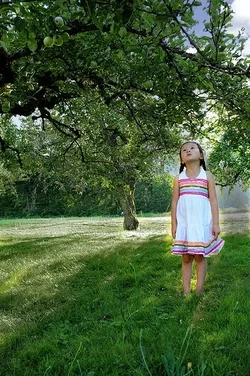
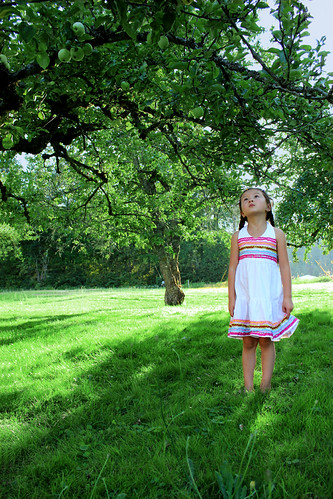
Very sad that she couldn't reach the apples

IMG_1967c by jkschalo, on Flickr

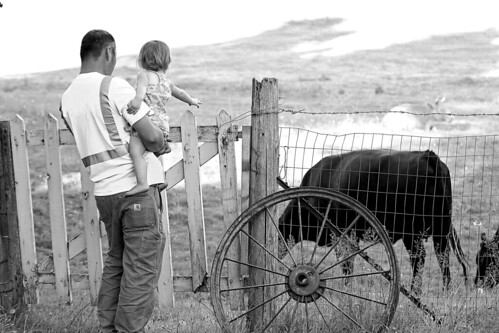
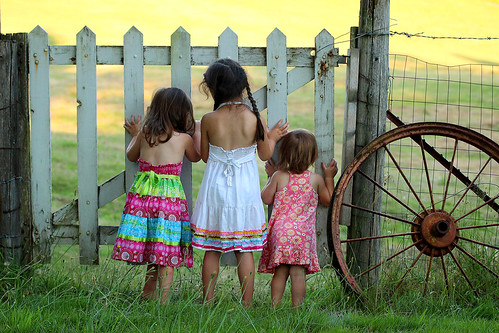
They were far more excited to see the cows
(Did I over sharpen these too much?)

IMG_2109c by jkschalo, on Flickr


IMG_2135c by jkschalo, on Flickr
 
How nice! A trip to the farm! Awesome. I really like the last picture, of all three girls peering through the gate...how adorable! And big sis, looking up at those out of reach apples--what a wonderful family memory that will bring back. I think this kind of family photography is really important to do when a person has kids or nieces and nephews, grandkids, etc.. I think we as photography enthusiasts owe it to the youngsters in our families to document their youth.
 
Thank you! I've gotten a lot of positive feedback on the picture of the girls. I'm entering it into our county fair (that didn't make me sound like a total redneck ;) )
 
#1's background is too distracting for me where it starts to blow out...

but 2 and 3 are stellar. Great pics
 
# 3 is my favorite. The colors are sharp and lovely. Great shots.
 
#1's background is too distracting for me where it starts to blow out...

but 2 and 3 are stellar. Great pics

Is there anything I could've done to help the blow out situation on #1? Or can still do PP?
 
#1's background is too distracting for me where it starts to blow out...

but 2 and 3 are stellar. Great pics

Is there anything I could've done to help the blow out situation on #1? Or can still do PP?

Very little, but yes. you cant really do anything with that blown sky, but you can mask the "yellow" tones in the grass and trees in photoshop and adjust the hue to green and darken it.


here is a quick 3 min job i did just to show you some options:
$IMG_1967c.webp
 
Last edited:
Did you lasso around her to protect her color and then adjust the rest of the picture? I'm not in love with your version, the grass and trees seem very drab now but I see what you're saying about the blown out parts in the original. I'll have to play with it some. Thanks.
 
kschalo said:
Okay here is my attempt to fix the grass and trees. Although I still can't figure how to fix the sky...

http://www.flickr.com/photos/52359199@N06/7775054124/
IMG_1967c by jkschalo, on Flickr

I don't know why my last comment didn't post, but no. I used a layer mask, and a very sloppy one at that.

I like your result better. To do the sky, find a stock image of the sky and overlay it to the part that you want it to cover... Trees and all. Then set the layer style to "darken" and then set the layer opacity to 80% or so.

 
kschalo said:
Okay here is my attempt to fix the grass and trees. Although I still can't figure how to fix the sky...


IMG_1967c by jkschalo, on Flickr

I don't know why my last comment didn't post, but no. I used a layer mask, and a very sloppy one at that.

I like your result better. To do the sky, find a stock image of the sky and overlay it to the part that you want it to cover... Trees and all. Then set the layer style to "darken" and then set the layer opacity to 80% or so.

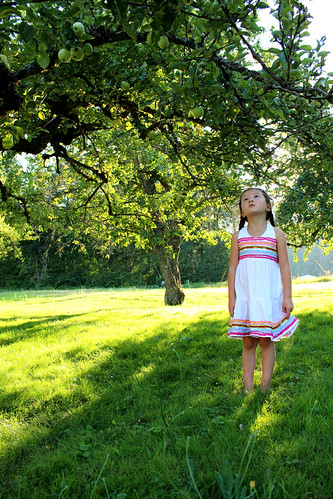
Probably because I deleted my pic post right away to attempt to find a way to fix it myself via Google instead of posting the same pic a bunch of times...sorry.

Let me try that and I'll post my results. Thanks!
 
I think I did okay? I'm not sure if the sky is still bothering me because it actually looks weird or because I know what the original looked like. Anyway here goes.


IMG_1967c by jkschalo, on Flickr
 

Create an account or login to comment

You must be a member in order to leave a comment

Create account

Create an account on our community. It's easy!

Log in

Already have an account? Log in here.

New Topics

Back
Top Bottom