What's new

another friend

Corvphotography

TPF Noob!
Joined
Jul 30, 2010
Messages
454
Reaction score
7
Location
VB, VA
Can others edit my Photos
Photos OK to edit
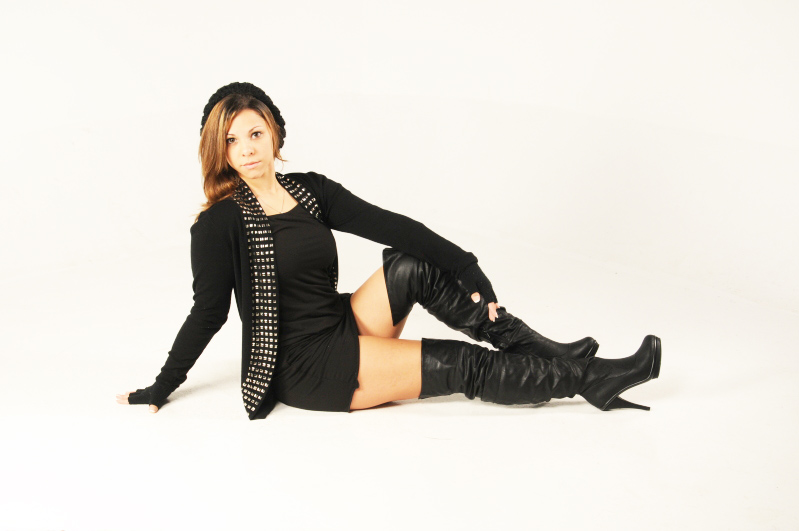
havent edited it at all. Was wondering if anyone could help me....Whats the best/easiest way to clean up the white background with photoshop cs4?
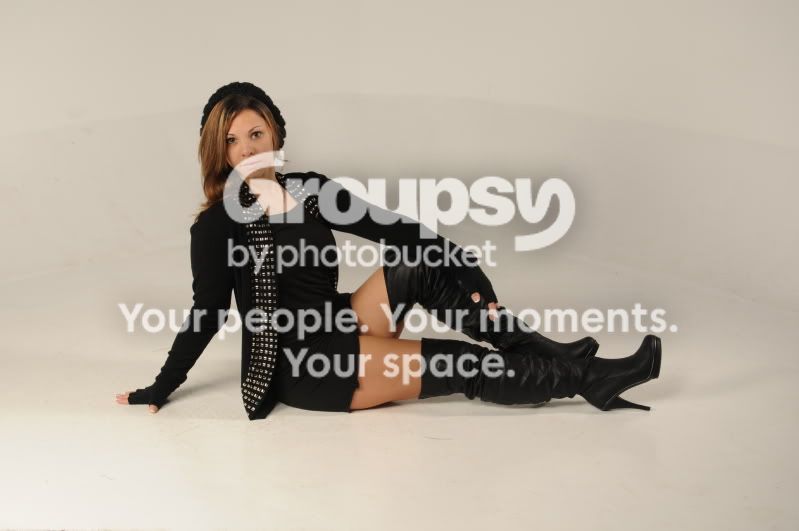
1KH_0120.jpg
 
Last edited:
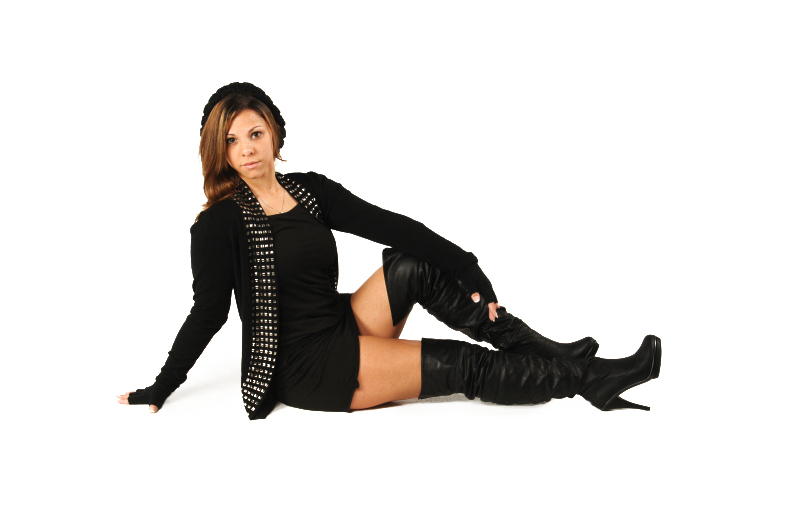
Hey there, heres just a quick method i did, which is a 5-min job, but you can go into much more detail with it :)

1. Open image in PS
2. Use a levels adjustment layer and drag your middle slider to the right
3. Mask out the model on your adjustment layer, so the background becomes bleached white
4. Then apply a curves adjustment creating a point in the center of the line and moving it up.
5. Again, mask out the model on the curves layer

You are done :)

p.s i do have an image to show you, however i am new and not quite sure how to upload an image XD
 
id love to see the image. thanks for the help!! I wish i could help you out with uploading it but idk either.
 
8255ba3bd65445a61b4d5f221593692d-d4ltt5t.jpg

There we go :) i worked it out :) and like i said, this was a quicky, you can do it with much more accuracy :)
 
Last edited:
There we go :) i worked it out :) and like i said, this was a quicky, you can do it with much more accuracy :)

Nice job and welcome to the site!
 
Here is what I did. I opened the image in Photoshop. I went to "Curves". I took the mouse, grabbed the curves line up near the top, and lifted and moved it to the left a bit, and evaluated the background's whiteness. It took about three seconds to come up with the following look. ie, "One thousand one, one thousand two, one thousand three, there, that looks about right." I do see a bit of off-white in the lower right areas, which could easily be stircken with the magic wand tool and replaced with pure white.

original.jpg
 
yes thanks guys!! ryan and derrel thanks for the help!!
 
Here is my take. I like Derrel's for the improved exposure, but it seems overly warm. It could just be a preference thing:

CorvRv.jpg
 
what did you do exactly oldmacman?
 
what did you do exactly oldmacman?

Oops, sorry... forgot to include my process. I got there quite a bit differently:
- colour corrected first in LR by tinting into the blue
- corrected the overall exposure by about 1/2 a stop increase
- dodged the background with a big, soft brush in LR with a 3/4 increase to exposure and a small increase to brightness
 
Hey there, heres just a quick method i did, which is a 5-min job, but you can go into much more detail with it :)

1. Open image in PS
2. Use a levels adjustment layer and drag your middle slider to the right
3. Mask out the model on your adjustment layer, so the background becomes bleached white
4. Then apply a curves adjustment creating a point in the center of the line and moving it up.
5. Again, mask out the model on the curves layer

You are done :)

p.s i do have an image to show you, however i am new and not quite sure how to upload an image XD

Ok, so when I open the image and add the adjustment levels layer, it becomes completely black. Is that right? if so, how do i do number 3?
 

Create an account or login to comment

You must be a member in order to leave a comment

Create account

Create an account on our community. It's easy!

Log in

Already have an account? Log in here.

Back
Top Bottom