What's new

Business Portrait?

Samerr9

TPF Noob!
Joined
Jan 15, 2011
Messages
683
Reaction score
46
Location
Abu Dhabi,UAE
Can others edit my Photos
Photos OK to edit
Hi all ..

My friend's work requested him to make business portraits, and I offered to make a try hoping it will work out.

Today, I asked another friend to pose for me as a try before shooting the original one for the company. I tried to make a search in this regard but didn't find anything serious.

Anyone has any ideas or tips?

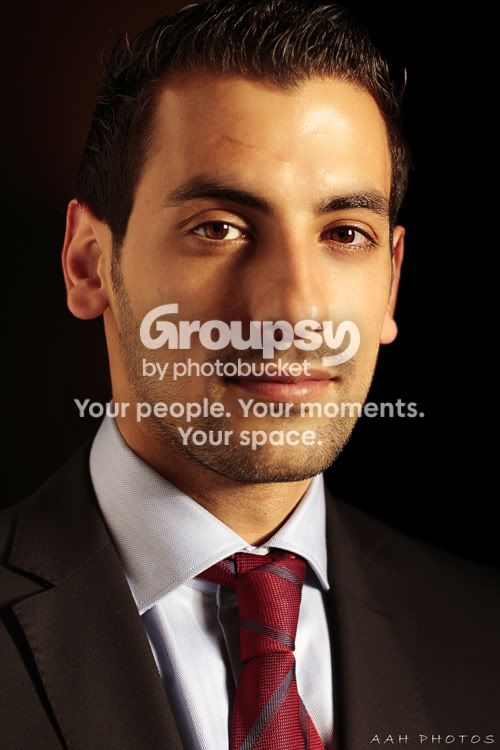
Here is today's try..

1.
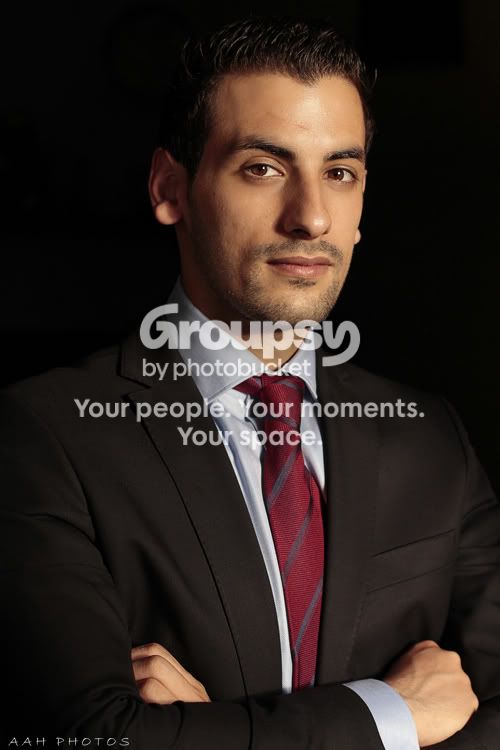
a5rs.jpg


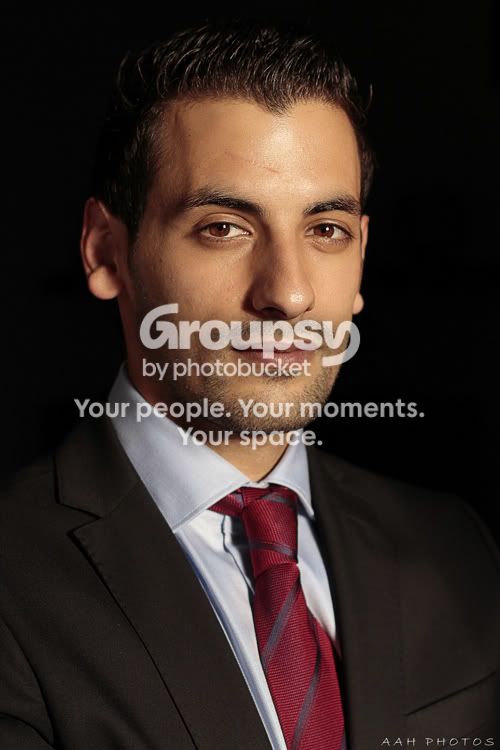
2.
A1rs.jpg


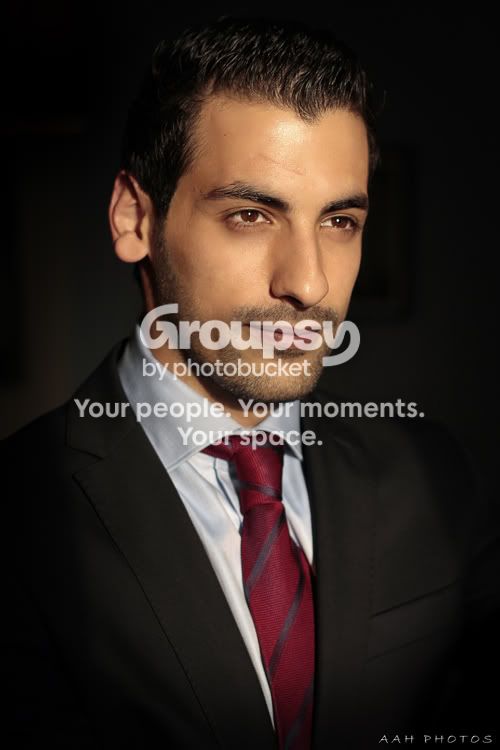
3.
a3rs.jpg


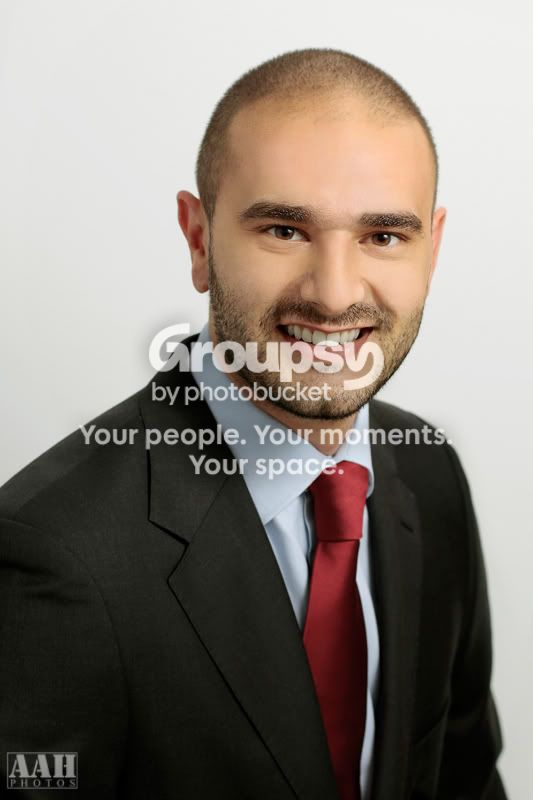
4.
a2rs.jpg


Thank you
 
Grab a lamp and put it behind your subject.
 
Grab a lamp and put it behind your subject.

Thanks man..

I noted the backlight thingy earlier and I will do with the other friend.. I was concentrating on the posing more, I promise I wont forget it with company's one :)
 
You could definetly used some lighting to separate him from the background.

I haven't done corporate shots, but I''ve seen a few. A few things worth mentioning.
  • You could use more headroom on top.
  • I would avoid the crossed arm, clenched fist pose.
  • Although the modeling of the main light is what we sorely attempt to get in portraiture, I feel in a corporate situation, a bit more flat lighting might be appropriate.
  • Get yourself a grey card. The skin tones are quite varied between images. Big Mike just posted a thread about grey cards today.
  • You have either hotspots on his forehead from the key light or he has oily skin. You can combat the first by feathering your key light towards the camera slightly (assuming you're using an umbrella or softbox). The scond can be dealt with by applying some powder prior to the shoot.
I think these are good, but your purpose must dictate.
 
You could definetly used some lighting to separate him from the background.

I haven't done corporate shots, but I''ve seen a few. A few things worth mentioning.
  • You could use more headroom on top.
  • I would avoid the crossed arm, clenched fist pose.
  • Although the modeling of the main light is what we sorely attempt to get in portraiture, I feel in a corporate situation, a bit more flat lighting might be appropriate.
  • Get yourself a grey card. The skin tones are quite varied between images. Big Mike just posted a thread about grey cards today.
  • You have either hotspots on his forehead from the key light or he has oily skin. You can combat the first by feathering your key light towards the camera slightly (assuming you're using an umbrella or softbox). The scond can be dealt with by applying some powder prior to the shoot.
I think these are good, but your purpose must dictate.

Thank you for the comment and notes.. Very usefull

I checked the greycard thread and I hope I will get one soon..

Other notes are all noted and will be taken care of in the next try :) Thanks again
 
Nice shots, I how ever agree with Kundalini, that more head room at top would be nice.
 
Keep an eye on the posing and the position of your key light.

In a couple of these shots (1, 2 & 3), you have just a hint of his far ear, poking out around his face. You usually want to avoid that.
In #4, you have his head turned enough to hide the far ear, but now the light is right in front of him, almost giving you butterfly (glamor) lighting.

Try shooting with the same angle that you have in #4 (but don't let him dip his chin), but put the light more to the side and not directly in front of him, so that you get a lighting pattern similar to what you have in #1.
Also, try moving the light higher. Just high enough so that you can still get the catch light in the eyes. Look for the shadow of the nose to fall downwards at an angle across the cheek. If the nose shadow hits the mouth, then your light is too high. If it hits his eye, then you are too far off to the side.
 
Nice shots, I how ever agree with Kundalini, that more head room at top would be nice.

Noted and thanks for the comment..

Keep an eye on the posing and the position of your key light.

In a couple of these shots (1, 2 & 3), you have just a hint of his far ear, poking out around his face. You usually want to avoid that.
In #4, you have his head turned enough to hide the far ear, but now the light is right in front of him, almost giving you butterfly (glamor) lighting.

Try shooting with the same angle that you have in #4 (but don't let him dip his chin), but put the light more to the side and not directly in front of him, so that you get a lighting pattern similar to what you have in #1.
Also, try moving the light higher. Just high enough so that you can still get the catch light in the eyes. Look for the shadow of the nose to fall downwards at an angle across the cheek. If the nose shadow hits the mouth, then your light is too high. If it hits his eye, then you are too far off to the side.

Thank you Big Mike.. all those notes are very helpful and valuable to me :)

- I will be taking care of the ears from now onwards..
- The butterfly lighting, is it used onlt for female models? or is it only not working in the business theme for males?
- I am looking for some good (and not too expensive) lighting equipment. All those were taken from the window light only..

Thank alot again .. I really appriciate your comments..
 
- The butterfly lighting, is it used onlt for female models? or is it only not working in the business theme for males?
Mostly used for female models, but it could be used on men...but it's probably not something I would choose for a business portrait. One of the main aspects of butterfly lighting, is the transition to shadow happening along the jaw line, up to the cheek bones. I'm not sure if that gives a masculine look or not.

Working with only window lighting can be challenging, but I'd say you're doing pretty good. Since you can't move the light, you'll have to modify it and/or move the model.
 
try shooting in an office. his office would be best.
 
Mostly used for female models, but it could be used on men...but it's probably not something I would choose for a business portrait. One of the main aspects of butterfly lighting, is the transition to shadow happening along the jaw line, up to the cheek bones. I'm not sure if that gives a masculine look or not.

Working with only window lighting can be challenging, but I'd say you're doing pretty good. Since you can't move the light, you'll have to modify it and/or move the model.

Thank you for the note and comment :)

try shooting in an office. his office would be best.

Great idea.. Thank you :)
 
Thank you all for the support and notes.. Here is the final photo, my friend and his company really appriciated it. I was really flattered when one of the managers said that this doesn't look like a hobbiest shot, it is a professional shot.. I though of sharing it with you and say thanks again
smiley.gif


Raef-Final-Web.jpg


By the way it was taken with 1 flash through umbrella and a reflector. The background is a white wall..
 

Create an account or login to comment

You must be a member in order to leave a comment

Create account

Create an account on our community. It's easy!

Log in

Already have an account? Log in here.

Back
Top Bottom