Ben1989
TPF Noob!
- Joined
- Jan 23, 2017
- Messages
- 43
- Reaction score
- 18
- Can others edit my Photos
- Photos OK to edit
Hi all.
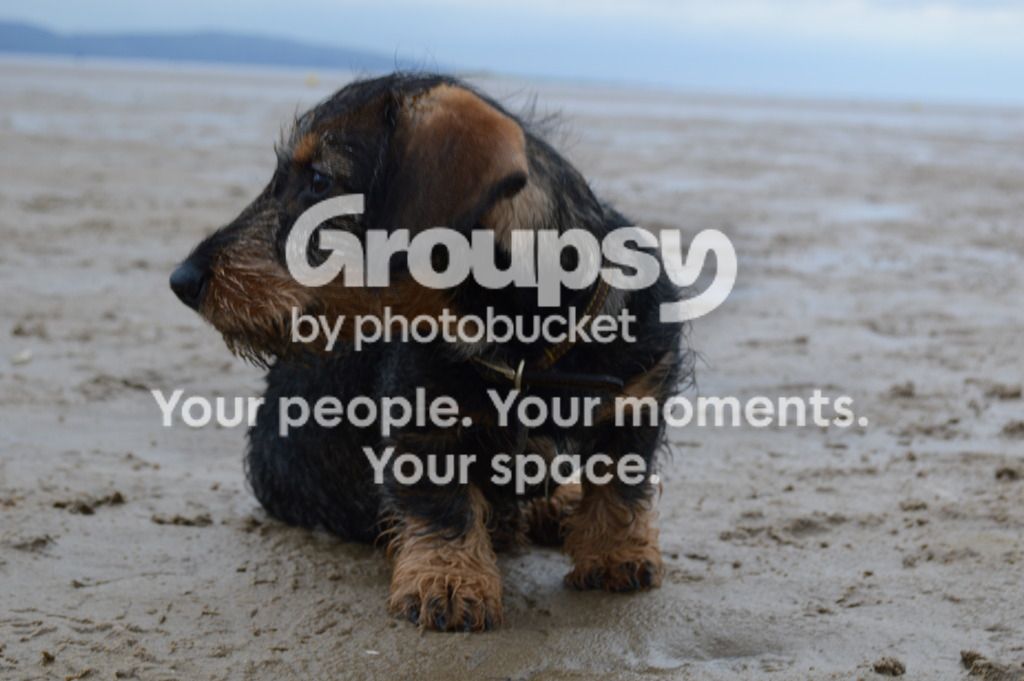
Went to the beach today with all the family and I finally got a good pose from Grover.
However, as you can see the focus is out of whack. Are there methods to save this in PS or LR? The image is unaltered in RAW at the moment
Cheers
Went to the beach today with all the family and I finally got a good pose from Grover.
However, as you can see the focus is out of whack. Are there methods to save this in PS or LR? The image is unaltered in RAW at the moment

Cheers


 doggy
doggy


![[No title]](/data/xfmg/thumbnail/36/36099-feb952513e45dbf9f061ab28c1dc1121.jpg?1734168043)
![[No title]](/data/xfmg/thumbnail/32/32708-c55da623febe9d91efe5f28aa54c3090.jpg?1734162300)