What's new

Canon, new user, help! (please?)

Tip #16 - don't judge image quality by what you see on the back of the camera. It's such a small view you really can't see what's in focus and they are not very accurate for colors.

Isn't that the truth! If every picture looked like they do in the back of the camera...I'd need a lot less help. If they always looked like that I'd be a 'Pro':lmao:
 
Don't accept your first wedding until you've had your camera at least 7 days! J/K!

You'll learn so much here, be happy you found this forum! That's the most fortunate thing that you've done since ordering your camera :)
 
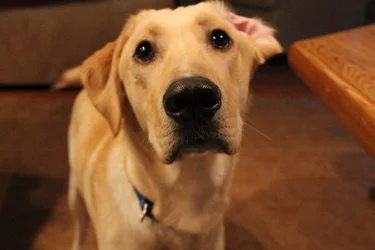
$Dog 009.webp one of my first pictures taken. This is a RAW photo.
$Dog 005.webpthis one is of my dog. What do you guys think?
 
Welcome! I'm a noob myself and found myself reading a lot more books other than the manual. There's a lot of good books referenced in the forums (Light Science & Magic is awesome!) that can help out. Keep trying like I am! Don't take too much offense if you ever get a harsh CC, they're blunt, but all in all, they do want to help.
 
Congrats! Photography is awesome - and addicting.

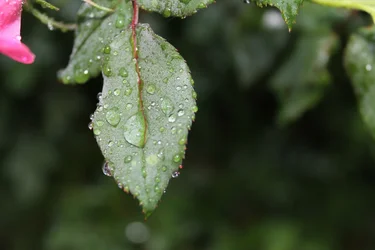
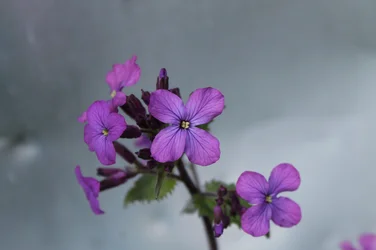
As far as the photos you have, they are perfectly fine. It's fun to discover how much you can isolate your subjects with open apertures. Start learning about composition - the best way to do that is to study some classic art techniques. Once you've got a handle on composition and what will make up an appealing photograph, then start considering your color balance. You can examine your 2 photos above - your leaf photo appears "cooler" than your dog photo. By that I mean that blues are more prominent and in the photo below the reds and yellows are prominent. This is something you can fix in post-processing - especially when you process a raw file.

I'll find myself shooting something and then be a bit disappointed with what I've captured. What you do is to think back to the scene. What sparked your interest in the first place? Contrast? Curves? Color? Something you can't put your finger on, maybe it evoked a memory? To be successful, you must be able to know why a scene is appealing to you, and furthermore how to capture that appealing quality. At least that's what good photography is to me . . . .

2 last things. First, your dog is freakin' adorable. Second, I highly recommend Bryan Peterson's "Understanding Exposure."
 
I wouldn't say they're perfectly fine. This doesn't help her at all.

#1 is nice and sharp which is good but crop out anything that isn't supposed to be part of the photo. like that pink flower pedal. It does nothing for the photo but distract the main subject.

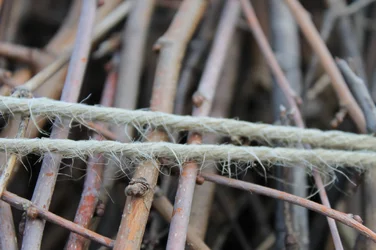
#2 is oof and has a lot of noise. A tripod would have helped a lot. But I understand this was more of a snap than a thought out photo.
And contrary to popular belief, avoid shooting wide open unless you have to. Not that the kit lens opens very wide lol but you get the point.

Keep shooting!
 
Hey!

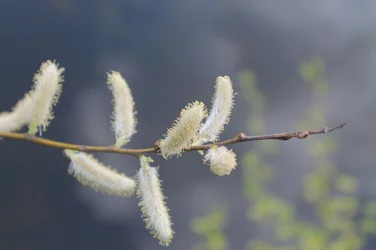
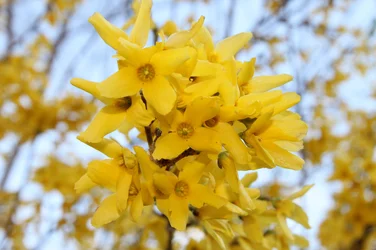
I have the same camera! I just got it in the mail today as a house warming/baby gift. This is my first DSLR but I have taken pictures before with my Kodak z812 IS megazoon. Not sure if you got the same lens as me, but I got the bundle from amazon with the 18-55mm IS. Here are some pictures I took today to test it =]
$IMG_0010.webp$IMG_0036.webp$IMG_0039.webp$IMG_0044.webp
 
I wouldn't say they're perfectly fine. This doesn't help her at all.

Well, why not? Was I supposed to rain down fire and brimstone and start with the 'photog' speak that a beginner won't understand at all? Sure, they're fine. Are they good enough to sell? Nope. Are they an example of excellent work? Nope. But they're 'fine', especially from a beginner. They're going to get better and I do believe I expounded on the importance of playing with aperture and composition and color tones, did I not?

Your #2 says "oof" with noise and a tripod would have helped. This also tells the newbie nothing. Do they know what "oof" is? Doubtful. Have you explained why a tripod would help the photo from being out of focus and noisy? No - and they may not understand where to find information that will help them not perform those same errors again.

We're saying the same thing, just in different ways.
 
I have that same camera too!
 
JReichert said:
Congrats! Photography is awesome - and addicting.

As far as the photos you have, they are perfectly fine. It's fun to discover how much you can isolate your subjects with open apertures. Start learning about composition - the best way to do that is to study some classic art techniques. Once you've got a handle on composition and what will make up an appealing photograph, then start considering your color balance. You can examine your 2 photos above - your leaf photo appears "cooler" than your dog photo. By that I mean that blues are more prominent and in the photo below the reds and yellows are prominent. This is something you can fix in post-processing - especially when you process a raw file.

I'll find myself shooting something and then be a bit disappointed with what I've captured. What you do is to think back to the scene. What sparked your interest in the first place? Contrast? Curves? Color? Something you can't put your finger on, maybe it evoked a memory? To be successful, you must be able to know why a scene is appealing to you, and furthermore how to capture that appealing quality. At least that's what good photography is to me . . . .

2 last things. First, your dog is freakin' adorable. Second, I highly recommend Bryan Peterson's "Understanding Exposure."

Thank your for all the explanations! Greatly appreciated. I'm working on editing and getting to know my software.
(My dog, Comet, is pretty frieken cute!)
 
LuckySe7en said:
welcome my fellow canon user! You'll love the camera. My advice would be to shoot A LOT. Take a look at some of the pictures posted here. What I did was look at some sample pictures that other people have taken with my same camera/lens combo for some motivation.

I only have an 8gb sd card.. So I won't shoot a ton, but I've already gotten a solid hundred photos I really like. The lens is awesome and the picture look as if they're clearer than reality.

Wow, I'd say there is a problem right there ;)

Basically if you've already read the manual, if you set the camera to "M" it will allow you to dial in all those numbers yourself.

Shutter speed you will need to raise when you want to capture a fast moving object without it being blurred in your shot or slow down if you want blur in your photo (like cars and night or running water)
Aperture (f/ whatever) you'll need to change to have either more or less area in focus. Higher aperture (like f/2.8) is to let more light into the lens, it will give shallower depth of field (more blur on your subject and background) and lower aperture (like f/11) will give greater depth of field rendering images sharper with sharper background but letting less light into the lens (so you'll need to drop down shutter speed)
ISO - always shoot 100-400 ISO if you can, letting it go higher increases sensors sensitivity to light but it also increases noise and decreases image quality and dynamic range. When outdoors or in well-lit conditions, use low ISO's for better image quality, but when shooting under low light indoors, you might need to up the ISO. Don't expect awesome results on over ISO 800-1600 though.

Little green arrow on the scale in your viewfinder indicates measured exposure. If it goes to your left from the middle, your image will come out too dark. If it goes to the right, it will come out too bright. You want to keep it in the middle if you can but even that won't guarantee that the shot will be perfect. Sometimes the camera metering system can be wrong and you have to manually adjust it. Most of the time you will probably raise or lower shutter speed to ajust for exposure, but in some cases you might want to keep shutter speed constant and only change aperture or ISO.

Modes like Tv and Av let you only set either shutter speed or aperture, while taking care of the rest. If you want to save yourself time, by understanding what you're shooting, you can use one of those modes and save yourself time. Those 2 are very useful.

Also on your camera use evaluative metering for now, no need to get into spot or center weighted just yet. And I'd suggest using manual AF point selection. The auto AF on those cameras can be wrong a lot of times.
If you don't have special editing software, use GIMP or something and shoot JPEG
If you got Photoshop or Lightroom, shoot RAW, it will give you more margin for error in case you underexpose your image and you need to raise exposure in the software.

I suggest trying different settings and see what they do. Eventually you'll become very familiar with your camera and you'll be quick with it. However, mastering your gear is only a little part of photography. Majority of it is in your head.

My 2 cents.

 
Last edited:

Create an account or login to comment

You must be a member in order to leave a comment

Create account

Create an account on our community. It's easy!

Log in

Already have an account? Log in here.

Back
Top Bottom