What's new

Canon XSI and sharp images.

JasonLambert

TPF Noob!
Joined
Apr 16, 2010
Messages
737
Reaction score
14
Location
Hermitage, PA
Can others edit my Photos
Photos NOT OK to edit
Anyone have a good example of what my camera can do? I have a Canon XSI with the kit lens and a couple other lenses but I would like to know what the kit setup can do in say a portrait setting. I have been reading about the settings and getting good focus but can't seem to get what I would like out of it.

I am a total noob but am having a blast learning. This site has been a lot of help. I have spent days reading as many posts as I can without my wife thinking I am looking at porn. Thanks to everyone who gives input here!
 
What kind of example are you looking for. The best way to figure out what it can do is shoot, shoot and shoot again. Keep a notebook with your settings and environment ie, sunny, indoors etc and then what you keep your camera set at; ISO apeture etc. I just got my Nikon 2 weeks ago and I try to shoot for at least 45 min a day. Keep at it, you will get it.
 
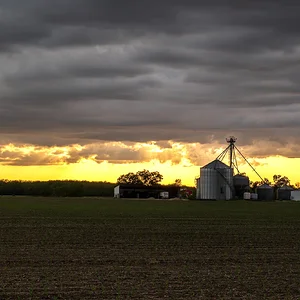
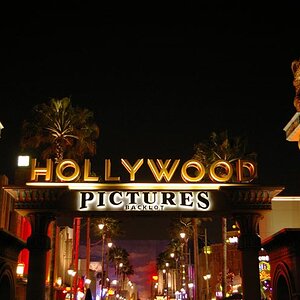
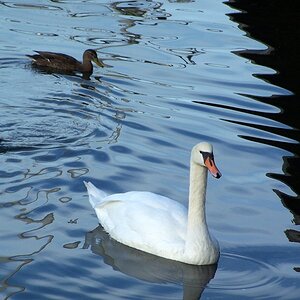
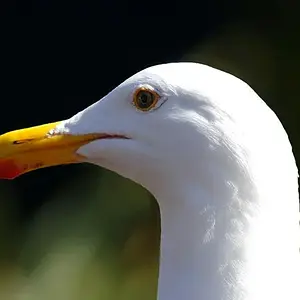
How good can it be -- well about this good or better:
Juza Nature Photography
350D is two rebel camera models below the one you currently have- the key is good light, good glass and a good photographer.

If you want more specific advice post up examples detailing as much info as you can - technical, compositional and such information and then we can see if we can find out what mistakes you are possibly making as well as ideas for how to improve your overall work
 
One place you can check is dpreview.com. Click on the "camera database" link on the left and look for Canon, and then your camera model. It should have a gallery showing pictures that were taken with your camera.
 
Ok, so I got out today and went for a walk in the park. Here are some examples of my focus problems.

Jason-1001.jpg

So here is the first one... (f/8, 1/100sec, ISO-100, 80mm) All looks ok until I zoom in a bit on the image and


Jason-1001-2.jpg

And you see that it isn't in focus as much as I would like.


Jason-1001-3.jpg

I lost the info on this one... Doh!


Jason-1001-4.jpg

But again you can see my result.


Jason-1001-5.jpg

LOL... I was sitting in Burger Kings parking lot eating my Whopper and fries when I looked over to see this guy wanting a free lunch (f/9, 1/100sec, ISO-250, 80mm)


Jason-1001-6.jpg

Ok... I gave him one fry... But he still came out blurry.


Jason-1001-7.jpg

This time the settings were f/9 1/320sec ISO-200 60mm and the image looks fine here... (The model isn't so bad either, if I do say so myself.)


Jason-1001-8.jpg

and not so bad here. So am I safe to say that the extra 250th of a second faster on the shutter is all I need to get them a little more clear?

Thanks again!
 
It is probably a combination of the kit lens, which tends to be soft at the best of times, and how you are shooting. The first two are pretty close to 'rule of thumb limit' which is 1/focal length (so 1/80 second for the first one). Trouble is you have to add in a 1.6 factor for your camera so it becomes more like 1/115 second that you need to prevent camera shake. Keep in mind this is only a guidleine though, and the biggest influence is your technique. Don't rush the shots and treat the camera like a target rifle, your sharpness will improve noticeably.
 
Tuck your elbows in, use the viewfinder not the LCD and read up on good posture when shooting. These things will greatly help you when handholding a shot and to minimise the effects of handshake. Of course we are all different as well and you might find that for a sharp shot handheld you do need to shoot a littlefaster than some others - the key is to understand and test your limits.

Other factors to consider include:
Range of the shot - as you increase the distance from yourself to the subject area the amount of shake you have will increase its effect upon your end image. Shooting at a far off mountain and your hands shaking will cause far more blur than if you are shooting closer at say a persons face.

Motion of the subject itself - often the second biggest pitfall to blured shots - handshake you can deal with but subject motion, even quite slow motions, can require far faster shutter speeds. 1/100sec on the crow is really far too slow even for minor bird motions - you need to be pushing up to the 1/320, 1/400 even up to 1/500sec idealy for such work as a starting point - and of course the faster the better.

ISO - raising your ISO for more shutter speed in a given situation will result in more noise in your end shot and that will sap the overall sharpness and quality of the result. Overall though noise you can deal with in editing whilst blurred motion you cannot fix. How high you take your ISO is something that you and your camera will determin - generally for my 400D I have ISO 400 as my ideal max, whilst ISO 800 I will reach to but not expect a good shot and ISO 1600 I don't use because the result is far too poor in quality for my liking. Of course ISO 100 is what we all want to use if we can get away with it - though I tend to find for wildlife that I start at ISO 200 as a base for a little more speedwith marginal loss of quality.
 
The keys to getting "Tack Sharp" images:

  • Use a good sturdy tripod
  • Use a remote shutter release or self timer
  • If your camera allows - lock the mirror up
  • When using a tripod - turn off image stabilization.
  • Use your lenses sharpest aperture (at least a couple of stops off the extremes)
  • Good glass makes a big difference
  • Use the lowest ISO possible
  • Zoom into the image on the LCD to make sure it's sharp
  • Sharpen the image in image editing software
 
Tripods of course remove handshake as a problem and with a good ballhead on top can be used for tracking moving subjects like cars or wildlife. However remotes, mirror lockup and using the LCD to focus with (if you have live view) are things that you just won't use for something like an animal.
Ideal settings for a flower or landscape, but not for anything that might move.
 
ISO - raising your ISO for more shutter speed in a given situation will result in more noise in your end shot and that will sap the overall sharpness and quality of the result. Overall though noise you can deal with in editing whilst blurred motion you cannot fix. How high you take your ISO is something that you and your camera will determin - generally for my 400D I have ISO 400 as my ideal max, whilst ISO 800 I will reach to but not expect a good shot and ISO 1600 I don't use because the result is far too poor in quality for my liking. Of course ISO 100 is what we all want to use if we can get away with it - though I tend to find for wildlife that I start at ISO 200 as a base for a little more speedwith marginal loss of quality.

Informative, Thank you... Ya learn something every day!

If your camera allows - lock the mirror up

Didn't think of that... Thanks!

Its a good start Jason keep posting pics.

Oh trust me.... I will! Thanks!
 
Unfortunately, it comes down to what your sensor can handle. Not the cam or the lens.
 

Create an account or login to comment

You must be a member in order to leave a comment

Create account

Create an account on our community. It's easy!

Log in

Already have an account? Log in here.

Back
Top Bottom