- Joined
- Jun 2, 2013
- Messages
- 5,265
- Reaction score
- 5,150
- Location
- Oregon
- Can others edit my Photos
- Photos NOT OK to edit
.
Last edited:
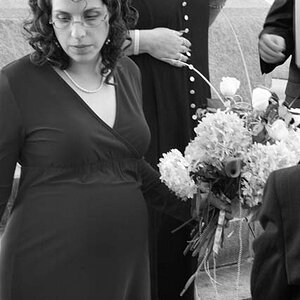
2 is my favorite from the bunch as well. I'm not sure what you mean the halo though. Are you referring to a halo effect as the result of poorly done masking, or a lens effect? The only post-editing done to these was some white balance and exposure adjustments in ACR, a Curves adjustment layer in Photoshop for contrast, but no masking, no skin retouching, no eye enhancements. The extent of the retouching was removing raindrops and specks of dust from the clothing.As usual good lighting, and processing. Number 2 is my pick overall as "both" eyes are in sharp focus. Picking up some halo around the jacket might need a little refinement, but otherwise Nice.
Curious if you've tried doing all the editing in LR with Adaptive AI? Opinion?
Check out his right shoulder (camera left).I'm not sure what you mean the halo though.
Halos around masks are common, but so are halos due to contrasts shifts. Halos can sometimes occur when a dark silhouette meets a lighter area, especially when its a soft edge. When you did the curves layer for contrast was it global or did you brush in the effect?you referring to a halo effect as the result of poorly done masking, or a lens effect
When you refer to Adaptive AI, what specifically are you talking about? The only thing I am aware of that is labeled "adaptive" are the adaptive profiles.As usual good lighting, and processing. Number 2 is my pick overall as "both" eyes are in sharp focus. Picking up some halo around the jacket might need a little refinement, but otherwise Nice.
Curious if you've tried doing all the editing in LR with Adaptive AI? Opinion?
We may be kindred spirits. I don't even have Lightroom installed on the computer, and use ACR for raw file development.Personally I don't really like Lightroom, so I have stuck with using ACR for my raw processing for the last 15 years. That said, I HAVE used AI masking in ACR before, and often I find it to be a very intuitive and useful tool that is usually very accurate. For these particular photos however I kept the editing to the bare minimum to create an accurate portrayal of my brother.
Adaptive AI is the term Adobe uses for complex automated, non-image specific instructions, that uses AI to analyze the image and apply pertinent adjustments.When you refer to Adaptive AI, what specifically are you talking about? The only thing I am aware of that is labeled "adaptive" are the adaptive profiles.
It isn't installed on my computers as well. I used lightroom a few times in the 2000s, but quickly realized it was not for me. ACR's layout just works better for me.We may be kindred spirits. I don't even have Lightroom installed on the computer, and use ACR for raw file development.
Now that you point it out, I see it. I've noticed that on a few of my images, but I always write it off as a lens effect from the shallow depth of field. It honestly doesn't bug me in this photo, thankfully because with these images the last thing I would want to do is additional editing.Check out his right shoulder (camera left).
There wasn't any brushwork done on this photo. The curves adjustment layer was a global adjustment with no masking.Halos around masks are common, but so are halos due to contrasts shifts. Halos can sometimes occur when a dark silhouette meets a lighter area, especially when its a soft edge. When you did the curves layer for contrast was it global or did you brush in the effect?
In any case its a simple fix or leave it, as it's not noticeable enough to detract from an otherwise excellent image.
I didn't know these are a thing. I haven't used them. The closest thing I can think of that I do use occasionally are some color grading actions that I've purchased over the years.Adaptive AI is the term Adobe uses for complex automated, non-image specific instructions, that uses AI to analyze the image and apply pertinent adjustments.
Adaptive Profiles are just one, there are Adaptive Presets, and masking functions. I just purchased a set of Adaptive Presets for portraits to try. One click and they apply multiple selection masks for skin, eyes, teeth etc, with AI set adjustments.
This is the part I talked about in another thread I'm not sold on how well these work in practice.

As noted, most people would never notice, it's other good qualities off set any distractions it might cause. I only mentioned it because you like to shoot wide apertures, doing so tends to create wider micro transitions, with less defined edges. Amplification of contrast tries to sharpen an edge by increasing brightness differences between adjacent pixels making transitions more abrubt, which define shape, but can result in halos.Now that you point it out, I see it. I've noticed that on a few of my images, but I always write it off as a lens effect from the shallow depth of field. It honestly doesn't bug me in this photo, thankfully because with these images the last thing I would want to do is additional editing.
IMO it's important to know what all the tools you have in the box are capable of, but that doesn't mean they are necessary or better in an individual application. As I found out, being comfortable with an individual workflow is just as important. One new tool I've found extremely helpful is Generative Remove.I didn't know these are a thing. I haven't used them. The closest thing I can think of that I do use occasionally are some color grading actions that I've purchased over the years.
I do sometimes use generative remove, as well as generative expand when I need something to fit into instagram's dimension requirements. They're very useful especially to my personal workflow.IMO it's important to know what all the tools you have in the box are capable of, but that doesn't mean they are necessary or better in an individual application. As I found out, being comfortable with an individual workflow is just as important. One new tool I've found extremely helpful is Generative Remove.
Halos resulting from masking can be a problem, and is another reason why I find Photoshop superior, inasmuch as halos are much easier to control when using layers.Now that you point it out, I see it. I've noticed that on a few of my images, but I always write it off as a lens effect from the shallow depth of field. It honestly doesn't bug me in this photo, thankfully because with these images the last thing I would want to do is additional editing.
There wasn't any brushwork done on this photo. The curves adjustment layer was a global adjustment with no masking.
Agreed, but in this case OP confirmed no masking or brush used, but rather global curves adjustment which led me to belive it was created by an amplification to contrast in a micro transition.Halos resulting from masking can be a problem, and is another reason why I find Photoshop superior, inasmuch as halos are much easier to control when using layers.
Understood, I just mention it in the context of the larger discussion.Agreed, but in this case OP confirmed no masking or brush used, but rather global curves adjustment which led me to belive it was created by an amplification to contrast in a micro transition.