What's new

Family pictures.. C&C please

TamiAz

Been spending a lot of time on here!
Joined
Sep 26, 2011
Messages
1,004
Reaction score
524
Location
Arizona
Can others edit my Photos
Photos OK to edit
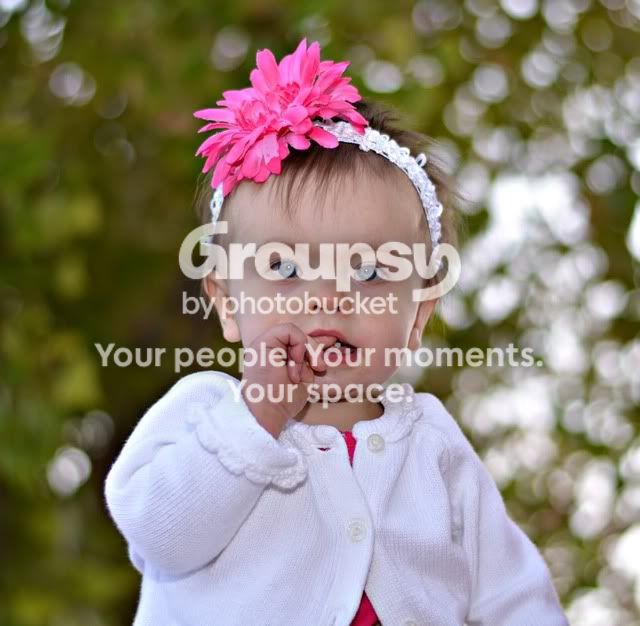
Here are some pictures I took for a friend today and I'm happy with the results... They aren't perfect, but I think she will be happy. I would love some feedback on how I did. This was my first time shooting in manual mode. I used my 50mm 1.8 and I took my flash, but didn't use it.

1)
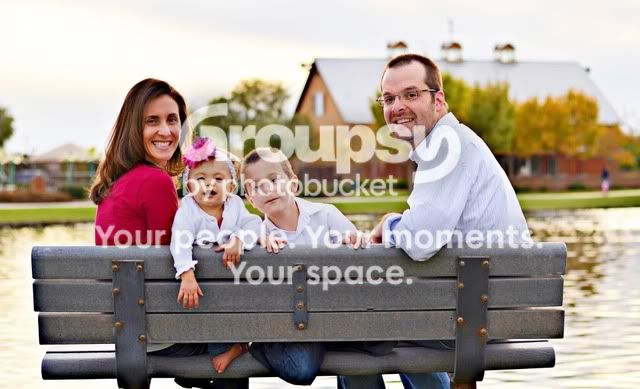
polillo27.jpg


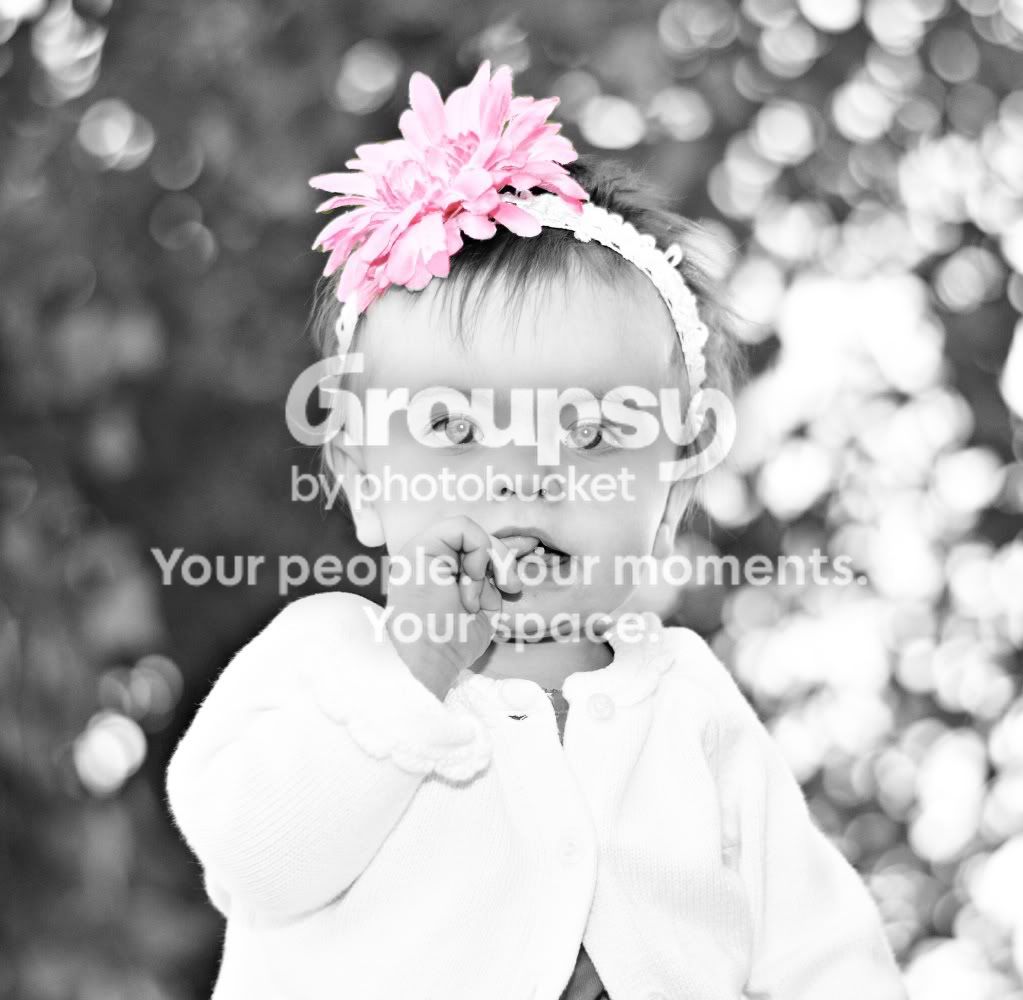
2)
polillo18.jpg


3)
polillo3.jpg
 
agreed....underexposed and I think you went a little too heavy on the clarity for the second image
 
I also think the eyes in #3 could've been brought out more...something like this (with a touch-up to her eyes & exposure):

2z4de9s.jpg
 
#1 is a little dark, #2 is too much blur in it, #3 is too tightly cropped
 
The uninteresting rusty (dirty) bench is in perfect focus, and the first thing the drew my attention.
 
Thanks for the feedback. I'm guess I'm a little timid when it comes to the flash... I need to get over that and just start using it. Did I do anything right on these? I don't think they are a complete fail for my first time on manual. Also, I used Photoscape to edit the pictures, so I'm kind of limited what I can do. I'm hoping to get Photoshop Elements from Santa! :) I'm also hoping to get a diffuser and reflectors.

One more thing...Can the pics be fixed? What could I do in Photoscape to make them better? Do I just brighten them? I would like to make them look the best I can for my friend. Thanks.!!
 
Last edited:
This would have been my go at it! Exposure, a tab bit of eye brightening and a tab bit of airbrushing. I don't normally like airbrushing baby photos but once you start changing the exposure on photos it tends to uneven skin tones sometimes!

polillo3.jpg
 
This would have been my go at it! Exposure, a tab bit of eye brightening and a tab bit of airbrushing. I don't normally like airbrushing baby photos but once you start changing the exposure on photos it tends to uneven skin tones sometimes!

polillo3.jpg

Well, this answers my question about whether or not the pictures can be fixed. I guess I just need the know how and the tools to do it....Sigh! Beautiful job. :)
 
Ok, here's a picture that I used the flash..Is this better? I know it can use some more editing. I'm just curious about the exposure. Thanks.

polillo10.jpg
 
I am new to the forum so I am unsure whether it is allowed or not but if it is, PM me your email address and we can talk more over email..I GUESS I can give you my secrets!!! hehe :D Also, the second pic looks muchhh more brighter/better than the first, but still needs to be a exposed a tab bit more! Here is what I would imagine, then the second is just because it looks cute! lol
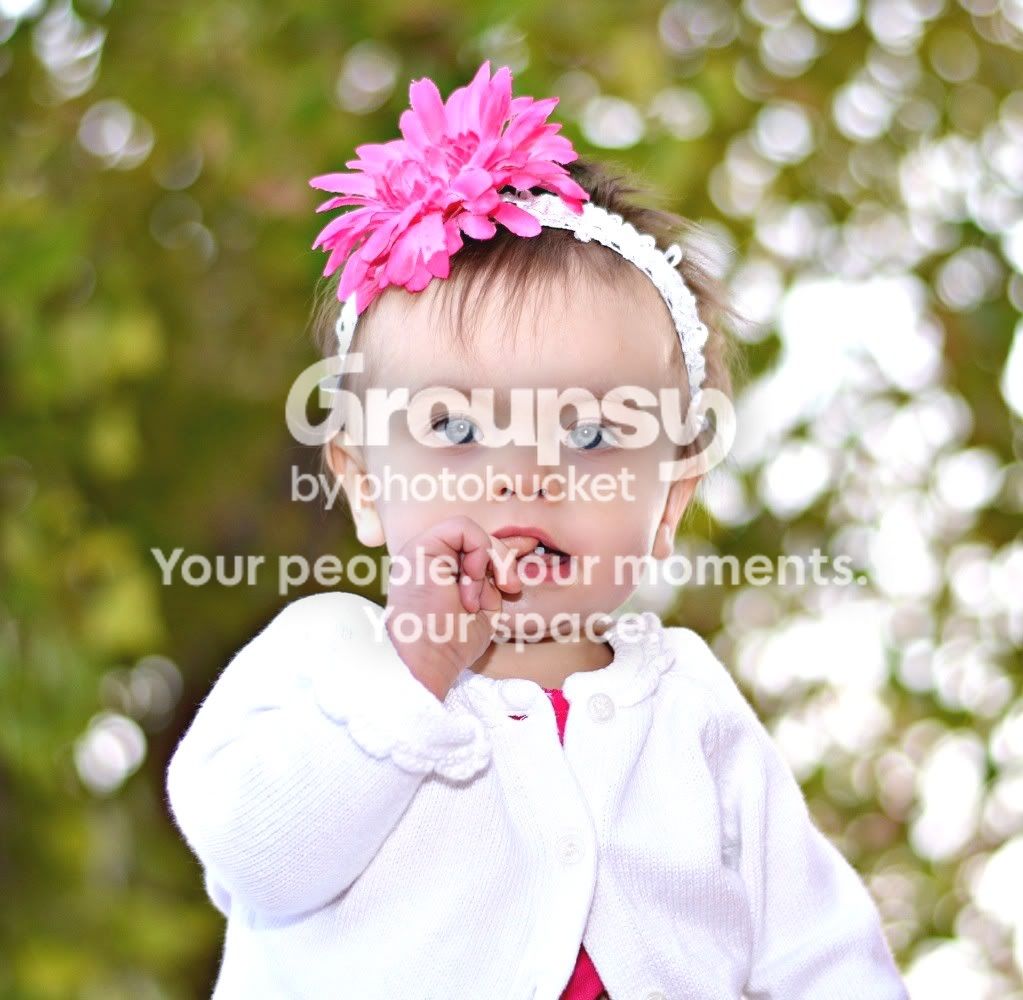
polillo10modbri-2.jpg


polillo10mod-1.jpg
 
Last edited:
Yes, all photos can be saved. I would suggest you play with the level first, to brighten up. I adjusted the gray and white slider in levels, lightened the shadows, increased contrast, increased brightness, brighten the eyes a bit and some skin softening.


Yes, all photos can be saved. I would suggest you play with the level first, to brighten up. I adjusted the gray and white slider in levels, lightened the shadows, increased contrast, increased brightness, brighten the eyes a bit and some skin softening.


This degree of eye improvement is beyond improvement, and has moved into the garish. The child looks like a robot. The increased brightness on the sweater has created a hugely distracting hotspot, pulling attention away from her face. The highlights on the eyeballs have made those orbs into odd focal points--odd in a disturbing,disquieting,and yet annoying sort of way.
 

Create an account or login to comment

You must be a member in order to leave a comment

Create account

Create an account on our community. It's easy!

Log in

Already have an account? Log in here.

New Topics

Back
Top Bottom