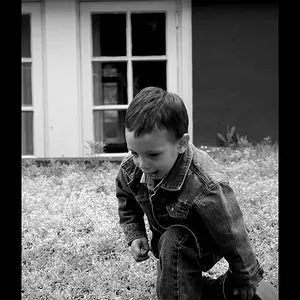
The light quality and direction in the restaurant doesn't work real well. Light wise the child does not 'pop' from the backgrounds.
The child has dark eye sockets (raccoon eyes), and her facial mask is mostly under exposed.
Fill light was needed in the restaurant.
Using flash lets the photographer control the ambient light exposure separately from the flash exposure.
Having the background darker than the subject is what makes a subject 'pop'.
The modern day notion of 'pop' is codifed in the visual art truism that states - Light advances, dark recedes.
Visual artists have been using 'pop' for a couple of thousand years now.
Thanks Raj, She is beautiful! the other pictures was just kind of for my sister in law to remember the small details.
KmH: Exactly the comment I was reaching for!! I'm trying to learn and grow with this, besides some playing in the past with a canon eos this was the first day using a DSLR! these are the comments that will help me produce much better photos! So to rectify my short comings in this instance what would be the easiest solution? just using the flash? couldn't I also rectify this in lightroom?
The backgrounds are really intrusive in the first two, although that could be fixed reasonably easily.
The second one could really be a terrific family shot is edited a bit.
I don't know what happened to the last one but the color is way, way, way off and the woman's arm looks very big
Well, use a flash.
Your options are to use the low power, small, built-in flash, a more powerful hot shoe flash that has a tilting and swiveling flash head so you can use it and a bounce card to bounce the light, or an off the camera (OCF) hot shoe flash unit that gives you a lot more options.
Yes, but it is better to get a photo as close to right in the camera as possible than it is to post process it. When you add exposure post process to under exposed areas you make image noise more visible. Digital Camera Image Noise: Concept and Types
Plus you want to set your camera to make a file type that has plenty of editing headroom (bit depth) if you want to use LR or any other editing application.
I also suspect you don't know how to use the rear LCD feature that shows you the image histogram.
When we shoot film we expose for the shadows and let the highlights take care of themselves.
Digital photos are exactly the opposite - we need to expose for the highlights and let the shadows take care of themselves.
Traveler: Thanks guys, I like the edit to #2, I guess I needed to crop just a little more, but looks better.
The other one, was just a weird lighting situation, blue and yellow lights... it was just weird.
KMH: Thanks for the links, I will be reading through them all today. Question in reguard to the flash, I have the oppertunity to get my hands on a pre-owned Nikon sb 900 speedlight for 300.00 maybe 250.00 in your opinion is it worth the investment?
Traveler: Thanks guys, I like the edit to #2, I guess I needed to crop just a little more, but looks better.
The other one, was just a weird lighting situation, blue and yellow lights... it was just weird.