What's new

First Photography Shoot (headshots)- lookin for FeedBack

Jamesfiresphotos

TPF Noob!
Joined
Apr 30, 2013
Messages
13
Reaction score
1
Location
Vancouver
Can others edit my Photos
Photos OK to edit
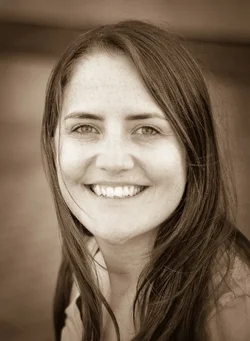
$_JDA3062-38.webp$_JDA3125-50.webp$_JDA3141-54.webp$_JDA3064-40.webpI did my first photography shoot last week and would love to hear some feedback from the wise!


I've had my camera since January so I know that I have much to learn (that's why I'm here)

I would love to hear tips about anything to improve.

I haven't done any editing in Lightroom 4. Just minor face sharpening.


First Round JPEGS

Thanks!!
 
Last edited:
Are you using the viewfinder?
 
You will get more and better help if you allow editing in your profile AND if you post pictures here rather than asking people to go somewhere else.

The white balance on many of these this is way too cool.
They are all very close to the same shot.
Not much variety or personality.
 
You will get more and better help if you allow editing in your profile AND if you post pictures here rather than asking people to go somewhere else.

+1
 
The lighting is completely flat and not particularly flattering.

As Lew pointed out they are all essentially the same photograph.

It's not at all clear to me why you're so fond of being above the model, making them look up. It does make the jawline look good, but it also looks weird and there are other solutions to the jaw/chin problem.

Backgrounds are mostly busy and/or cliched, and anyways add nothing but do distract.

On the up side, the models are fairly pretty and you've got them in focus!
 
Thanks everyone!

I am using the viewfinder, please let me know why you are asking this.

How do I make it so you can edit the photos?

I realized the shots are very similar. It was all I could think of at the time. I am learning and want to be better so please keep up with the feedback.

T

I'm going to try and post them later on today on this forum.
 
Please.....PLEASE only post 2 or 3....not all of them.
 
I am using the viewfinder, please let me know why you are asking this.

There is no pattern to the framing. Some subjects are centered, some are on the right, some are on the left, some high, some low, and for all the world it looks as if you are simply aiming down the barrel of the lens.

Seriously.
 
Well, you started with attractive females of a good age cross-section, so that's a plus. ALL of these ladies could be made to look VERY pretty on-film, with a bit of makeup and some decent lighting and some good photography technique applied. A few things. First...the lighting...you are working in low-contrast, "flat", open shaded conditions, which tends to produce a slight blueish color cast, even with AUTO white balance set to ON. I would use "Shade" white balance.

Second...move close to the "edge" of the shade, where the shade meets the light of the open sky. Have the people in the shade, but facing toward the sky's light...that will create catchlights on their eyeball surfaces, and that adds what I call "eye-sparkle". Your subjects currently have dull-looking eyes, with no sparkle.

Third...angle their torso to the camera, so they are not square-shouldered in every pose. On really slender gals, straight on square can be 'okay', but normally, some angle to the body, from 30 to 45 degrees, helps add a bit of implied movement...some angle..some dynamism.

Fourth: STOP shooting everything as a horizontal!!! It crops off the bust, and on very close-up shots, you often have to crop off the top of the head, AND you also leave the head supported by nothing more than a slim stripe of shoulder-tops that run across the horizontal frame. The first defect is called a head chop; a head shown with no "base" of body and shoulders is a floating head. The combination of both a head chop and a floating head is called "awful".

Fifth:Get a BOOK on portraits from your library. Don't go to the web....get a BOOK. Keep at it! You show good potential I think!

 
Site requires cookies so I'll pass.
 
How do I make it so you can edit the photos?

Under "edit profile", change the radio button from "don't allow editing" to "allow editing".

Done and done,

Thanks very much! As you can see I'm really new at this whole thing, but had a blast taking these photos so its something that I would like to get better at!
 
I am using the viewfinder, please let me know why you are asking this.

There is no pattern to the framing. Some subjects are centered, some are on the right, some are on the left, some high, some low, and for all the world it looks as if you are simply aiming down the barrel of the lens.

Seriously.


Some people are saying my photos look too similar and your saying they look too different. Please forgive my lack of knowledge and explain more when you say "pattern to the framing"

THanks
 
Stop shooting horizontals!!! Here are the four you posted, with basic LR edits. Now, on the woman in the pink top...there's just not enough of a "base" below her head...so, see how weak the picture is, compared to the other three, which have at least a bit of a base. Again...you shot a lot of images with the subject occupying 20% of the entire frame, and TONS of currugated aluminum siding in the other 80% of the frame. That's not the best way to allocate the compositional space on a headshot.

$_JDA3062-38_1024x.webp$_JDA3064-40_1024x.webp$_JDA3125-50_1024x.webp$_JDA3141-54_1024x.webp
 
Stop shooting horizontals!!! Here are the four you posted, with basic LR edits. Now, on the woman in the pink top...there's just not enough of a "base" below her head...so, see how weak the picture is, compared to the other three, which have at least a bit of a base. Again...you shot a lot of images with the subject occupying 20% of the entire frame, and TONS of currugated aluminum siding in the other 80% of the frame. That's not the best way to allocate the compositional space on a headshot.


Makes sense and they look much much better! I realized when I got home I didn't take many portrait/vertical shots. I'm guessing I was just too focused on other things to remember to do something like that.


Thanks!
 

Create an account or login to comment

You must be a member in order to leave a comment

Create account

Create an account on our community. It's easy!

Log in

Already have an account? Log in here.

New Topics

Back
Top Bottom