What's new

First portrait attempt, C&C please

COLTSFANATIC1

TPF Noob!
Joined
Nov 13, 2011
Messages
280
Reaction score
9
Location
California
Can others edit my Photos
Photos NOT OK to edit
This is my first attempt at Portraits, I tried to clean them up in LR & CS5. I used a black curtian for a back ground, not a good choice as the material that its made of caused the photos to seem noisey, I used a construction flood light light for lighting (on a budget), set back a ways and tried to bounce it off a wall but it still seemed really bright, I'll let you decide that, CC is welcome, Thanks in advance


ISO=200, 32MM, f/5, 1/60
IMG]
DSC_2793-0.jpg
[/IMG]
ISO=200, 42MM, f/6.3, 1/60
DSC_2780.jpg
[/IMG]
ISO=100, 38MM, f/6.3, 1/60
DSC_2754-3.jpg
[/IMG]
 
Not bad for a first attempt, but I do believe you have a lot to learn, and I could go into a lot of detail about each image, for example, you have a skin tone problem between the first and second image, but I think that if you start with looking at this posting and scroll through the various pages, it should give you some ideas of what you might do differently: The Rules Of Good Portraiture - HTH.

Cheers,

WesternGuy
 
Nice for a first attempt. Like how you make do with what you have. I like the first two the best. The last one is not to good as his shirt is not buttoned, not looking at the camera, and doesn't look happy.
 
Thanks guys,
Westernguy, thanks for the link
and you hit it right on the head photo guy, he was unhappy about helping Dad out, so I had to grab the daughter, but she insisted the cat had to be included, LOL, Thanks for the comment.
 
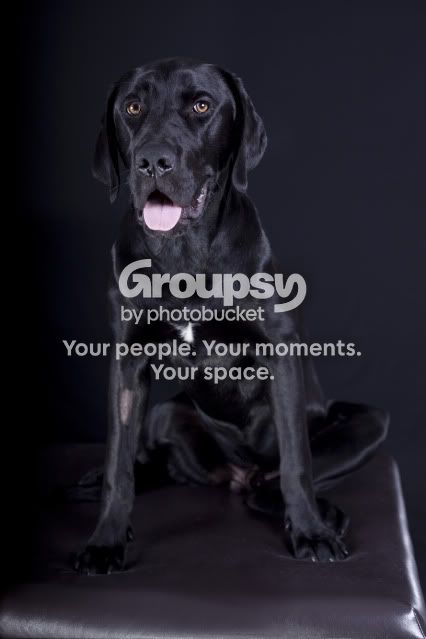
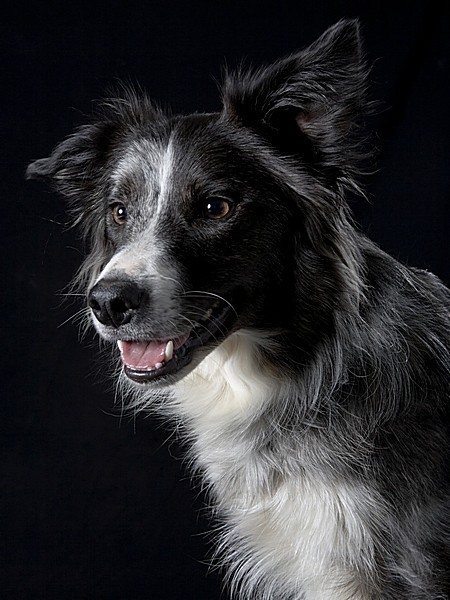
Position your subject about 2 to 3 meter away from your background, I shoot animals mainly here is an example of one the dog is about 1.5 to 2m away from the background it eliminates shadows.


IMG_1910.jpg
 
Thanks for the tip Katerolla, Im sure it will help on my next attempt.
 
Keep the shoulders at an angle to the camera that is not square (like #1) or perpendicular (like #2), but that is like #3.

Men get posed differently than women get posed.

In #1 there are no shadows on her face, making it look flat. The sharp edged shadow under her chin is sharp edged because of the small apparent size of the light source. Moving the light back just makes it apperently smaller still. Hang a white sheet to aim the light through. It will make the light apparently much, much larger. A larger light is softer and more flattering, plus the shadow edges get diffuse (wrap) and soft too.

Position the sheet to the side: This is a set up for broad lighting. If the subjects back was toward the white sheet diffusion panel, it would be short lighting.

LightDiagram.png
 
Last edited:
Not bad for a first attempt, but I do believe you have a lot to learn, and I could go into a lot of detail about each image, for example, you have a skin tone problem between the first and second image, but I think that if you start with looking at this posting and scroll through the various pages, it should give you some ideas of what you might do differently: The Rules Of Good Portraiture - HTH.

Cheers,

WesternGuy

WesternGuy already posted it. I'm gonna post it again. It's that important. Posing and photographic lighting are crucial for portraiture.

The Rules Of Good Portraiture
Really pay attention to the differences in masculine and feminine posing. You can easily make a man look feminine just by the way his head is tilted and likewise for a female subject.

Information on using strobes/flash.
Strobist: Lighting 101
 
+1 on moving the subject further away from the backdrop to eliminate the shadows. Now I'm not a pro or even a noobie when it comes to portraits, but possibly consider using another light to highlight the hair to make it "separate" from the background or consider a different color background since the subjects hair are all dark/black?
 
Use a white sheet and get something to diffuse the light better or a better light. Aluminum bowls can easily be transformed into beauty dishes. Food for thought.
 
the only PP I need to do is to convert my photos from RAW to JPEG, having a good set up saves me a lot of PP time which I love
 
If your shooting black on black, black hair and t-shirts you need to seperate them from the background, i usually do this be adding a light from behind opposite the main light
like this

1221198821_HR3ae-L.jpg
 
Definitely get some better lighting to separate your subject from the background. Also, there is no reason to be shooting at f/6.3 or to fire your on camera flash.

Moral of the story: Learn manual mode, it will help immensely
 

Create an account or login to comment

You must be a member in order to leave a comment

Create account

Create an account on our community. It's easy!

Log in

Already have an account? Log in here.

Back
Top Bottom