What's new

got my DSLR and got to work!

obscure.individual

TPF Noob!
Joined
Jul 23, 2012
Messages
133
Reaction score
9
Location
the Qua, NY
Can others edit my Photos
Photos OK to edit
last month i finally got my D5100, and since then i've been doing a nice amount of photography. here're some photos

$image-4005318951.webp


$image-1994922122.webp


$image-3616863771.webp


$image-1998878189.webp


$image-2994535754.webp
 
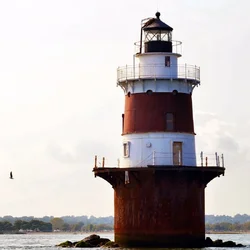
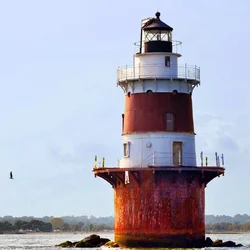
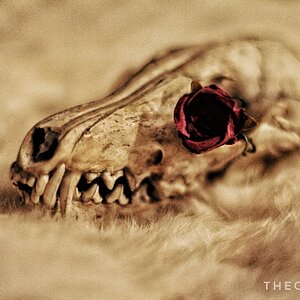
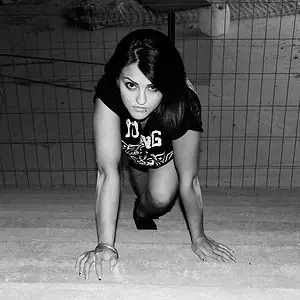
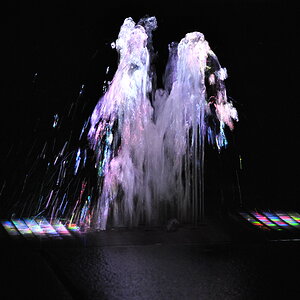
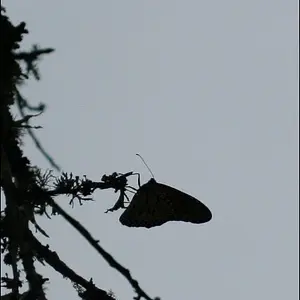
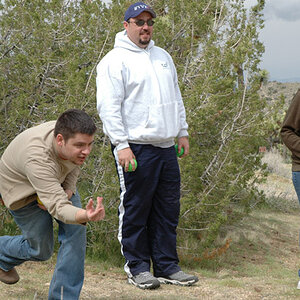
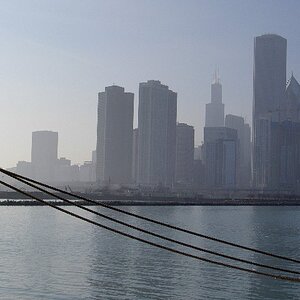
I actually like 1 and 2. I think in 3 that the DR was too high for the camera to handle so you have some blown portions and some underexposed portions. Not bad framing though.

What time of day did you shoot #3?

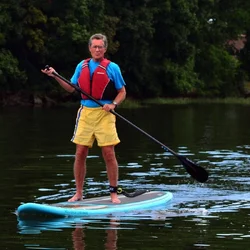
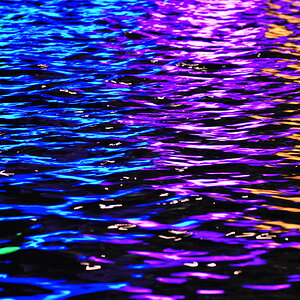
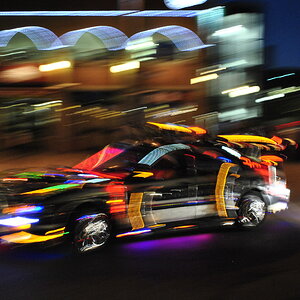
4 and 5 I am not thrilled with the subject matter. 4 is a bit overexposed, 5 is a bit underexposed, and in each case the image does not hold my attention.

Not a bad start however. :mrgreen:
 
I actually like 1 and 2. I think in 3 that the DR was too high for the camera to handle so you have some blown portions and some underexposed portions. Not bad framing though.

What time of day did you shoot #3?

4 and 5 I am not thrilled with the subject matter. 4 is a bit overexposed, 5 is a bit underexposed, and in each case the image does not hold my attention.

Not a bad start however. :mrgreen:

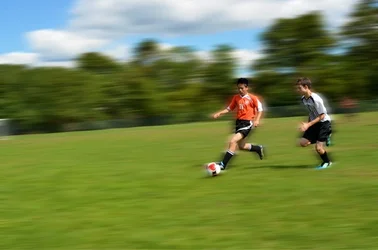
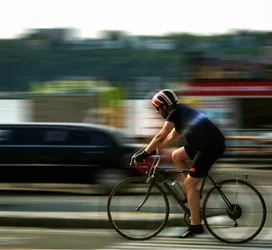
for 1 and 2 i used Motion Blur filters in Photoshop to spice them up a bit :p what do you mean by "DR"? according to the EXIF data i took that photo around 4:30 PM. it was a really cloudy day.

really? huh, i've been told that 4 looks like it could be an album cover. and 5 is actually my favorite of them all. the expression on the man's face is priceless and the fact that it says "You Only Live Once" (YOLO) on the paddleboard just makes the picture for me.
 
Do the first two use an in camera HDR feature or is the effect created in post?
 
Do the first two use an in camera HDR feature or is the effect created in post?

post, for 1 and 2 i used Photoshop to correct the lighting and color to my liking, then i used a quick mask to select everything but the subject(s) so i can apply a Motion Blur filter. i still don't know how to use the in-camera HDR feature, haha
 
Do the first two use an in camera HDR feature or is the effect created in post?

You already answered it before my post got up!
 
You already answered it before my post got up!

oh right, haha i wasn't exactly sure what you were talking about because 1 and 2 don't look anything like the HDR images i've seen, so i just explained my process :p
 
The motion blur effect is more effective in photo two than one. I think you have to use the effect relative to the actual speed of your subject.
 
The motion blur effect is more effective in photo two than one. I think you have to use the effect relative to the actual speed of your subject.

huh, ya know, you're right. i guess i didn't adjust the Motion Blur when i moved on from one photo to the other, or even think about it that way. thanks for pointing that out, i'll keep it in mind next time
 
#1 Don't care for the excessive artificial motion blur

#2 Don't care for the excessive artificial motion blur

#3 too tightly framed, and this would have been a good candidate for HDR... that sky is not attractive, and the shadows on the structure are excessively dark.

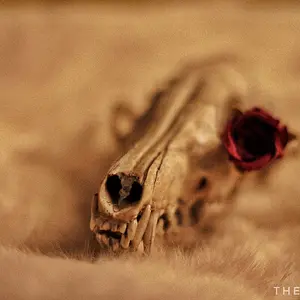
#4 One of the basic guidelines is to leave room for the subject to move into... and you did the opposite here! Exposure and DR looks good though. On people telling you it looks like an album cover?? Were those "people" experienced photographers or artists? Or friends and family (which don't count for C&C, as they are biased and typically lack knowledge!) Facebook doesn't count either for the same reasons!

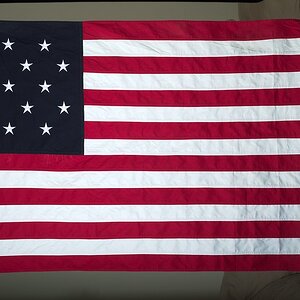
#5 Not seeing underexposure here on the subject... although the background is dark. You caught the subject well... but he doesn't look happy with you! lol! Again... too tightly framed, and you didn't leave room for him to "move" into..... why the Square crop?

 
#1 Don't care for the excessive artificial motion blur

#2 Don't care for the excessive artificial motion blur

#3 too tightly framed, and this would have been a good candidate for HDR... that sky is not attractive, and the shadows on the structure are excessively dark.

#4 One of the basic guidelines is to leave room for the subject to move into... and you did the opposite here! Exposure and DR looks good though. On people telling you it looks like an album cover?? Were those "people" experienced photographers or artists? Or friends and family (which don't count for C&C, as they are biased and typically lack knowledge!) Facebook doesn't count either for the same reasons!

#5 Not seeing underexposure here on the subject... although the background is dark. You caught the subject well... but he doesn't look happy with you! lol! Again... too tightly framed, and you didn't leave room for him to "move" into..... why the Square crop?

3 i guess i forgot to mention that i took that picture while on a boat moving pretty fast with my non-autofocus prime (Tamron 90mm f/2.5). i really do want to try real HDR photography, but unfortunately its never convenient when i'm out with my camera. if you or anyone else has figured out how to use a single photo and Photoshop to create a true HDR image, let me know, it would be very useful for me.

4 again on a boat, very lucky that i even got a decen shot :p well when i say people i mean one person i don't even know personally who saw the picture and thought it looked like it could be an album cover. i saw what she meant and agreed that it could be an album cover, for maybe a crappy indie rock/alternative band :p again DR? are you referring to dynamic range?

5 thank you! this time with the framing the background to the left of the subject was very distracting, plus i like how after i cropped the distractions out the background is consistent. when i say consistent i mean similar color, lighting and focus throughout the whole background.


as a highschool student in a very boring out-of-the-way town, i don't get to go do anything exciting very often, so when i do i always bring my camera, no matter how difficult it would be to get a well-composed photo.
 
3 i guess i forgot to mention that i took that picture while on a boat moving pretty fast with my non-autofocus prime (Tamron 90mm f/2.5). i really do want to try real HDR photography, but unfortunately its never convenient when i'm out with my camera. if you or anyone else has figured out how to use a single photo and Photoshop to create a true HDR image, let me know, it would be very useful for me.

If you were shooting RAW files, you could do a Faux HDR easily by creating multiple images at different exposures. You won't have the same DR (yes.. dynamic range) and detail that a true set of exposures would have had, but you can improve that image that way.

A real quickie.. using the low res jpg posted.... just as an example

$xxxxx.webp
 
If you were shooting RAW files, you could do a Faux HDR easily by creating multiple images at different exposures. You won't have the same DR (yes.. dynamic range) and detail that a true set of exposures would have had, but you can improve that image that way.

A real quickie.. using the low res jpg posted.... just as an example

<img src="http://www.thephotoforum.com/forum/attachment.php?attachmentid=20861"/>

i'm a bit embaressed to ask this..how do you shoot RAW? on my dad's old Canon XT i know its the AV setting, but i don't have a clue what it is on my D5100.
 
Press the info button, go to the image quality options and select RAW.

I agree with the other critiques, especially about the fake motion blur. I do like 3 though.
 
obscure.individual,
I like the idea with the first two pictures and if you learn how to make panning shots,
you might find it very satisfying to do. Set your camera's programme mode to
shutter-priority and give it a try using the lowest ISO and shutter speeds like
~1/30 - 1/50.
 

Create an account or login to comment

You must be a member in order to leave a comment

Create account

Create an account on our community. It's easy!

Log in

Already have an account? Log in here.

Back
Top Bottom