misstwinklytoes
TPF Noob!
- Joined
- Jun 13, 2010
- Messages
- 2,111
- Reaction score
- 40
- Location
- Texas
- Can others edit my Photos
- Photos OK to edit
It was drug free week and she looked so cute with her pink hair and I'd not taken a picture in several weeks so we went out and had a blast!
1. I liked how the color and light turned out on this one! Unfortunately it was one of few that I liked the color and light.

Dez 10/27/10 by jenangeljen, on Flickr
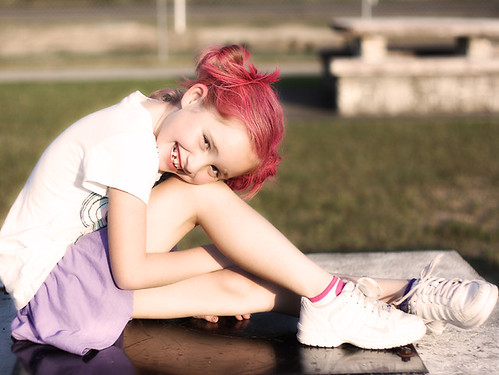
2. I played with a few actions. I don't like how bleached the photo looks, so I'll probably re-edit this one. Good smile and eye connection, though.
Dez 10/27/10 by jenangeljen, on Flickr
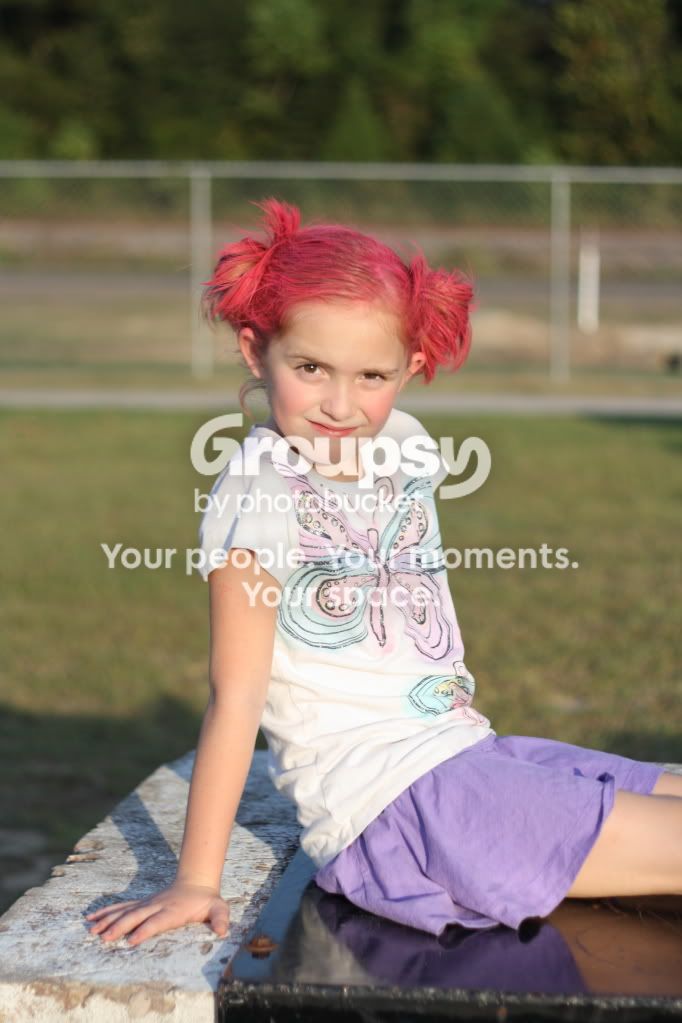
3. This was actually an out take, but I kind of liked it. I am her mom, I know I have mommy goggles! She how she looks grey... Any suggestions on trying to fix that are welcome. Or what I could have done differently. Also detailed info on how to have it pop more would be appreciated.

Dez 10/27/10 by jenangeljen, on Flickr
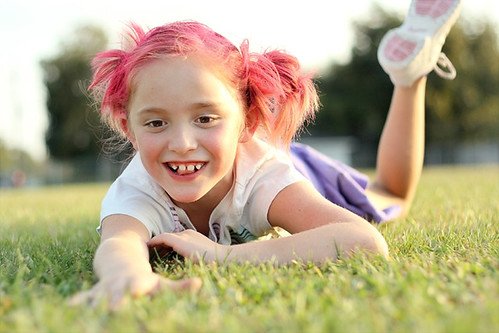
4. Another one I liked except the foot chop and grey skin. I don't even mind the blown parts. Like I said, Mommy goggles.
Dez 10/27/10 by jenangeljen, on Flickr
5. I liked this one, too. I wish the picture was ... warmer or something. I'm not sure. Edits are welcome. I will also probably clone out at least that basketball goal. Still with the grey skin. Argh.
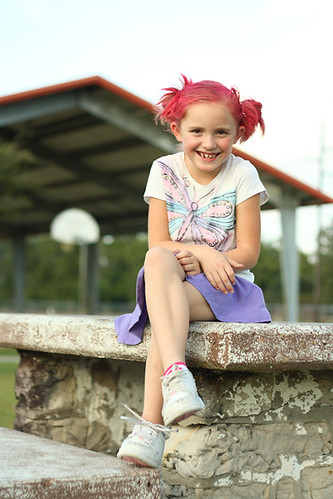
Dez 10/27/10 by jenangeljen, on Flickr
Anyhow, had a blast and learned a little more. I'm okay with that.
1. I liked how the color and light turned out on this one! Unfortunately it was one of few that I liked the color and light.
Dez 10/27/10 by jenangeljen, on Flickr
2. I played with a few actions. I don't like how bleached the photo looks, so I'll probably re-edit this one. Good smile and eye connection, though.
Dez 10/27/10 by jenangeljen, on Flickr
3. This was actually an out take, but I kind of liked it. I am her mom, I know I have mommy goggles! She how she looks grey... Any suggestions on trying to fix that are welcome. Or what I could have done differently. Also detailed info on how to have it pop more would be appreciated.
Dez 10/27/10 by jenangeljen, on Flickr
4. Another one I liked except the foot chop and grey skin. I don't even mind the blown parts.
Like I said, Mommy goggles.Dez 10/27/10 by jenangeljen, on Flickr
5. I liked this one, too. I wish the picture was ... warmer or something. I'm not sure. Edits are welcome. I will also probably clone out at least that basketball goal. Still with the grey skin. Argh.
Dez 10/27/10 by jenangeljen, on Flickr
Anyhow, had a blast and learned a little more. I'm okay with that.


 Like I said, though, I've been working on the exposure more than the focus and I guess the focus is just kind of working it's way in there. Doesn't bother me, though, don't get me wrong. I welcome the compliments cause I am trying to improve here.
 ) and it's like learning all over again.





![[No title]](/data/xfmg/thumbnail/36/36659-4b8fd1b317df0e73ccfe5775494a6f5a.jpg?1734169171)