What's new

How do I fix this? And C&C please

Jose Cuervo

TPF Noob!
Joined
Feb 22, 2009
Messages
35
Reaction score
0
Can others edit my Photos
Photos OK to edit
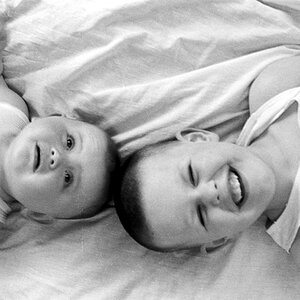
I'm wondering what you guys would do to make the whites of the girl's eyes white.

And is it just me or did i miss the focus on the boy's face?

Thanks for the help and C&C!


3583954208_27a9d53cc7_b.jpg
 
it would be hard to do since it is out of focus. what are you trying to accomplish?
 
use the dodge tool in photoshop for the eyes =]
 
yeesh... make the kid in the front have red eyes while you're at it... REE REE REE!

:lol:
 
Ok, let me try to be more helpful now... :lol:

Either manually select them or do a Select->Color Range to get the eyes. They feather the selection a touch. Make sure you have it all. Do a Image->Adjust->Hue/Saturation. Drop the saturation way down, and boost the lightness up a hair. Voila... white.

If it winds up looking a bit dodgy, you may want to create a second layer, do basically the same thing but do it on a copy on layer 2, then use a layer mask to hide all but the whites of her eyes, boost the lightness up quite a bit, but knock the opacity down until it looks more natural.
 
By the way, just adjusting the color balance a bit (like 7-8 points towards Cyan and Blue) whitens up her eyes a touch and normalizes the color in the image a little bit as well.
 
You can always keep the one photo the same, lighten another copy, merge and mask out everything but the eyes... Or just dodge... Either way.
 

Create an account or login to comment

You must be a member in order to leave a comment

Create account

Create an account on our community. It's easy!

Log in

Already have an account? Log in here.

Back
Top Bottom