What's new

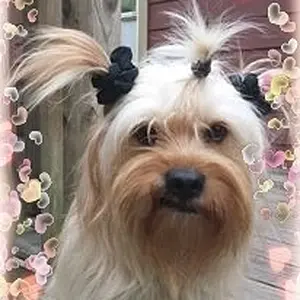
How to get this effect?

Wow that picture is awesome! I as well would like to know!

Blue
 
I'm not an expert, but that looks to me like a photoshop "fake bokeh" layer, with the model masked out.
 
There is likely a plugin that can do this for you, but it is very doable manually. Create a circle, rasterize it and fill it with the desired colour. Adjust the opacity and blur of the layer. Duplicate the layer and adjust the size, position and blur of the duplicates. Where the circles overlap will create a denser area of colour. Changing the size and blur adds depth to the layering.
 
I'm not an expert, but that looks to me like a photoshop "fake bokeh" layer, with the model masked out.

Bingo. Google 'bokeh texture' paste it on to your photo with the blending style "lighten" and erase it wherever you don't want it. Easiest way.
 
Thanks guys! Got it!

148307_167123149978966_145244588833489_445353_6571852_n.jpg
 
Nice. Share with us the process?
 
Nice result, do share the tutorial used. It'd be fun to learn a new PP technique.
 
Bingo is right! If you look closely, you can see the circles on the right, match up EXACTLY as the circles on the left.
 
Hey guys! So it was pretty simple. Took Reznap's advice.

-Basically google "bokeh texture" and copy it to a new layer.
-Take the image you want to work with and place the bokeh layer on top of it.
-Then you can either leave it as "normal" or "lighten" blend. Either will work. I also changed the opacity till I saw it looked right. Play with it.
- Layer mask the bokeh layer
- Fill it with WHITE so it doesn't then
- take a large paint brush in BLACK with total softness then paint over the area you want to show w/out the bokeh effect
- THAT'S IT!

As far as the color, well that's a whole different thing. You can play with different things in photoshop to see what you like. Also I did "skin smooth" for the original image. It's pretty much the same thing mentioned above, except, instead of a new bokeh layer, you create a duplicate layer and then pick "surface blur" (and yes I like that better than gaussian blur)

Good luck! Post your results!

 

Create an account or login to comment

You must be a member in order to leave a comment

Create account

Create an account on our community. It's easy!

Log in

Already have an account? Log in here.

Back
Top Bottom