What's new

I will c&c your work for you

580061180_QPwTp-L.jpg
 
I am mainly posting this because I want to learn how to use Photoshop to make my pictures better. I've been following this thread and I like what you've been doing with the images and I'd like to see it done to one of mine. The main thing, though, is that I'd like to request a copy of the psd file with the layers intact, if you don't mind. I'd like to see what you are doing in photoshop so that I can get an idea how I can use it myself. Is that possible? Thank you in advance.

IMGP0630.jpg
 
Even though I really like this photo I feel like theres something wrong.

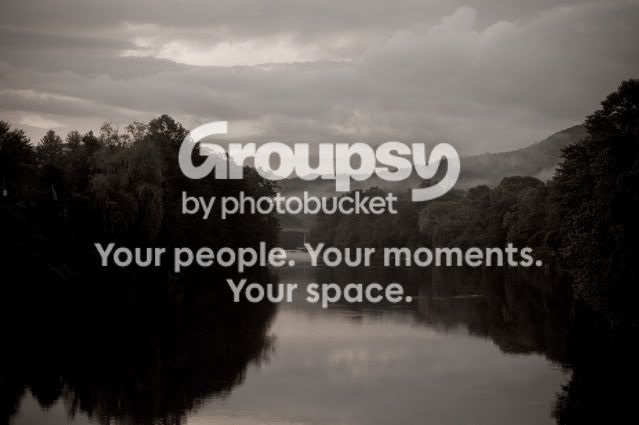
river.jpg

good

-great mood
-great sky
-great water reflection (smooth)
-very nice comp

nit

-photo is underexposed (due to light meter being tricked by the brightness
from the water) still room left on the histogram

-alot of shadows

-photo is not true grey scale (personal choice)

-photo is a tad noisy

tweak

-switched to true grey scale (personal choice)

-adjusted the (levels) sliders to improve overall exposure
-lightened (dodge) the shadows aong the left and ride side of the river
-lightened (dodge) the ground mist

-added selective contrast boost to the water reflection
-added selective contrast boost to the trees down left and right side of the river

-darkened (burn) the sky a tad to add to the drama
-put the photo through NR software

Hope this helps and thanks for posting.

Take care,

Dwayne Oakes

p370601639-3.jpg
 
Last edited:

good

-great place
-great comp (1/3 rule)
-great shutter speed
-great color and contrast
-great DOF
-exposure is right on

nit

-sensor dust (sky)
-rockface is a tad soft
-WB is a tad on the cool side (personal choice)

tweak

-healed out the sensor dust (sky)
-set WB to a warmer setting (personal choice)

-lightened (dodge) the tips of the whitewater
-lightened (dodge) the base of the tower
-added a tad of selective contrast boost to the water reflection in the FG

-added a tad of selective USM (sharpening) to just the rockface

Hope this helps and thanks for posting.

Take care,

Dwayne Oakes

p271435138.jpg
 
3643844523_bf8efa32af.jpg

pls :D

thanks

good

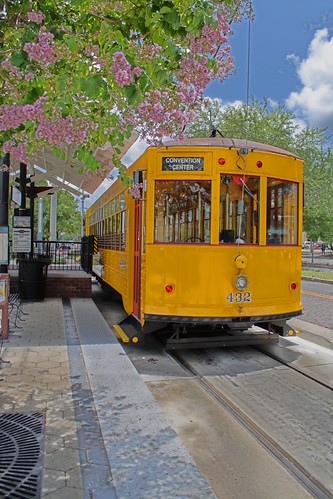
-very nice comp (good choice for vertical)
-nice pp
-exposure is right on (no clipped highlights)
-nice natural colors
-low noise
-good detail

nit

-photo is a tad flat (contrast)
-shadows could be darkened
-trolley wire is a bit of a distraction

tweak

-added a tad of global contrast boost
-added a tad of selective contrast boost to the trolley's front windows
-darkened (burn) the 3 main shadows

-healed out the trolley wire

Hope this helps and thanks for posting.

Take care,

Dwayne Oakes

p385642805-3.jpg
 
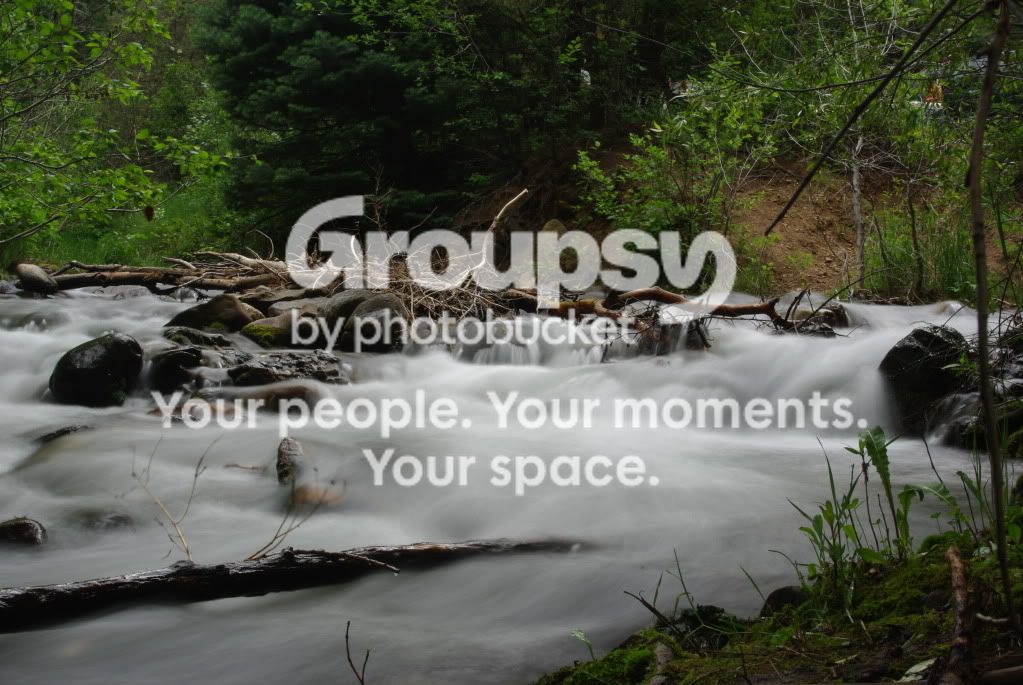
I am mainly posting this because I want to learn how to use Photoshop to make my pictures better. I've been following this thread and I like what you've been doing with the images and I'd like to see it done to one of mine. The main thing, though, is that I'd like to request a copy of the psd file with the layers intact, if you don't mind. I'd like to see what you are doing in photoshop so that I can get an idea how I can use it myself. Is that possible? Thank you in advance.

IMGP0630.jpg

Sorry I wish I could help with the psd files but I use Nikon Capture NX2 editing software for all of the cc tweaks and my own personal work. Nikon Capture NX2 uses U-Point technology. (no layers)

Photoshop can do these same tweaks just read up on the topics
from the tweaks I make to your photo.

good

-very nice comp
-great nature area
-nice natural colors
-good contrast and detail
-good DOF
-great shutter speed (water blur)
-no sensor dust (water)

nit

-photo is overly twiggy (stray branches)
-vehicle tail lights are a bit of a distraction
-whitepoint slider still has room left on the histogram
-shadows can be opened up a bit (evergreen and FG)

tweak

-healed out all the stray branches and vehicle's tail lights
-set whitepoint slider in (levels)

-lightened (dodge) the evergreen tree and a tad in the FG bottom right

-added a tad of selective color saturation to the moss on the rock
in the MG and the moss in the bottom right corner in the FG

Hope this helps and thanks for posting.

Take care,

Dwayne Oakes

p892526164-4.jpg
 
Last edited:
That should wrap it up at 35 c&c, I want to thank everyone who submitted there work it was alot of fun and an honor to tweak your photos ! I am glad I could could give back.

Take care,

Dwayne Oakes
 
I hope you do this again. I wanted to submit one but I waited till the last minute. This is an awesome idea Dwayne. -Danny
 
Just wanted to send another thank you your way.

From now on, when puzzling over an image, my motto is W.W.D.D. :mrgreen:


Jon
 
Yay, Mr. Dwayne Oakes... Take a bow...
smiley-gen002.gif
....Thanks again:hug::
 
Thank you Dwayne!
I'm a newbe and this thread is like a tutorial for me!
 

Create an account or login to comment

You must be a member in order to leave a comment

Create account

Create an account on our community. It's easy!

Log in

Already have an account? Log in here.

Back
Top Bottom