What's new

Left For No One (Close-Up, Black & White) - New to photography

  • Thread Starter Thread Starter AMBP
  • Start date Start date
A

AMBP

Guest
Hi! I'm just under two months old in my photography journey and have been having a blast! I read the sticky note about the techo terms and such, but it's gonna' take me awhile to remember it all. If you don't mind, when giving C&C, make it "dummy form".. I also learn the best with visuals so if you know of a fancy little video or have a link to a photo tutorial, those would be much appreciated! ;)

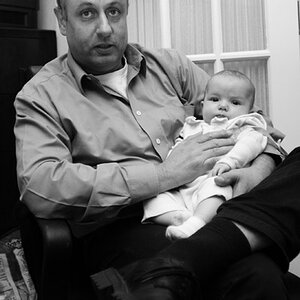
That said, this photo below had minimal post-processing. I used Photoshop CS4 to tweak the levels just a bit, or.. More like exposure and gamma settings. Then added a 10% transparent sharpened layer. I don't like over-sharp images.. Makes them look a little "too real". Although, this photo came out the clearest I've ever gotten any of my photos to come out.. :) Also, I only have my built-in flash for now. The only lights used in the room when shooting was the built-in flash. Extras like borders and slight vignette were added in Photoshop.

Looking forward to the C&C! :)


*Canon EOS T3i (600D) Rebel 18MP w/EFS 18-55mm Kit Lens, Photoshop CS4
---Pulling out.. Thanks for your comments and suggestions---
 
Last edited by a moderator:
A ring with the necklace through it :)
 
Last edited by a moderator:
Not sure what it is that I am seeing in the image. Also, there is not enough contrast and tonal range in the image for a good black and white conversion. You might want to Google "black and white conversions" and you will find more hits than you can read in a month, this one for example, 7 Black and White Photoshop Conversion Techniques . HTH.

Cheers,

WesternGuy

EDIT: Ring with a necklace through it - could have fooled me - well actually you did, because if I had to guess that probably would not have been it. You will find it best if your images do not leave the viewer guessing as to what they are.
 
Not sure what it is that I am seeing in the image. Also, there is not enough contrast and tonal range in the image for a good black and white conversion. You might want to Google "black and white conversions" and you will find more hits than you can read in a month, this one for example, 7 Black and White Photoshop Conversion Techniques . HTH.

Cheers,

WesternGuy

EDIT: Ring with a necklace through it - could have fooled me - well actually you did, because if I had to guess that probably would not have been it. You will find it best if your images do not leave the viewer guessing as to what they are.
Ah.. I see.. O.o I shot it with the in-camera monochrome.. Hmm.. That link gives me some new things to think about :) -And about what it is.. Do you wear jewelry? That which we don't think about every day may seem as something we couldn't guess in a million years, but to someone who does wear jewelry ie. necklaces and rings, maybe it would be more recognizable..? Just curious.. You may actually be a jewelry wearer and I'm just missing it which is highly possible.. :p


EDIT: OK, so I tried out the link you sent.. The very last one on that page that has the most control.. Next time I shoot, I should shoot in color then convert it in Photoshop instead of using the in-camera monochrome, right? Here's what I got out of that link (previous photo earlier in the month, B&W experiment on left & original color on right):

--And second photo here since the original in the first post was shot in monochrome.. I have no color version to mess with
***REMOVED***
 
Last edited by a moderator:
Hi AMBP, seems we have a dialogue going here... and no, I do not wear jewellery - I find the "filler metals" in most jewellery gives me an allergic reaction.;)

The best advice I can give you and I believe that most who work in the black and white area of digital photography, do shoot in colour and then convert using Photoshop, Lightroom or one of a number of plug-ins available for both products, such as Nik's Silver Efex Pro. I shoot everything in colour and in raw, and I use Lightroom as my post-processing software with the occasional excursion into CS5. I have done some CS5 conversions to B&W and tried a few in Lightroom, but my most used software for this type of thing is Silver Efex Pro. I gives me so many different ways to process and "develop" my images in B&W. I will often return the converted image back into Lightroom and clean it up (B&W conversion shows dust on the sensor like you wouldn't believe), maybe sharpen it a bit (as necessary) and do any dodging and burning I feel is necessary to "improve" the conversion. The beauty of this is that my original is preserved as Silver Efex Pro returns a tiff file with all the conversions in it.

If you haven't done so already, take a look at some of the B&W postings in that forum here on TPF. Also, welcome to the forum - always nice to get new blood in here.

Cheers,

WesternGuy
 
Hi AMBP, seems we have a dialogue going here... and no, I do not wear jewellery - I find the "filler metals" in most jewellery gives me an allergic reaction.;)

The best advice I can give you and I believe that most who work in the black and white area of digital photography, do shoot in colour and then convert using Photoshop, Lightroom or one of a number of plug-ins available for both products, such as Nik's Silver Efex Pro. I shoot everything in colour and in raw, and I use Lightroom as my post-processing software with the occasional excursion into CS5. I have done some CS5 conversions to B&W and tried a few in Lightroom, but my most used software for this type of thing is Silver Efex Pro. I gives me so many different ways to process and "develop" my images in B&W. I will often return the converted image back into Lightroom and clean it up (B&W conversion shows dust on the sensor like you wouldn't believe), maybe sharpen it a bit (as necessary) and do any dodging and burning I feel is necessary to "improve" the conversion. The beauty of this is that my original is preserved as Silver Efex Pro returns a tiff file with all the conversions in it.

If you haven't done so already, take a look at some of the B&W postings in that forum here on TPF. Also, welcome to the forum - always nice to get new blood in here.

Cheers,

WesternGuy
Ah Lightroom.. My bro talks highly about that program.. I need to try it out.. As for shooting in RAW, I did that at first, but then went from 150GB space left to my 320 to about 5GB.. O.o I had to clear a lot on my drive then start shooting in JPG. I wish I can keep the RAW shooting going as I know this is best, but I'm lacking the space..

Anywho, the dodging and burning.. I'm guessing that's just an eye-balling it sort of thing..? I really need to research this.. Actually, there's a lot I need to research, but this is the one I think I will start with.. :p As a newbie, I gotta' pick a place to start, then start it..

-The "Nik's Silver Efex Pro", I'm assuming that's a program to purchase, correct? What's that usually run?
 
Last edited by a moderator:
AMBP said:
Ah.. I see.. O.o I shot it with the in-camera monochrome.. Hmm.. That link gives me some new things to think about :) -And about what it is.. Do you wear jewelry? That which we don't think about every day may seem as something we couldn't guess in a million years, but to someone who does wear jewelry ie. necklaces and rings, maybe it would be more recognizable..? Just curious.. You may actually be a jewelry wearer and I'm just missing it which is highly possible.. :p

EDIT: OK, so I tried out the link you sent.. The very last one on that page that has the most control.. Next time I shoot, I should shoot in color then convert it in Photoshop instead of using the in-camera monochrome, right? Here's what I got out of that link (previous photo earlier in the month, B&W experiment on left & original color on right):

--And second photo here since the original in the first post was shot in monochrome.. I have no color version to mess with

I wear jewelry and I wouldn't have known what it was.

B/w conversion - the best way to do it is to start with a perfect color image. Perfect meaning that exposure is right on, brightness, color, etc. it will make converting easier and give you a better b/w image.
 
AMBP said:
Ah.. I see.. O.o I shot it with the in-camera monochrome.. Hmm.. That link gives me some new things to think about :) -And about what it is.. Do you wear jewelry? That which we don't think about every day may seem as something we couldn't guess in a million years, but to someone who does wear jewelry ie. necklaces and rings, maybe it would be more recognizable..? Just curious.. You may actually be a jewelry wearer and I'm just missing it which is highly possible.. :p

EDIT: OK, so I tried out the link you sent.. The very last one on that page that has the most control.. Next time I shoot, I should shoot in color then convert it in Photoshop instead of using the in-camera monochrome, right? Here's what I got out of that link (previous photo earlier in the month, B&W experiment on left & original color on right):

--And second photo here since the original in the first post was shot in monochrome.. I have no color version to mess with

I wear jewelry and I wouldn't have known what it was.

B/w conversion - the best way to do it is to start with a perfect color image. Perfect meaning that exposure is right on, brightness, color, etc. it will make converting easier and give you a better b/w image.
Thanks Megan! :) Oh my.. Time for a notebook! :p So get the color image lookin' like it was the masterpiece you were working on all along, then convert it and tweak it out.. Sounds like I got some exploring to do! :)
 
Last edited by a moderator:
There are various programs available these days for converting to black and white. Silver Efex is one and is very good. You might also check with Topaz labs as they have recently release a very nice black and white effects program.

Both have free trial version.

Megan has given you some very good advise about starting out with a great color image, before moving on to black and white.

Burning and dodging are age old tools for adding and removing light from specific areas to create a well balanced eye catching photo.

This is just my opinion, but I think it helps a great deal to have a background with black and white film and darkroom work to really bring the best to converting to black and white. It isn't the end all, but it certainly can make a difference.

As an aside, you mention space problems. I hope your not keeping all your photos on your computer or memory card. Please say your backing up your photos some place other than the computer. If not , please think this out as this is a disastrous situation.
 
Might as well go ahead and invest in an external hard drive as soon as you can afford to do so. You can get 1TB drives pretty cheap these days.
 
I have an external already and my 1TB PC drive is also nearly full.. :p --Oh, and Topaz Labs.. I have that! :) I'll have to look into the black and white from them though. I just have the denoise and detailing filters. I guess now I just need to mess around a bit with what you all have told me, and go find some more software :p Thanks much for the help! Now let's see if I completely understand it all ;)

As an aside, you mention space problems. I hope your not keeping all your photos on your computer or memory card. Please say your backing up your photos some place other than the computer. If not , please think this out as this is a disastrous situation.
-Also, what is your suggestion I do? I have no other way to backup my images unless I stick them to a DVD storage which would take many DVD's as each image is HUGE in size. I have the PC hard drive, and I have an external..
 
Last edited by a moderator:
I also wear jewelry and would not have guessed that it was a ring on a necklace. I was thinking maybe it was a pocket watch or a pill box on a chain. Again, maybe. It's difficult to even tell for sure that it is, in fact, a chain and not perhaps a ribbon tied to a clasp. It's also too dark to see the opening which is the center of the ring or that the chain is going through it rather than being attatched to it.
 
External hard drives are cheaper and easier these days than cd or dvd.

I would recommend at least a back up of two copies, with one off site.

Getting these off your computer will also help speed up the computer.

Check out the following ebooks about black and white Magic of black and white" there are 3 vol., they are about $5 each and can be found on a site called Craft and VIsion (if i remember correctly_
 

Create an account or login to comment

You must be a member in order to leave a comment

Create account

Create an account on our community. It's easy!

Log in

Already have an account? Log in here.

Back
Top Bottom