deeky
No longer a newbie, moving up!
- Joined
- Jun 22, 2012
- Messages
- 1,244
- Reaction score
- 415
- Location
- Sioux Falls, SD
- Can others edit my Photos
- Photos NOT OK to edit
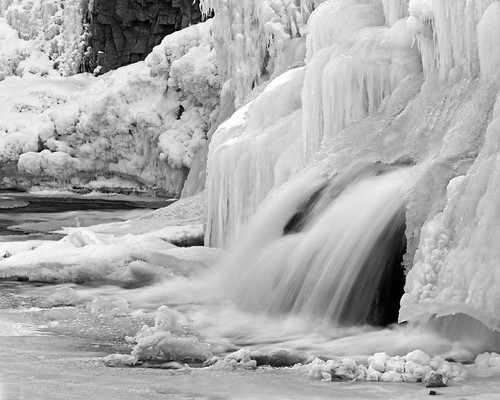
Found only a bit of the falls flowing in the open yesterday and liked the contrast of the frozen and liquid. Here's the best of the two together, but I'm not happy - would like the flowing water to pop a little more. It's a bit of a tough set up - I was there early enough to avoid harsh light on a clear day, but the river at this point flows directly north so gets little direct light. My angle on the open water is also fairly limited without risking life and limb.
So, recommendations on getting the flowing water to pop?
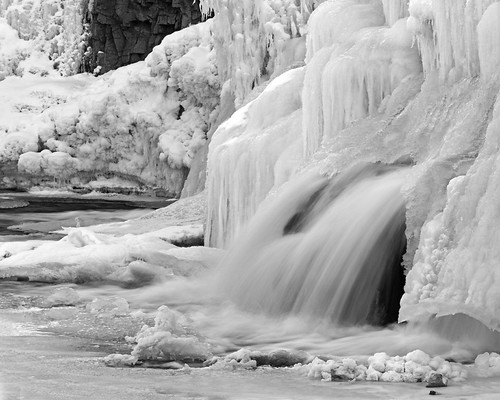
IMG_1587a by breckmiller, on Flickr
So, recommendations on getting the flowing water to pop?
IMG_1587a by breckmiller, on Flickr



![[No title]](/data/xfmg/thumbnail/31/31039-558cdb3d311dc67b7a2134527e230488.jpg?1734159138)
![[No title]](/data/xfmg/thumbnail/31/31038-84f0b9d14b7ced20e61bc19a9d4dfcc2.jpg?1734159138)

![[No title]](/data/xfmg/thumbnail/31/31041-5783ca3812325c3201a2dd513def662d.jpg?1734159146)