Eclectix
TPF Noob!
- Joined
- Aug 8, 2013
- Messages
- 209
- Reaction score
- 70
- Location
- Colorado, USA
- Can others edit my Photos
- Photos OK to edit
In the film days your resolution was more a function of the film you bought than the camera; the sensor on your digital camera essentially replaces the film. Cheap film meant grainy pictures with colors that weren't "true." Your digital camera's sensors are usually measured by their megapixel count (resolution) although size is also an important factor. I don't know much about your camera but in general most point-and-shoot cameras will not have as large of a sensor or as high of a megapixel count as most DSLR cameras. But it looks like the specs on your camera are about 12 megapixels, which should be enough for this sort of thing, although I don't know how large the sensor is and that might be a factor.
When the camera takes a picture, the data from the sensor is stored as a file. A RAW file stores all of the data exactly as it was collected from the sensor. If the camera only saves the file as a jpeg, it compresses this data into an image file for you. It makes adjustments to the data it collects based on the light balance, picture style, and so forth according to the input it receives. Then it compresses this data into a jpeg.
A bad analogy would be like recording a symphony with several microphones, then condensing it into a file with only a single channel of sound.
The sensor is capable of picking up a greater range of light than it can record on a jpeg file, and all that information is lost when it compresses the image. Also, jpeg images are mathematically calculated (I don't know the details of how this works) to reduce the amount of data needed to record the image. This information is compressed based on the way human eyes see things, so it works fine until we need to make adjustments to the file. Then those little shortcuts become much more visible to our eyes- usually this shows up as pixelated noise in the image.
Also, many cameras allow you to set the size/quality of the jpeg image that it will store. If your camera is set to record low or medium files, then this could be part of your problem. Check the settings and make sure that you have it set to record the largest possible file size. You won't be able to store as many files to a memory card, but you will be able to see the difference in image quality.
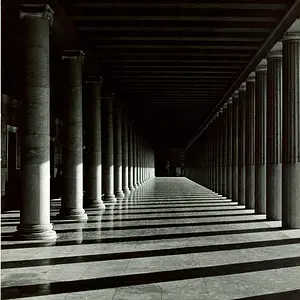
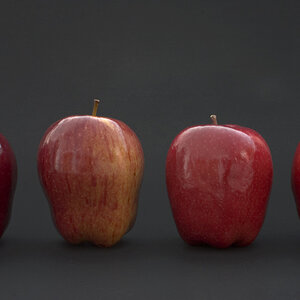
To fix the balance in the second image, I just made a duplicate layer of the image, dragged the duplicate layer over to the right a bit (so that the bottom layer underneath showed on the left side), and then used the healing tool to hide the edge of the top layer and make it blend into the bottom layer.
When the camera takes a picture, the data from the sensor is stored as a file. A RAW file stores all of the data exactly as it was collected from the sensor. If the camera only saves the file as a jpeg, it compresses this data into an image file for you. It makes adjustments to the data it collects based on the light balance, picture style, and so forth according to the input it receives. Then it compresses this data into a jpeg.
A bad analogy would be like recording a symphony with several microphones, then condensing it into a file with only a single channel of sound.
The sensor is capable of picking up a greater range of light than it can record on a jpeg file, and all that information is lost when it compresses the image. Also, jpeg images are mathematically calculated (I don't know the details of how this works) to reduce the amount of data needed to record the image. This information is compressed based on the way human eyes see things, so it works fine until we need to make adjustments to the file. Then those little shortcuts become much more visible to our eyes- usually this shows up as pixelated noise in the image.
Also, many cameras allow you to set the size/quality of the jpeg image that it will store. If your camera is set to record low or medium files, then this could be part of your problem. Check the settings and make sure that you have it set to record the largest possible file size. You won't be able to store as many files to a memory card, but you will be able to see the difference in image quality.
To fix the balance in the second image, I just made a duplicate layer of the image, dragged the duplicate layer over to the right a bit (so that the bottom layer underneath showed on the left side), and then used the healing tool to hide the edge of the top layer and make it blend into the bottom layer.



![[No title]](/data/xfmg/thumbnail/37/37604-7ad625e983f92f880eb65a264eeef5e4.jpg?1734170732)